Hardware Wallet Security: Complete Guide
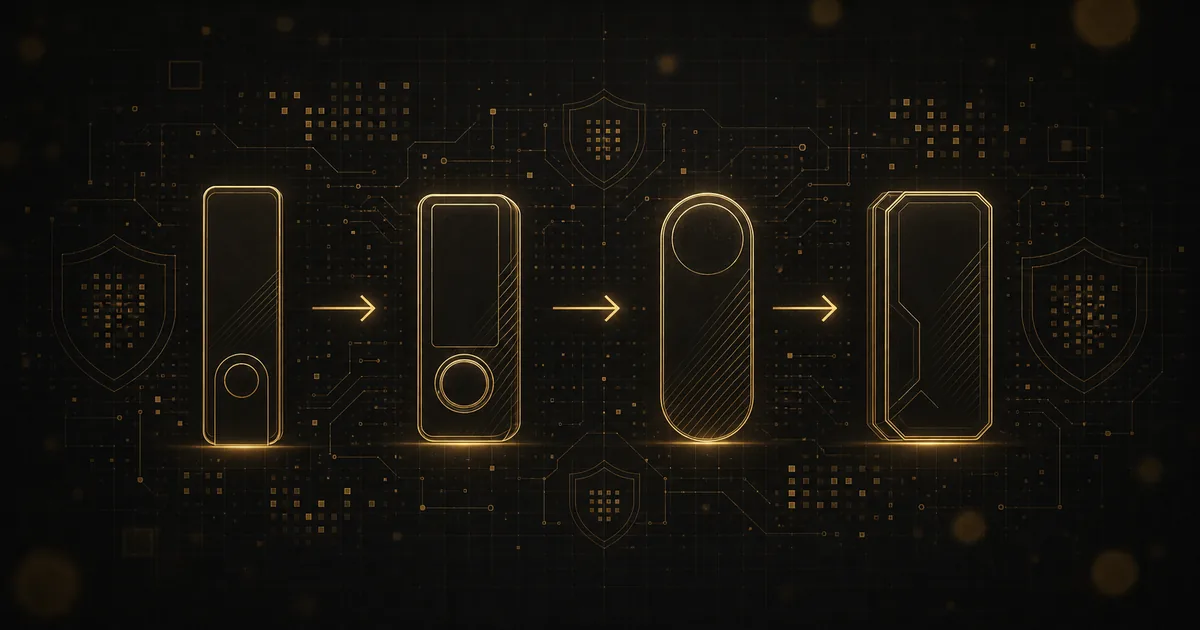
Hardware wallets isolate your private keys from internet-connected devices — the single most effective step you can take to protect cryptocurrency holdings. This guide covers how they work, compares four fundamentally different security architectures (Ledger, Trezor, Keystone, Tangem), and helps you choose the right one for your situation.
Introduction
A hardware wallet is a physical device that stores your cryptocurrency private keys offline, isolated from internet-connected computers and phones. This isolation — known as cold storage — removes a major attack vector in cryptocurrency: remote extraction of your keys by malware, compromised exchanges or man-in-the-middle attacks. If your keys never touch an online device, malware cannot copy them — though a hardware wallet cannot stop you from approving a malicious transaction or typing your recovery phrase into a phishing site. Hardware wallets cost roughly $55–$399 depending on the model and manufacturer (list prices, 11 November 2026), and protect holdings of any size, though they become essential once your portfolio exceeds $1,000–5,000.
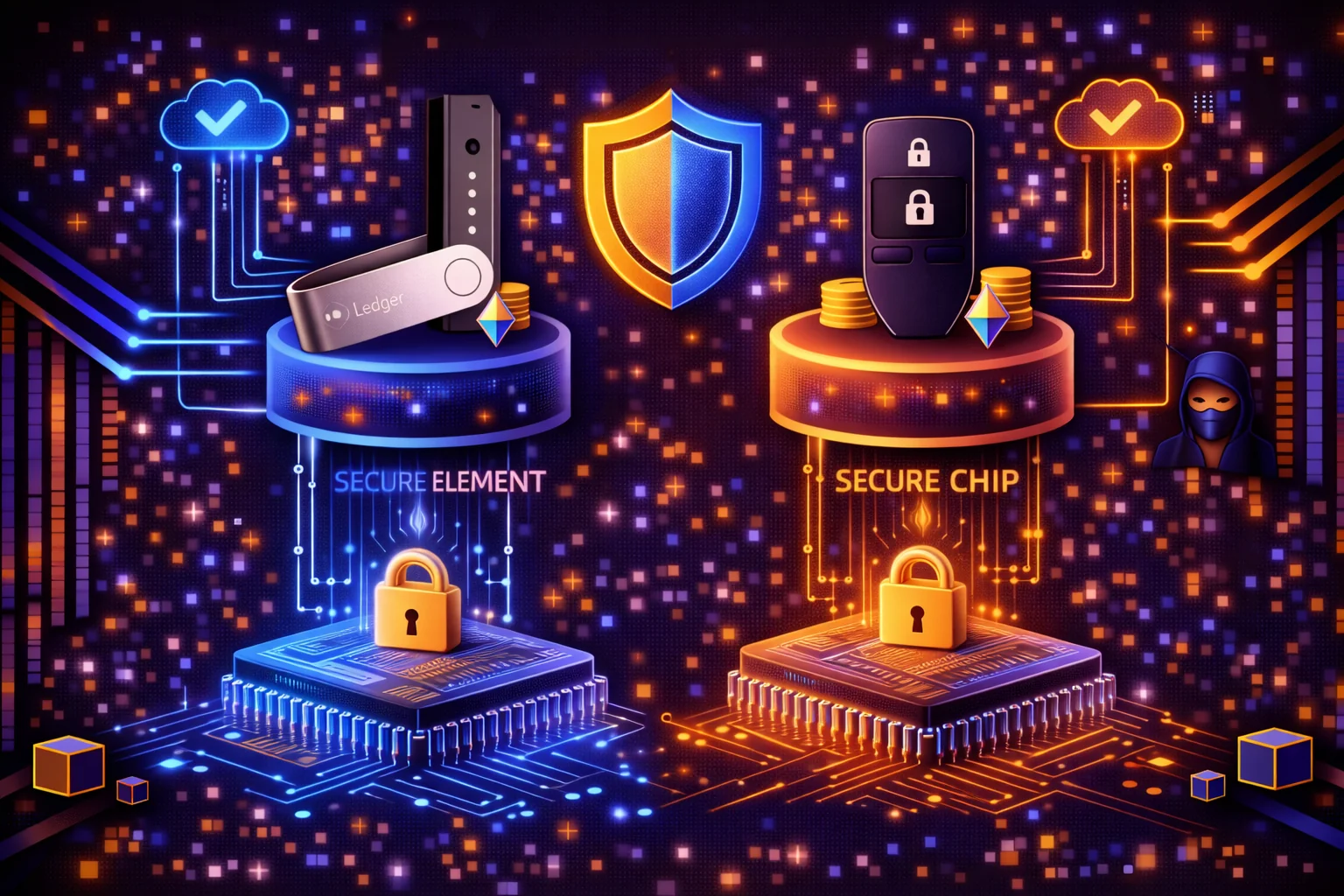
Four fundamentally different security architectures dominate the hardware wallet market in 2026. Ledger uses a dual-chip design with a certified secure element — CC EAL5+ on the Nano X, CC EAL6+ across the rest of the range — and connects via USB or Bluetooth. Trezor prioritises open-source transparency — every line of firmware code is auditable on GitHub — and now pairs that with a certified EAL6+ secure element of its own, connecting via USB, with Bluetooth on the flagship Safe 7. Keystone is built for air-gapped use: no Bluetooth or WiFi, and in QR signing mode every transaction passes through QR codes scanned by its camera — though Keystone also documents USB signing with some wallets on firmware 1.1.4 or newer. Tangem makes the seed phrase optional — your keys live on an NFC card that you tap to sign transactions, with backup via cloned cards.
Each architecture makes a different tradeoff between security, convenience, and complexity. No single wallet is "best" — the right choice depends on what you hold, how often you transact, and how much setup friction you are willing to accept. A Bitcoin maximalist running a multisig setup with Trezor and Sparrow has fundamentally different requirements than a DeFi power user signing 20 transactions per day on Ethereum through MetaMask with a Ledger. A non-technical user gifting crypto to a family member needs a different solution than an institutional treasury manager securing $10 million across geographically separated signers.
This guide sets out a practical decision framework, with device specifications and prices from each manufacturer's own pages, dated where they appear. You will learn how hardware wallets isolate your keys, what differentiates each of the four security architectures, how to set up your device properly (including seed phrase storage, passphrase protection, and multisig for larger holdings), which attack vectors you should understand and defend against, and how to use hardware wallets safely with DeFi protocols through MetaMask and WalletConnect. Whether you hold $1,000 in Bitcoin or manage a six-figure multi-chain portfolio, the right hardware wallet — configured correctly — is the most cost-effective security investment you can make in crypto.
If you already know which wallet you want, jump to our individual reviews for Ledger, Trezor, Keystone, or Tangem linked in each section below. If you want to compare two specific devices, see Trezor vs Ledger or Ledger vs Tangem. Ready to buy? See our Ledger, Tangem, and Keystone referral guides for exclusive offers.
How Hardware Wallets Work
Private Key Isolation
Your cryptocurrency exists on the blockchain, not inside any device. What a hardware wallet stores is the private key — a 256-bit number that proves ownership and authorises transactions. Whoever holds this key controls the funds. The core security principle of hardware wallets is simple: the private key is generated on the device, stored on the device, and used for signing on the device. It never leaves.
When you use a software wallet on your phone or computer, your private key exists in memory on an internet-connected device. Malware, keyloggers, clipboard hijackers, and remote access trojans can all extract it. A hardware wallet eliminates this entire attack surface by keeping the key in a physically separate, purpose-built device that has no general-purpose operating system for malware to exploit.
Why should you care about this distinction? Because the difference between a hot wallet and a hardware wallet is the difference between leaving your house keys under the doormat and keeping them in a vault. If you hold more than $1,000 in crypto on a software wallet right now, you should seriously consider moving those funds to a hardware wallet within the next week. The cost of a basic device ($55–79) is trivial compared to the potential loss from a single malware infection on your computer or phone.
The Signing Process
Every cryptocurrency transaction requires a digital signature — mathematical proof that the owner of the private key authorised the transfer. Here is how signing works with a hardware wallet:
- Step 1: You create a transaction on your computer or phone (e.g. "send 0.5 ETH to address 0xABC...")
- Step 2: The unsigned transaction is sent to the hardware wallet — via USB cable (Ledger, Trezor), Bluetooth (Ledger), or QR code (Keystone)
- Step 3: The hardware wallet displays the transaction details on its own screen — recipient address, amount, and fees — for you to verify
- Step 4: You confirm by pressing a physical button or scanning your fingerprint on the device
- Step 5: The device signs the transaction internally using the private key, then sends the signed transaction back to your computer
- Step 6: Your computer broadcasts the signed transaction to the blockchain network
The critical point: at no stage does the private key leave the hardware wallet. The device receives unsigned data, performs the cryptographic signing internally, and outputs only the signed result. Even if your computer is completely compromised by malware, the attacker cannot extract your key — they can only see the signed transaction that was already authorised.
Seed Phrases and Recovery
During initial setup, every hardware wallet (except Tangem) generates a seed phrase — a sequence of English words, typically 12 or 24 under the BIP39 standard; as of 11 November 2026, Trezor also offers 20-word backups. This phrase is a human-readable encoding of the master private key from which all your wallet addresses are mathematically derived using a system called Hierarchical Deterministic (HD) wallets (BIP32/BIP44).
Your seed phrase is the ultimate backup. If your hardware wallet is lost, stolen, or destroyed, you can enter the seed phrase into a new device and restore complete access to all your funds across all blockchain networks. This also means that anyone who obtains your seed phrase controls your crypto — securing this phrase is the single most important security step you will take.
Tangem takes a different approach: by default no seed phrase exists at all. In this default seedless setup, the card you buy has no private key on it yet — one is generated by a certified true-random number generator inside the chip when you activate it, and cannot be exported afterwards, by you or by Tangem. That ordering is the whole security argument, because it means no copy of your key ever existed at the factory. As of 15 November 2026, backup can copy the key onto one or two additional Tangem devices during setup. This eliminates the risk of seed phrase theft but means recovery depends entirely on having a backup card available. If you would rather have a seed phrase, the Tangem app can generate one or import an existing one instead — it is optional, not absent.
What Hardware Wallets Cannot Protect Against
Hardware wallets protect your private keys, but they do not protect you from signing a malicious transaction. If a compromised DApp presents a transaction that drains your wallet and you approve it on your device screen without reading the details, the hardware wallet will faithfully sign it. You are the last line of defence — always verify the recipient address, amount, and contract interaction on the device screen before confirming.
Here is a practical rule you should follow: before you confirm any transaction on your hardware wallet, ask yourself three questions. First, does the recipient address on the device screen match what you intended? Second, is the amount correct — not orders of magnitude higher than expected? Third, do you understand what contract you are interacting with? If you cannot answer yes to all three, reject the transaction and investigate. This 10-second habit can save you from the most common hardware wallet user error — approving a transaction you did not fully understand.
Four Security Architectures Compared

Secure Element + USB/Bluetooth (Ledger)
Ledger devices use a dual-chip architecture: a certified secure element (the same type of chip used in bank cards and passports — CC EAL5+ on the Nano X, CC EAL6+ on the Nano S Plus, Nano Gen5, Flex and Stax) handles all cryptographic operations, while a separate general-purpose microcontroller manages the user interface and communication. Private keys are generated and stored inside the secure element, which is designed to resist extraction even by an attacker who has the device and disassembles it.
Ledger connects to your computer via USB-C and to your phone via Bluetooth (Nano X and Stax models). The Bluetooth connection is encrypted and the signing still happens on the secure element, but Bluetooth does introduce a wireless attack surface that purely wired or air-gapped devices avoid. Ledger's firmware is proprietary and not open source, which means you must trust Ledger's security team and their third-party auditors rather than verifying the code yourself.
Ledger advertises 15,000+ supported coins and tokens, of which around 500 are managed directly in the Ledger Wallet companion app and the rest through third-party wallets paired with the device — the widest ecosystem of any hardware wallet either way. If you need mobile DeFi signing via Bluetooth or the broadest altcoin support, Ledger is the pragmatic choice. You should consider Ledger if your portfolio spans more than 3–4 different chains and you want a single device that can manage all of them through one companion app. As of 11 November 2026, Ledger lists the Nano S Plus at $69, Nano X at $99, Nano Gen5 at $179, Flex at $249 and Stax at $399.
Open-Source + USB (Trezor)
Trezor was the first hardware wallet (launched 2014) and takes a fundamentally different approach to trust: instead of relying on a proprietary secure element, Trezor's entire firmware is open source and auditable on GitHub. Any security researcher can review the code, compile it from source, and verify that the binary running on the device matches the published source code. This transparency is Trezor's core value proposition.
That tradeoff used to mean giving up certified silicon: the Model One and Model T, both discontinued in January 2026, stored keys on a general-purpose microcontroller with software-level encryption. It no longer applies. Every Trezor sold today — Safe 3, Safe 5, Safe 7 — carries a certified EAL6+ secure element, and the Safe 7 spreads key protection across three chips from three vendors, including TROPIC01, the first secure element open to independent audit. No practical remote exploit has been demonstrated against Trezor in 12 years of operation.
The two-button Safe 3 ($59) is the most affordable entry point. The Safe 5 ($129) adds a colour touchscreen for secure PIN and passphrase entry directly on the device, and the Safe 7 ($249) adds encrypted Bluetooth and Qi2 wireless charging — so "USB only" is no longer true of the whole range, and if a wireless attack surface is what you are avoiding, choose the Safe 3 or Safe 5 deliberately. Multi-share (Shamir) Backup on all three lets you split your recovery phrase into multiple shares, eliminating the single point of failure of a standard seed phrase.
For Bitcoin maximalists and open-source advocates, Trezor's integration with Sparrow and Electrum provides coin control and UTXO management that Ledger Wallet does not offer — though note that CoinJoin through Sparrow is no longer available, the Whirlpool and zkSNACKs coordinators having shut down in 2024.
Air-Gap + QR Code (Keystone)
Keystone is built for air-gapped use: it has no Bluetooth, WiFi or NFC, and in its QR signing mode all communication between your phone or computer and the device happens through QR codes. Keystone also documents USB signing with some wallets on firmware 1.1.4 or newer, which is not air-gapped (as of 15 November 2026). In QR mode, the unsigned transaction is displayed as a QR code on your screen, Keystone's camera scans it, signs the transaction offline, and displays the signed result as a QR code for your phone to scan back.
In QR mode this air-gap design gives strong isolation: while the device signs without any physical or wireless connection, entire categories of attack vectors — malicious USB cables, Bluetooth eavesdropping, BadUSB firmware attacks — are out of reach. Using the USB path gives that isolation up. Keystone's firmware is open source, and key storage sits on three separate secure-element chips, which gives you Trezor's auditability alongside dedicated security silicon. One caveat worth carrying into any comparison: Keystone publishes no Common Criteria EAL rating for those chips, so an "EAL5+" figure for Keystone is not a claim the manufacturer itself makes — unlike Ledger's certification, which is published and independently evaluated.
The tradeoff is friction. Each transaction requires a scan-sign-scan QR cycle, which adds steps that a USB device does not need. The device has a 4-inch touchscreen for checking transaction details. The first-generation Essential and Pro models have been retired; the current device is the Keystone 3 Pro at $149, which also carries a fingerprint sensor for unlocking and signing.
NFC Seedless Card (Tangem)
Tangem makes the seed phrase optional rather than mandatory. In the default seedless setup, the private key is generated inside the secure NFC chip by its own true-random number generator at the moment you activate the card — not at the factory, which is the point — and cannot be exported afterwards, by you or by Tangem; the July 2026 fault-injection attack described below needs the card in hand and laboratory equipment. You sign transactions by tapping the card against your phone's NFC reader. There is no screen on the device, no battery, and no buttons. Transaction verification happens on your phone screen, and signing happens inside the card's chip.
As of 15 November 2026, backup can copy the key onto one or two additional Tangem devices during setup. If you lose your primary card, any backup card provides full access. This removes the risk of a forgotten, damaged or stolen seed phrase. However, in the seedless setup, if you lose all your cards and have no backup, your funds are permanently inaccessible — there is no recovery phrase to fall back on.
Tangem signs transactions with a single NFC tap. The card is credit-card sized, waterproof, and rated by Tangem for a 25-year service life — it has no battery at all, drawing what power it needs from the phone's NFC field. As of 11 November 2026, Tangem advertises 14,100+ assets across 90+ networks. The lack of a device screen means you must trust your phone to display accurate transaction details — a weaker verification model than devices with dedicated screens. For a first hardware wallet, weigh Tangem's simpler NFC flow against what a screen-equipped device gives you: transaction details checked on the device itself, and firmware updates that can fix a vulnerability. Price: $54.90 for a 2-card set, $69.90 for three.
One caveat you should weigh first: in July 2026 Ledger's Donjon lab disclosed a laser fault-injection attack on the Samsung secure element in Tangem cards. It needs the card in hand, roughly $250,000 of equipment and about two hours, so it is not a scalable threat — but Tangem cards cannot be firmware-updated, so it cannot be patched. Treat a lost or stolen card as compromised.
| Feature | Ledger | Trezor | Keystone | Tangem |
|---|---|---|---|---|
| Security Model | EAL5+/EAL6+ secure element | Open-source firmware + EAL6+ secure element | Air-gap (QR mode) + secure element | NFC chip, seedless by default |
| Connection | USB-C, Bluetooth | USB (Bluetooth on Safe 7) | QR code; USB with some wallets (firmware 1.1.4+) | NFC tap |
| Seed Phrase (as of 11 November 2026) | 24 words | 12, 20 or 24 words | 12, 18 or 24 words (import) | Optional (card backup by default) |
| Open Source | No (proprietary) | Yes (full) | Yes (full) | Partial |
| Device Screen (November 2026) | 1.1-inch OLED (Nano S Plus, Nano X) to 3.7-inch E Ink touchscreen (Stax) | Two-button (Safe 3) / Touch (Safe 5, Safe 7) | 4-inch touchscreen | None |
| Price Range (list prices, 11 November 2026) | $69–$399 | $59–$249 | $149 | $54.90–$69.90 |
| Best For | Widest ecosystem | Open-source advocates | Maximum security | Simplicity, no seed |
Choosing the Right Hardware Wallet
By Use Case
Bitcoin-only storage: Trezor paired with Sparrow or Electrum wallet. These specialist wallets provide coin control and UTXO management that Ledger Wallet does not support. Trezor's open-source firmware aligns with the Bitcoin community's verify-don't-trust philosophy.
Multi-chain DeFi: Ledger is the pragmatic choice — Ledger advertises 15,000+ supported assets and integrates directly with MetaMask for Ethereum, Polygon, Arbitrum, and other EVM chains. If you want air-gap security for DeFi, Keystone works with MetaMask natively over QR codes, though the QR signing workflow adds a scan-sign-scan cycle to every transaction.
Simplicity above all else: Tangem makes seed phrase management optional. If the person you are recommending a hardware wallet to would struggle with writing down and securing 24 words, Tangem's NFC card design removes that failure point. As of 11 November 2026, Tangem advertises activation in 2 minutes.
Maximum isolation: in its QR signing mode, Keystone signs without any physical or wireless connection to another device. For large holdings or institutional setups requiring multisig across geographically separated signers, Keystone's QR-based partial signature export is purpose-built for this workflow.
By Portfolio Size
Under $1,000: The cost of a hardware wallet may not be justified at this level. If you keep funds on an exchange instead, 2FA protects your login, not your funds: an exchange failure or freeze can still lock them, as FTX, Celsius and Voyager customers found.
$1,000–$10,000: An entry-level hardware wallet makes sense. A Trezor Safe 3 ($59) or a Tangem 3-card set ($69.90) provides genuine cold storage at minimal cost. The device cost is under 1–6% of your holdings — a reasonable insurance premium.
$10,000–$100,000: Invest in a premium device. A Ledger Nano X ($99) or a Keystone 3 Pro ($149; list prices, 11 November 2026) adds features beyond the entry models, such as Bluetooth on the Nano X and the air gap on the Keystone. At this level, you should also implement passphrase protection (creates a hidden wallet behind a secondary password) and consider a metal seed phrase backup plate ($25–50).
Over $100,000: Consider multisig — requiring 2-of-3 or 3-of-5 devices to authorise any transaction. This eliminates single-device failure as a risk. Keystone natively supports multisig coordination. Trezor and Ledger work with multisig through specialist software like Sparrow, Electrum, or Caravan.
By Technical Comfort
Non-technical users: Tangem (no seed phrase, tap to sign) or Ledger Nano S Plus (guided setup via Ledger Wallet app). Both minimise the number of decisions and technical concepts you need to understand.
Intermediate users: Ledger Nano X (Bluetooth convenience, broad ecosystem) or Trezor Safe 5 (touchscreen, Multi-share Backup option). Both provide a good balance of security and usability.
Advanced users: Keystone 3 Pro (air-gap, open-source, multisig) or Trezor with Sparrow wallet (full coin control, custom derivation paths). These setups require more initial learning but provide maximum control over your security posture.
Common Mistakes When Choosing
The first mistake is buying the most expensive device when a simpler one would serve you better. If you hold only Bitcoin and Ethereum and never use DeFi, a Trezor Safe 3 at $59 provides the same core security as a Ledger Stax at $399 — the premium buys you a larger screen and wireless charging, not stronger key isolation.
The second mistake is choosing based on token count alone. If you hold assets across 15 different chains, Ledger's 15,000+ advertised assets matter. If you hold BTC and ETH only, every hardware wallet on the market supports both. Pay for the security architecture and convenience features you actually need, not for theoretical future compatibility with chains you may never use.
The third mistake is neglecting the ecosystem. A hardware wallet is only as useful as the software it integrates with. Ledger has Ledger Wallet and Trezor has Trezor Suite; Keystone offers its Nexus App and also integrates with third-party wallets (MetaMask, Sparrow); Tangem has its own companion app. Before purchasing, verify that the device supports the specific DApps, chains, and workflows you use daily.
Setup Best Practices

Seed Phrase Storage
Your seed phrase is the master key to all your funds. How you store it determines whether you can recover from device loss — and whether an attacker can steal from you. Follow three rules: store it offline, store it in multiple locations, and never store it digitally.
- Write it on paper — use the card included with your device or plain paper. Write clearly in permanent ink. Store in a fireproof safe or safety deposit box.
- Consider a metal backup — steel plates like Cryptosteel or Billfodl survive fire (up to 1,200C) and water damage that would destroy paper. Cost: $25–70. Worth it for holdings above $5,000.
- Store in two physically separate locations — your home and a trusted family member's home, or a safety deposit box. If one location is compromised (fire, theft, flood), you still have a backup.
- Never photograph, email, or type your seed phrase — any digital copy can be extracted by malware, cloud sync, or a compromised device. If your phone automatically backs up photos to iCloud or Google Photos, a screenshot of your seed phrase is stored on a server you do not control.
Passphrase Protection
A passphrase (sometimes called the "25th word") is an optional secondary password that creates a mathematically separate hidden wallet from the same seed phrase. If someone obtains your 24 words but not your passphrase, they access only the base wallet — which you can keep empty or hold a small decoy amount. Your real holdings are in the passphrase-protected wallet that is invisible without the correct passphrase.
Passphrases are case-sensitive and include spaces and special characters. "MyPass123" and "mypass123" generate entirely different wallets. If you forget your passphrase, the funds in that wallet are permanently inaccessible. Write your passphrase down and store it separately from your seed phrase — ideally in a different physical location. Trezor and Keystone both support passphrases; Ledger supports them through advanced settings; Tangem supports an optional passphrase when you import a seed phrase.
Multisig for Larger Holdings
Multisignature (multisig) setups require multiple devices to authorise a transaction — typically 2-of-3 or 3-of-5 configurations. This means no single device loss, theft, or compromise can result in fund loss. A 2-of-3 setup uses three hardware wallets stored in different locations; any two must sign to move funds.
Multisig adds complexity to every transaction but dramatically reduces single-point-of-failure risk. It is worth considering for holdings above $100,000 or for business treasuries. Keystone natively supports multisig with QR-based partial signature export. Trezor and Ledger work with multisig through Sparrow, Electrum, or dedicated tools like Caravan and Nunchuk.
Firmware Verification
Before trusting a new hardware wallet with your funds, verify that the firmware is genuine. Each manufacturer provides a different verification method:
- Ledger: Ledger Wallet performs an automatic genuineness check on first connection. The device's secure element contains a certificate that Ledger Wallet verifies against Ledger's servers.
- Trezor: You can compile the firmware from the open-source repository and compare the binary hash against what is running on your device. Trezor Suite also performs automatic verification.
- Keystone: Firmware binaries are published on GitHub with checksums. The device displays its firmware version and hash, which you can compare against the published values.
- Tangem: The NFC chip includes a manufacturer certificate that the Tangem app verifies automatically during first setup.
Metal Seed Phrase Backups
Paper backups are vulnerable to fire, water, and degradation over time. If you store more than $5,000 in crypto, invest $25–70 in a metal seed phrase backup plate. These are stainless steel plates where you stamp, engrave, or slide in letter tiles to record your 12 or 24 words. Quality options include the Billfodl (letter tiles, marine-grade 316 stainless, $99) and Blockplate (centre-punch, 304-grade stainless). The long-serving Cryptosteel Capsule is being retired in favour of its Seed24 successor, so check what is actually shipping before you order.
Metal backups survive house fires (steel melts at 1,370C, far above typical house fire temperatures of 600–800C), flooding, and decades of storage without degradation. Store your metal backup in a fireproof safe, safety deposit box, or with a trusted family member in a different building than your primary residence. If you use Multi-share Backup (any current Trezor Safe), you need separate metal backups for each share, stored in different locations.
Your First Week with a Hardware Wallet
Day 1: Unbox the device, verify tamper-evident seals, and complete initial setup. Generate your seed phrase, write it down carefully, and enable all security features (PIN, biometrics, anti-phishing code where available). Do not deposit any funds yet.
Day 2: Order a metal backup plate if you do not already have one. While waiting for delivery, store your paper seed phrase in a secure temporary location. Connect your hardware wallet to its companion app (Ledger Wallet, Trezor Suite, or Tangem app) and familiarise yourself with the interface.
Day 3–4: Transfer your metal seed phrase to the metal backup when it arrives. Test the recovery process: reset the device, restore from your seed phrase, and verify the same addresses appear. Send a small test amount ($10–50) and verify it arrives correctly.
Day 5–7: Transfer your main holdings from exchanges to the hardware wallet in batches. Start with the largest holding, verify it arrives, then transfer the rest. If you use DeFi, connect your hardware wallet to MetaMask and test signing a small transaction through a DApp you frequently use. By the end of the week, all your holdings above $1,000 should be in hardware wallet custody.
Test Recovery Before Depositing
Before sending significant funds to your new hardware wallet, test the recovery process. Reset the device, restore from your seed phrase, and verify that the same addresses appear. This confirms that you wrote the seed phrase correctly and that recovery works. On Tangem, restoring means tapping a backup card rather than re-entering words. Do this test with a small amount ($10–50) before transferring your main holdings. This test could save you from permanent fund loss if you made an error writing down your seed phrase. We consider this step mandatory, not optional — every hardware wallet setup guide that skips it is doing you a disservice.
Common Attack Vectors and How to Defend Against Them
Social engineering and user error, not hardware exploits, are the attack vectors you can do the most about. Understanding these attack vectors helps you defend against them.
Supply Chain Attacks
An attacker sells a pre-configured device with a known seed phrase, waits for you to deposit funds, then drains the wallet.
Defence: Buy only from the manufacturer's official website or authorised resellers listed on their site. Verify tamper-evident packaging is intact. During setup, always generate a new seed phrase on the device — never use a pre-printed phrase included in the box. If a device arrives with a seed phrase already written down, it is compromised.
Phishing and Social Engineering
Fake websites mimicking Ledger Wallet, Trezor Suite, or MetaMask ask you to enter your seed phrase "for verification" or "to fix a sync error." Fake customer support accounts on X (formerly Twitter), Telegram, and Discord offer "help" that requires sharing your recovery words.
Defence: Your seed phrase is never needed for normal operation — only for recovery on a new device. No legitimate support agent will ever ask for it. Bookmark official URLs (ledger.com, trezor.io, keyst.one) and never follow links from emails or social media messages. If someone asks for your seed phrase for any reason, it is a scam.
Firmware and Software Attacks
Malicious firmware updates or compromised companion apps could theoretically extract keys or alter transaction details. In 2023, a supply chain attack on Ledger's Connect Kit library briefly allowed attackers to inject malicious code into DApps that prompted Ledger users to sign draining transactions.
Defence: Only update firmware through official apps (Ledger Wallet, Trezor Suite). For Trezor and Keystone, open-source firmware means security researchers can audit updates before you install them. Always verify the transaction details on your device's screen, not on your computer screen — if the two differ, reject the transaction.
Physical Access Attacks
An attacker with physical access to your device and specialised equipment (voltage glitching, side-channel analysis) may attempt to extract the private key. These attacks are expensive ($10,000+ in equipment), time-intensive, and require expert knowledge. They are a realistic threat only for very high-value targets.
Defence: Secure element chips (Ledger, Keystone and the current Trezor Safe models) are specifically designed to resist physical extraction. The discontinued Trezor Model One, which has no secure element, is more vulnerable to physical attacks — offset this by using a strong passphrase (which is not stored on the device). Keep your device in a secure location and set a strong PIN that locks after failed attempts.
The $5 Wrench Attack
The most low-tech attack: someone threatens you with physical violence to hand over your crypto. No hardware security feature protects against coercion.
Defence: Use a passphrase to create a hidden wallet. Your base wallet (visible without the passphrase) holds a small decoy amount. Under duress, you hand over the device and the base PIN — the attacker sees a wallet with a plausible small balance and cannot detect the hidden passphrase-protected wallet containing your real holdings. This only works if you have set it up in advance.
Clipboard Hijacking
Malware on your computer monitors your clipboard and replaces cryptocurrency addresses when you copy-paste them. You copy your intended recipient address, but the malware substitutes an attacker's address before you paste it into the transaction form. This attack works even with hardware wallets if you do not verify the address on the device screen.
Defence: Always verify the full recipient address on your hardware wallet's screen — character by character — before confirming any transaction. The device screen cannot be manipulated by malware on your computer. If the address on the device screen does not match what you intended, reject the transaction immediately. For frequently used addresses, use your hardware wallet's address book feature (available on Ledger and Trezor) to avoid manual address entry entirely.
Fake Firmware Updates
An attacker creates a convincing email or website claiming your hardware wallet needs an urgent firmware update to fix a critical vulnerability. The link leads to a fake update tool that either installs malicious firmware or asks for your seed phrase as part of the "update process." Ledger users were targeted with this exact attack after the 2020 customer data breach.
Defence: Only update firmware through official companion apps: Ledger Wallet, Trezor Suite, or the Keystone update tool. Never follow firmware update links from emails, social media, or search engine ads. If you receive a notification about a critical update, navigate directly to the manufacturer's official website by typing the URL manually — do not click any links.
Hardware Wallets and DeFi
MetaMask Integration
The most common way to use a hardware wallet with DeFi is through MetaMask. Both Ledger and Trezor integrate directly: you connect your device, and MetaMask uses it as a signing backend. When you interact with a DApp (swap on Uniswap, supply on Aave, provide liquidity on Curve), MetaMask sends the unsigned transaction to your hardware wallet for verification and signing. Your keys never enter MetaMask or your browser — they stay on the device.
To set this up: open MetaMask → Settings → Connect Hardware Wallet → select your device → choose which accounts to import. From that point, every transaction requires physical confirmation on the hardware wallet. This adds a confirmation step to every transaction but ensures that even a fully compromised browser cannot move your funds without your physical approval.
QR Pairing for Air-Gapped Devices
Keystone pairs with MetaMask over QR codes — Keystone's MetaMask guides (extension and mobile, read 15 November 2026) describe QR pairing — and MetaMask supports Keystone natively over QR codes, under EIP-4527, a standard MetaMask and Keystone wrote together for exactly this. You pair by scanning, then sign each transaction with the QR scan-sign-scan cycle. This works with the DeFi protocols MetaMask reaches, at the cost of that extra step on every transaction.
Tangem signs through its own companion app over NFC. You pair with a DApp, review the transaction on your phone, and tap the Tangem card to sign. NFC signing takes a single tap, but you must trust your phone screen for transaction verification since the card has no display.
Blind Signing Risks
Some DeFi transactions display as raw data on your hardware wallet screen — a hexadecimal string rather than human-readable details like "Swap 1 ETH for 2,500 USDC on Uniswap." This is called blind signing, and it is dangerous: you cannot verify what you are actually approving. A malicious DApp could present a friendly interface on your computer while the actual transaction drains your wallet.
To reduce blind signing risk: use DApps that support EIP-712 typed data signing (which displays structured, readable transaction details on your device screen). Ledger has been expanding "clear signing" support for major DeFi protocols including Uniswap, Aave, and Lido. Before signing any transaction, verify that the contract address, token amounts, and recipient address on your device screen match what you expect. If the device shows unreadable data for a high-value transaction, consider using a transaction simulation tool like Tenderly or Blocknative to preview the outcome before signing.
Practical DeFi Workflow with Hardware Wallets
The most efficient setup for active DeFi users combines a hardware wallet with MetaMask. Keep your hardware wallet connected (Ledger via USB) or paired (Keystone via QR codes) while working through a DeFi session. Batch your transactions — approve tokens, supply collateral, and adjust positions in a single session rather than connecting and disconnecting repeatedly.
For Keystone users, the QR workflow adds a scan-sign-scan cycle to every DeFi interaction, and the friction compounds if you sign many transactions a day. Consider using Keystone for high-value, infrequent transactions (large deposits, withdrawals, collateral adjustments) and a separate hot wallet with a small balance for frequent low-value interactions like governance votes or small swaps.
Regardless of which hardware wallet you use for DeFi, revoke unnecessary token approvals regularly. When you approve a DApp to spend your tokens, that approval persists until you manually revoke it. A compromised DApp could drain approved tokens months after your last interaction. Use revoke.cash or Etherscan's token approval checker monthly to audit and revoke stale approvals.
Decision Matrix
If you hold Bitcoin and want full transparency: Choose Trezor. Open-source firmware, Sparrow/Electrum integration for coin control, and a proven 12-year track record. The Safe 3 at $59 (list price, 11 November 2026) is Trezor's most affordable model, and unlike the discontinued Model One it adds a certified EAL6+ secure element.
If you use DeFi across multiple chains: Choose Ledger. The widest app ecosystem (15,000+ advertised assets), MetaMask integration via USB, and Bluetooth for mobile signing. Ledger Wallet provides a unified interface for managing assets across Ethereum, Polygon, Arbitrum, Solana, and dozens of other networks.
If security is your absolute priority: Choose Keystone. Signing by QR code means the device never connects to your computer for a transaction. Open-source firmware and three secure-element chips combine transparency with hardware protection, though Keystone publishes no Common Criteria rating for those chips. Accept the QR workflow friction as the cost of that isolation.
If you want the simplest possible experience: Choose Tangem. No seed phrase to manage in seedless mode, NFC tap to sign. As of 11 November 2026, Tangem advertises activation in 2 minutes. Ideal for users who find traditional hardware wallets intimidating, or as a gift for someone entering crypto for the first time. The 3-card set ($69.90) provides built-in backup without any seed phrase management. Weigh it against the July 2026 laser-fault disclosure above, which cannot be patched on a card with no firmware updates.
What If You Cannot Decide?
If you are still uncertain after reading this guide, start with the Trezor Safe 3 at $59. It provides genuine cold storage with open-source firmware and a certified secure element at the lowest price point in the market. You can always upgrade to a Ledger, Keystone, or Tangem later as your needs evolve and your portfolio grows — your crypto stays on the blockchain regardless of which specific hardware device holds the signing keys. What matters most is getting your holdings off centralised exchanges and into genuine self-custody as soon as possible, not finding the theoretically perfect device.
For users with larger portfolios ($50,000+), consider owning two different devices from different manufacturers. Use one as your primary signing device and store the other (with the same seed phrase restored) in a secure off-site location as a backup. This protects against one brand's device failing or becoming unavailable. It does not protect against a vulnerability in either brand, because both devices hold the same seed; for that, use separate keys in a multisig. A Ledger primary with a Trezor backup (or vice versa) provides both hardware diversity and independent seed phrase verification.
If you manage crypto for a business or trust, engage a security consultant who specialises in cryptocurrency custody to design your setup. Multisig configurations, key ceremony procedures, and inheritance planning require careful design that goes beyond individual user needs. The hardware wallets covered in this guide all support institutional workflows, but the operational procedures around them — including key ceremony documentation, access control policies, succession planning, and regular security audits — are equally important and should be professionally reviewed before deploying in a business context.
Conclusion
Hardware wallets are the most effective security measure available to individual crypto holders. By isolating your private keys from internet-connected devices, they remove the remote key-extraction vector. The four major architectures — Ledger's secure element, Trezor's open-source approach, Keystone's air-gap, and Tangem's seedless NFC — each solve the same fundamental problem with different tradeoffs. Before you buy, check the manufacturer's own product page for the current price and specifications: several figures in this guide changed between August and November 2026.
For most users, the decision comes down to three factors: how much you hold (which determines whether you need basic cold storage or premium multi-layered security), how often you transact (which determines your tolerance for signing friction and QR code workflows), and how technically comfortable you are (which determines whether open-source auditability or a guided app-based setup matters more to your daily experience).
Regardless of which device you choose, three practices are non-negotiable. First, buy only from official manufacturer websites — not Amazon, eBay, or third-party resellers where supply chain attacks are documented. Second, secure your seed phrase in at least two physically separate offline locations, ideally on a metal backup plate that survives fire and water damage. Third, verify every transaction on the hardware wallet's own screen before signing — not on your computer screen, which can be manipulated by malware. These habits protect you against the three most common attack vectors and cost nothing beyond a few seconds of attention per transaction.
The hardware wallet market in 2026 offers genuine choice for the first time. Five years ago, Ledger and Trezor were the only serious options. Today, Keystone's air-gap architecture and Tangem's seedless card design represent fundamentally new approaches to the same problem; as of 11 November 2026, Tangem lists its 3-card set at $69.90.
If you take one action from this guide, let it be this: move any crypto holdings above $1,000 off exchanges and into a hardware wallet within the next week. The specific device matters less than the act of taking custody. Exchange hacks, freezes, and bankruptcies (FTX, Celsius, Voyager) have demonstrated repeatedly that "not your keys, not your coins" is not a slogan — it is a statement of legal and practical reality. When FTX collapsed in November 2022, users who had withdrawn to hardware wallets lost nothing. Users who trusted the exchange lost billions.
The total cost of a hardware wallet setup — device ($55–170 for most users), and a metal seed phrase backup ($30) — is trivial compared to what you are protecting. If you hold $5,000 in crypto, you are spending 1–3% on security infrastructure that removes the remote key-extraction vector, though it cannot stop you approving a malicious transaction or typing your recovery phrase into a phishing site. If you hold $50,000, the cost is 0.1–0.3%. There is no other single investment with a comparable risk-reduction-to-cost ratio anywhere in the cryptocurrency security space today.
For a detailed assessment of each device, see our individual reviews: Ledger, Trezor, Keystone, and Tangem. For side-by-side comparisons, see Trezor vs Ledger and Ledger vs Tangem.
Sources and References
- Ledger Academy — official security documentation
- Trezor Learn — open-source wallet education
- Keystone 3 Pro — secure-element specification — the manufacturer's own spec sheet: three secure-element chips, no EAL rating published
- Bitcoin.org Wallet Chooser — independent wallet selection guide
- Ethereum.org Wallet Guide — Ethereum Foundation wallet security documentation
Frequently Asked Questions
- What is the safest type of hardware wallet?
- Keystone signing by QR code stays air-gapped: the device does not connect to your computer or phone for a transaction (Keystone also documents USB signing with some wallets on firmware 1.1.4 or newer, which is not air-gapped, as of 15 November 2026). Secure element wallets like Ledger provide CC EAL5+ or EAL6+ certified key protection. The safest choice depends on your threat model: QR signing for isolation, a secure element for convenience with strong protection.
- Do I need a hardware wallet if I have less than $1,000 in crypto?
- Under $1,000, the cost of a hardware wallet may not be justified. If you keep funds on an exchange instead, 2FA protects your login, not your funds: an exchange failure or freeze can still lock them. Hardware wallets become worthwhile above $1,000–5,000 where the cost of the device ($55–399) is a small fraction of what you are protecting.
- Can hardware wallets be hacked?
- No publicly documented attack has remotely extracted keys from the hardware, but Ledger's Connect Kit library was compromised in December 2023, so vendor software is its own risk. Physical attacks need your device and specialised equipment. Phishing and tampered devices from unofficial sellers are the threats to defend against first.
- What happens if I lose my hardware wallet?
- Your recovery seed phrase (or, on Tangem, a backup card) lets you restore access, and the lost device should be treated as exposed. You can restore your wallet on a new device of the same brand or any compatible wallet. The hardware device stores the keys that control access to your crypto on the blockchain — not the crypto itself.
- Ledger vs Trezor vs Keystone — which should I choose?
- Ledger for the widest app ecosystem and Bluetooth mobile support. Trezor for open-source firmware transparency. Keystone for air-gapped signing via QR codes. Tangem for an NFC card design that makes seed phrase management optional rather than mandatory, though note its unpatchable July 2026 laser-fault disclosure.
- How long does it take to set up a hardware wallet?
- Setup time depends on the device: as of 11 November 2026, Tangem advertises activation in 2 minutes, and Keystone's QR-code pairing adds steps that a USB device does not need. All devices require writing down a seed phrase (except Tangem) and enabling security features.
- Can I use a hardware wallet with DeFi protocols?
- Yes. Ledger and Trezor connect to MetaMask via USB for direct DeFi access on Ethereum, Polygon, Arbitrum, and other EVM chains. Keystone works through native QR-code pairing in MetaMask. Tangem connects via its companion app and WalletConnect. All four support DeFi signing with varying levels of convenience.
- What is a seed phrase and why is it important?
- A seed phrase is a sequence of 12 or 24 English words generated during hardware wallet setup. It is the master backup for all your cryptocurrency keys. If your device is lost or damaged, the seed phrase restores full access on a new device. Losing your seed phrase means permanent loss of funds — secure it in multiple offline locations.
- Should I buy a used hardware wallet?
- No. A used device could be pre-configured with a known seed phrase, allowing the previous owner to drain funds you deposit. Always buy new from the official manufacturer website or authorised retailers. Verify tamper-evident packaging is intact before setup.
- How do Tangem backup cards work?
- As of 15 November 2026, Tangem's help centre lets you back up your private key onto one or two additional cards during setup. Each card is an identical backup — tap any card to sign transactions. If you lose one card, the remaining cards keep full access. In the default seedless setup there is nothing to write down — the key exists only inside the physical cards. If you would rather have a written backup, the Tangem app can generate a seed phrase or import one instead, which trades the seedless guarantee for a recoverable one.
← Back to Crypto Investing Blog Index
Financial Disclaimer
This content is not financial advice. All information provided is for educational purposes only. Cryptocurrency investments carry significant investment risk, and past performance does not guarantee future results. Always do your own research and consult a qualified financial adviser before making investment decisions.
Affiliate Disclosure
This page contains affiliate links. When you sign up through our referral links, we may earn a commission at no additional cost to you. This helps support our platform and allows us to continue providing valuable content and recommendations.