Simple Wallet Complete Review
Honest 2026 review of Simple Wallet — a genuine self-custody MPC wallet (no seed phrase, no KYC just to hold crypto), with in-app swaps and a Wirex-issued card, after its custodial arm closed on 30 June 2026.
Simple's wallet is a self-custody mobile app built on multi-party computation, aimed at people who want privacy and ease of use rather than an exchange account. Its recent history matters when judging it: the app's custodial wallet and exchange arm, run by Stored Assets Ltd in Bulgaria, permanently ceased commercial activity on 30 June 2026 as the MiCA transitional periods expired, and now operates in withdrawal-only mode. What continues is the self-custodial wallet provided by Simple Europe UAB in Lithuania, in which no third party can spend your funds unilaterally.
Holding and moving crypto in that wallet requires no KYC: setup asks for an email address, an emailed one-time code, and a four-digit PIN, with no identity documents, name, or proof of address. Verification does become mandatory the moment money crosses into the regulated world — buying crypto through the in-app on-ramp, ordering the Wirex-issued crypto card, or opening the custodial Euro card and IBAN all require full identity checks. The wallet layer preserves financial privacy; the spending and buying layers do not.
This detailed review examines Simple Wallet's security architecture, feature set, user experience, and overall value proposition for cryptocurrency users in 2026. We'll analyse everything from setup and backup procedures to swap pricing, staking, and the state of the card and IBAN after the custodial shutdown, to help you determine if Simple Wallet meets your storage and spending needs.
Try Simple Wallet for FreeIntroduction
Simple Wallet represents a new generation of cryptocurrency wallets that prioritise user privacy and security without sacrificing ease of use. Launched in response to growing concerns about centralised exchanges and custodial wallet risks, it provides a self-custody solution in which no custodian can move your funds, while maintaining the simplicity newcomers to cryptocurrency need.
What sets Simple Wallet apart in the crowded cryptocurrency wallet market is how little it asks for. Creating the self-custody wallet needs an email address, a one-time code sent to it, and a PIN — no name, no phone number, and no identity documents. Simple's privacy policy confirms that it does not collect identification documents for the core self-custody service, which narrows the data a breach could expose, though the email address, your device details and your public wallet addresses are still held on its systems.
Simple Wallet supports multiple blockchain networks and cryptocurrencies, making it a versatile solution for users who want to manage diverse digital asset portfolios from a single interface. Its terms enumerate four self-custodial services: the wallet itself, Native Staking (also called DeFi Earn) where an asset supports it, swaps routed through Changelly, and a third-party fiat on-ramp. That is a deliberately narrow feature set — there is no documented dApp browser through which to reach lending markets or yield farms directly.
Simple Wallet's security model is built on multi-party computation (MPC): instead of a single private key or a 12-word seed phrase, your key is split into cryptographic shares, with one held on your device and another on Simple's servers, so that neither side alone can move your funds; Simple's terms state that it cannot access your crypto. This design keeps you in control while removing the single point of failure that a seed phrase represents. Combined with biometric authentication and an encrypted backup of your key share that you keep in your own cloud storage, it delivers strong security in a user-friendly package.
For users concerned about privacy, the honest framing is pseudonymity rather than anonymity. Skipping identity checks keeps your holdings out of a KYC database, but Simple still ties the wallet to a login email, logs your IP address for security and troubleshooting, and by design holds one of the two key shares on its own servers. That is a meaningful improvement on an exchange account, not the untraceable wallet the category's marketing sometimes implies.
What is Simple Wallet?
Unlike centralised exchanges or custodial wallets, where a third party controls your funds, Simple's terms state that it holds no ability to move or freeze your crypto: it acts as a technology provider, and signing authority stays with your device. Learn more about wallet security best practices from Bitcoin.org documentation.
It supports Bitcoin, Ethereum, and stablecoins including USDC and USDT. For technical detail on how cryptocurrency wallets work, see the Ethereum wallet documentation.
What makes the Simple wallet particularly appealing is that holding crypto needs no KYC and no personal data beyond a login email. Rather than a single exportable private key or seed phrase, the wallet is created using MPC: Simple's terms describe a 2-of-2 scheme in which share #1 is managed by Simple and share #2 lives on your device, so that only you can authorise a transaction and Simple cannot spend your funds. Read that split carefully, because it cuts both ways — Simple's server share is needed to co-sign every transaction you make. Note that the app's optional Euro card and IBAN are a separate custodial service that does require KYC.
Key Features & Capabilities
Non-Custodial Architecture
The wallet operates on a genuine self-custody model built on multi-party computation (MPC). Instead of a single private key sitting on one device, your key exists only as cryptographic shares — one on your device and one on Simple's servers — and a transaction can be signed only when your device participates. Simple's terms state that it cannot move, freeze or seize your funds on its own, and there is no 12-word seed phrase for anyone to steal. Because your device holds the share only you can unlock, no custodian's permission stands between you and your holdings. Be precise about the trade-off, though: if you lose the device, getting back in depends on an encrypted backup you stored yourself or on Simple's Support Recovery through your registered email.
Multi-Chain Support
Simple's own help documentation for the self-custody wallet names Bitcoin, Ethereum, BNB Chain, Polygon, Tron, Solana, Polkadot, Stellar, the XRP Ledger, Algorand and NEAR, and describes cross-chain swaps where a route is available. This multi-chain approach allows you to manage diverse cryptocurrency portfolios from a single unified interface, with separate address spaces per blockchain and a consolidated view of your total portfolio value. Verify the coverage you need before committing funds, because Simple publishes no itemised asset list for the self-custody wallet: the only list on its site is explicitly the custodial wallet's, and that arm closed in June 2026. Avalanche, Arbitrum and Optimism assets appear on that custodial list only, and zkSync appears nowhere in Simple's documentation — do not assume any of them carry over.
Privacy-First Design
Setup asks for no identity documents, and Simple's privacy policy states plainly that it does not collect identification documents for the core self-custody service. That is the strongest privacy claim the product can honestly make, and it is a real one: there is no KYC file sitting behind your balance.
Beyond that, the data picture is ordinary rather than exceptional. The privacy policy in force from 28 July 2026 lists what the self-custody side collects automatically: device information, usage information, your public wallet addresses with their on-chain history, and your IP address for security, troubleshooting, and standard server logging. Raw logs and IP logs are kept for six to twelve months.
Note also what the custodial side collected while it operated: precise location data, activity logs, and biometric facial scans, with KYC records including face data kept for five years after account closure. Two very different privacy regimes have lived inside one app, and only the self-custodial one is the modest-collection version described above.
Biometric Security Integration
Simple Wallet integrates with your device's biometric security features, including Face ID, Touch ID, and fingerprint scanners. This adds a convenient yet robust layer of security for daily transactions whilst maintaining the underlying cryptographic security of your private keys.
Device unlock is handled by the operating system's own biometric subsystem, so Face ID or a fingerprint never leaves your handset. Simple's optional Face Check recovery is a separate thing and should not be confused with it: the terms state explicitly that it does not use the native biometric authenticators, it takes a live camera scan processed by a third party (KYCaid), and Simple disclaims its reliability in capital letters, listing false positives, false negatives, lighting and appearance changes among the risks.
In daily use this means authorising a payment with a glance or a touch rather than a typed password, while the biometric layer keeps a lost or stolen handset from spending your balance. Simple documents no per-transaction value threshold, so the prompt is an all-or-nothing gate rather than something you can tune by amount.
Swaps, Staking and the Gas Station
In-app swaps are routed to a third-party provider — Simple's terms name Changelly — which sets both the rate and the fee. Those are shown before you confirm, but there is no published swap schedule for the self-custody wallet, so the only way to see what a trade costs is to reach the confirmation screen. Native Staking, which Simple also labels DeFi Earn, is available on some assets: Simple provides the interface to the underlying protocol, guarantees no rewards, and names slashing and smart-contract failure as risks. It publishes no staking rates and no list of stakeable assets.
The Gas Station is the more distinctive feature. You top up one prepaid balance in USDC or USDT, and the app delivers the right native token on whichever chain your transfer needs, so you are not stranded holding tokens you cannot move for want of gas. Where you have no gas to fund the top-up itself, Simple lends a small amount of the native token and adds the cost to the top-up for automatic repayment. Note what the marketing line "gas fees sorted" actually means: this is prepayment and routing, not Simple paying your fees. Leftover gas stays in your wallet.
There is no documented dApp browser and no documented WalletConnect support. Simple's terms enumerate the self-custodial services as the wallet, Native Staking, Swap and the on-ramp, and neither the help centre nor either app-store listing mentions browsing Web3 sites from inside the app. If your routine involves connecting a wallet to a lending market, a DEX front end or an NFT marketplace, this is not the app for it.
Security Model & Architecture
Private Key Generation
Rather than generating a single private key and a BIP39 mnemonic, Simple uses multi-party computation (MPC): the key material is created as independent shares using secure randomness, with one share on your device and one on Simple's servers, and neither share on its own can spend your funds. There is no 12-word phrase to write down or to lose. Simple does not document where on the handset that share is kept — its terms describe encryption tied to device security or a backup password, and make no secure-enclave claim — but signing needs your device and your authentication, so holding the phone is not enough. The model removes the seed phrase as a single point of failure while keeping signing authority with you.
Backup & Recovery Options
Because Simple uses MPC rather than a seed phrase, backup does not mean writing down a 12-word recovery phrase — there isn't one. Instead, the app secures your device key share and lets you save an encrypted copy of it that can be restored to a new device once you re-authenticate. There is therefore no master phrase that, if leaked, would hand over your funds.
Simple calls your share the Recovery Kit and offers three ways back in: Support Recovery through your registered email and device, restoration from a backup, and Face Check. The backup is an encrypted copy of the Recovery Kit held in your own cloud — iCloud on iOS, Google Drive on Android — or saved manually as a JSON file, encrypted with a key derived from your device security or a backup password you set. Simple states it holds neither your cloud storage nor that decryption key. Restoring on a new device requires email verification plus the wallet PIN you already had.
Read the failure condition before you fund the wallet. Simple's terms state that if you lose access to your device, forget your credentials, have no backup, and cannot complete Support Recovery or Face Check, your funds may be permanently lost, and Simple cannot recover them for you. The absence of a seed phrase removes one class of risk and introduces another: your access now depends on an email account, a PIN, and a backup file staying intact.
Because there is no seed phrase, there is also no BIP39 passphrase to add. What protects you instead is the combination of factors gating your device key share — your device unlock, app authentication, and the credentials on your encrypted recovery — which together mean that physical possession of your phone alone is not enough to move your funds.
Transaction Security
Every transaction is co-signed under MPC: your device share and Simple's server share jointly authorise it, and the full key is never reconstructed in one place — so a transaction always needs your device and your authentication. Simple Wallet displays precise transaction details before signing, including recipient addresses, amounts, network fees, and estimated confirmation times.
Transaction confirmation prompts add a biometric check before anything is broadcast, so a briefly unattended handset is not enough to move your funds.
Simple's help centre does warn about the address-activation traps that catch beginners on chains such as Stellar and Algorand. Beyond that, no transaction simulation or contract-risk scanning is documented — consistent with a wallet that reaches no external contracts in the first place.
Network Security
The app reaches blockchain networks over standard TLS-encrypted connections, and by design no single party ever holds your full key: your device key share is never transmitted in a form that would let anyone reconstruct the key or spend your funds. What Simple does not do is name the infrastructure behind that. No node operator, RPC provider or redundancy arrangement appears in its terms, its help centre or on its site, so which servers see your balance queries is not something you can check from outside.
What the platform does not offer is network-level anonymity: Tor and onion routing appear nowhere in its terms, privacy policy, or app listings, and the privacy policy states that your IP address is logged for security, troubleshooting, and standard server logging. Anyone observing the network can therefore associate your device with the addresses it queries, so route the app through your own VPN or Tor transport if that linkage matters to you.
Supported Cryptocurrencies & Networks
Major Cryptocurrencies
Bitcoin, Ethereum and the major dollar stablecoins are the assets Simple leads with. Both app-store listings name BTC, ETH, SOL, Polygon, BNB, XRP, DOT, LTC and DOGE, with the Android listing adding USDT, ADA, SAND, UNI, EOS and TON; Tron is named not in the listings but in the self-custody help articles. Token standards follow the chains: ERC-20 on Ethereum, BEP-20 on BNB Chain, SPL on Solana. Simple's help documentation handles the awkward cases honestly, explaining why some networks need address activation first — trustlines on Stellar, opt-in on Algorand, a rent-exempt minimum on Solana. What it never publishes is a definitive list, and its own numbers disagree: 150+ tokens on the homepage against 200+ on both stores, with the only itemised page covering the custodial wallet that has since closed.
Layer 2 Networks
Cheap-chain coverage is thinner than the marketing implies. Polygon is documented for the self-custody wallet, and Simple's gas guidance uses it as its worked example of a low-fee alternative to Ethereum mainnet. Arbitrum and Optimism appeared only on the custodial wallet's asset list, which ceased trading on 30 June 2026, and zkSync is absent from Simple's documentation altogether. Treat Polygon, BNB Chain and Tron as the practical low-fee routes here, and check inside the app before assuming a rollup is available. If you spend most of your time on Arbitrum or Base, a wallet with explicit rollup support will serve you better.
DeFi Token Support
Governance tokens such as UNI, AAVE, CRV and LDO were all on Simple's published asset list, so the app is comfortable displaying standard ERC-20 DeFi tokens and their balances. That is display, not participation: Simple documents no integration with Uniswap, Aave, Compound or any other protocol, and its own Native Staking is the only yield route. Liquidity-provider tokens, rebasing tokens and staked derivatives such as stETH go unmentioned in its documentation, so verify how they render before relying on it. Realistically, Simple is a clean holding and transfer wallet, with protocol work done elsewhere.
NFTs and Fiat Purchases
No NFT gallery is documented by the vendor. Simple's terms, its help centre and both app-store listings are silent on NFTs. We cannot state from a primary source that the app renders nothing, only that Simple claims nothing — which for a purchase decision amounts to the same caution. If you hold NFTs you care about, keep them in a wallet that documents the feature, such as Rainbow or Phantom.
Buying crypto with fiat, by contrast, is a headline feature and works inside the app. Payment methods are bank cards and Apple Pay; the purchase is handled by a third-party on-ramp with its own terms, and first use requires your name, address, date of birth and a one-time identity verification with that provider. Simple does not name the provider anywhere in its terms, unlike the swap partner, so the KYC file you create goes to a counterparty you cannot identify in advance. Selling back to fiat from the self-custody wallet is described as a later addition rather than a live feature.
User Experience & Interface
Setup Process
Setup takes about five minutes from download to first transaction: wallet creation, then recovery setup — there is no seed phrase to copy down — and security settings, in jargon-free language a complete beginner can follow.
Daily Usage
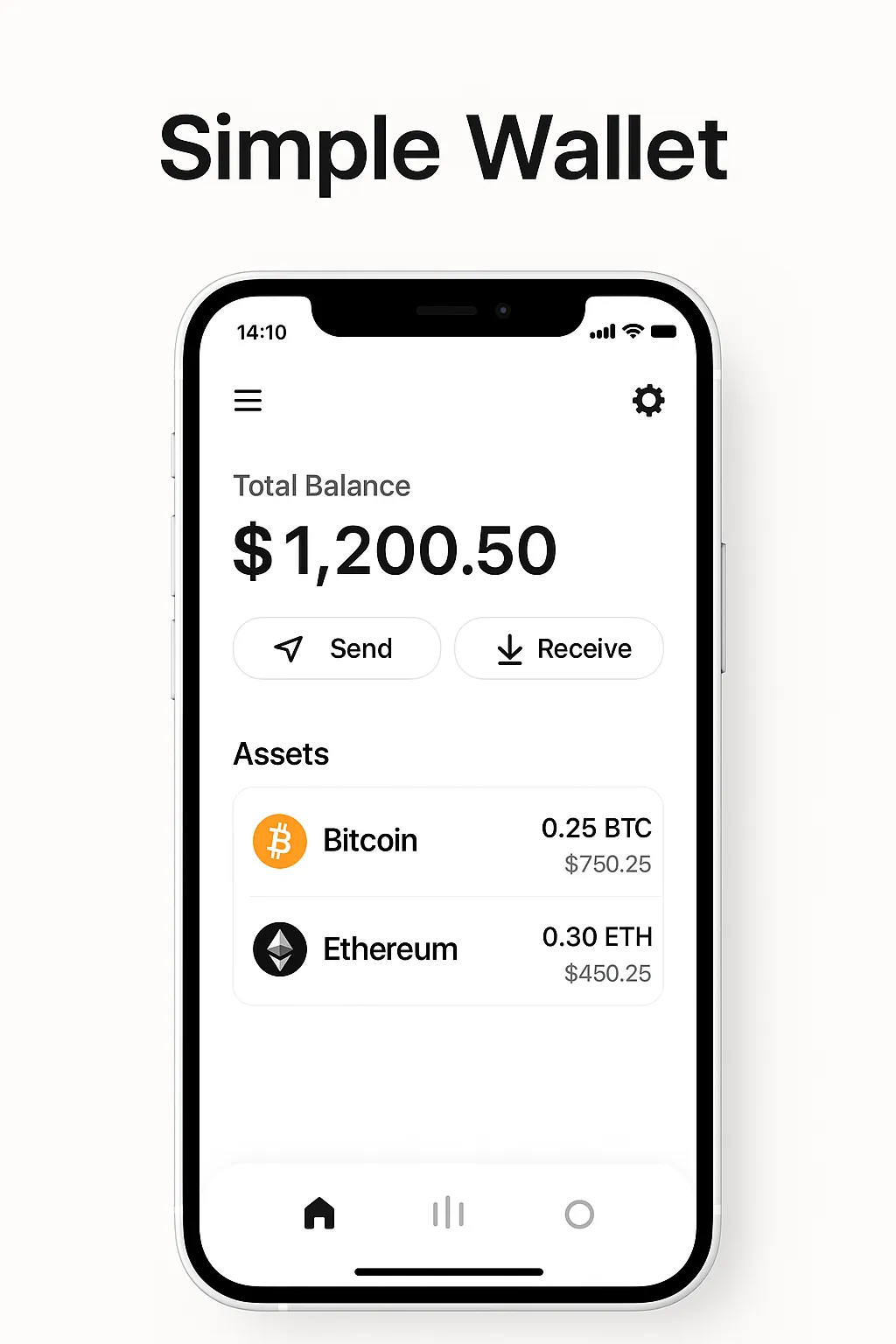
The main screen shows your balances and recent transactions, and sending or receiving takes a few taps, with QR scanning for addresses.
Transaction Management
Transaction history, status tracking and fee estimation are all present: the app suggests a network fee from current conditions and lets you raise it for speed or lower it for cost.
Portfolio Tracking
Portfolio tracking is basic: a total balance in your preferred fiat currency, with none of the cost-basis or performance analysis a dedicated tracker gives you.
Fees & Costs
Wallet Fees
The wallet itself is free to download and use, with no subscription fee and no account-maintenance charge. Simple monetises elsewhere, and it does so today: through the swap provider's rate and fee, the third-party fiat on-ramp, and the markup built into the card's exchange rate. Its terms also reserve the right to charge for optional or premium features, disclosed in the app.
Network Transaction Fees
Like all cryptocurrency wallets, users pay standard network transaction fees (gas fees) when sending transactions. These fees go to network validators and miners, not to Simple Wallet provider. Simple Wallet provides precise fee estimates and allows you to adjust fee levels based on your urgency and budget preferences.
Swap and Card Costs
Swap pricing is the weakest disclosure here, and not Simple's alone — our comparison of card spending costs shows the same gap across three issuers. For the self-custody wallet Simple publishes no schedule: the terms say only that the provider's fees appear before you confirm and that rates follow the market. The numeric schedule on Simple's site — 5.5% to buy with a card, 0.5% to 2% to swap, per-pair markups of 0.30% to 2% — governs the custodial wallet that closed on 30 June 2026, and the footer "Fees" link still points there. The Wirex-issued crypto card is no better documented: the terms admit an FX markup is built into the exchange rate used at settlement, without ever stating its size.
Exchange Integration
Integrated services attach their own charges — the swap provider's rate and fee, the on-ramp partner's pricing — shown on the confirmation screen but never published in advance.
Euro Card & IBAN Account (Custodial)
Alongside the self-custody wallet, Simple's terms still describe an optional Euro card and a personal EUR/SEPA IBAN account — with a large caveat covered below about whether that arm is still open to new users. It is important to understand that these features work on a completely different model from the wallet: they are custodial and KYC is mandatory. To open the IBAN or request the card you must complete full identity verification (government ID plus a selfie and proof of address), and the funds behind the card and IBAN are held by a regulated e-money institution rather than under your own keys.
So while the wallet gives you self-custody with no identity checks, the moment you want to spend from a card or receive a SEPA transfer into an IBAN you are using a custodial, KYC-gated banking layer — not self-custody.
The Euro card and IBAN are provided in partnership with Unlimit (Unlimint EU Ltd), a Cyprus company registered as HE328641 and licensed by the Central Bank of Cyprus as an Electronic Money Institution under licence 115.1.3.7/2018; Simple's terms state that the fiat used for card settlement is held and managed by Unlimit. Because an EMI holds the balance, these features carry the counterparty and regulatory profile of a custodial fiat account, in contrast to the wallet where only you can authorise a transaction.
As of July 2026 (verify the current schedule before relying on it), the card and IBAN fees are: card issue €0; card reissue or replacement €20; EU/EEA card payments €0; international payments 2.5%; domestic ATM withdrawals free for the first three per month, then 2%; international ATM withdrawals €1.75 plus 2.5%. Simple counts EU member states plus Iceland, Liechtenstein and Norway as domestic. The IBAN itself has no opening, monthly, or closing fee, and SEPA transfers in and out are €0, though a chargeback or a claim Simple judges unfounded costs €40. These features are EEA/EU-centric — the IBAN is a Euro SEPA account and the accepted identity documents are geared toward EEA residents.
Now the caveat, and it is a serious one. Stored Assets Ltd permanently ceased all custodial activity on 30 June 2026, citing the expiry of the MiCA transitional periods, and the custodial platform runs in withdrawal-only mode purely to return client assets. Simple's terms define the Euro card and IBAN as products for custodial-wallet users, yet the same July 2026 document still describes them as available. That is an unresolved contradiction inside one vendor document, and Simple has published no statement on whether the card and IBAN survived the closure. Do not choose Simple for its fiat rails on the strength of the terms alone — confirm in the app that the account can still be opened.
Anyone who left a balance behind should know the mechanics. Simple's June 2026 notice offered two exits: move crypto to self-custody with Simple absorbing the network fees, or withdraw externally at normal cost, in both cases needing KYC no older than twelve months. Euro balances could not migrate to the self-custody wallet at all and had to leave by SEPA. For assets still sitting there, Simple describes either an opt-in transfer to a licensed EU partner or the Bulgarian doctrine of creditor's delay, under which documented storage costs may be deducted pro rata from what remains. Simple says the funds will never be lost, but time works against you.
The card that continues is non-custodial: Simple's terms put it as issued and managed by Wirex, FCA-authorised for e-money not crypto, with Simple the interface; the help centre's virtual "USDC Simplecard", live since at least January 2026, appears to be the same product renamed, though Simple never says so. It spends from the self-custody wallet and converts at settlement, and Wirex runs its own KYC, so the card does not inherit the wallet's no-KYC position. Simplecard limits are 30,000 USDC daily and monthly, rising to 100,000 over six months; ATM withdrawals cap at 500 USDC a day. Only the virtual card exists; a physical one is still in development. If self-custody suits you, our Simple setup guide covers sign-up.
The Wallet vs Competitors
Vs MetaMask
Compared to MetaMask, Simple offers a more streamlined mobile experience and a setup that asks for less. MetaMask is the stronger tool by some distance for anything involving decentralised applications, and it is no longer the EVM-only wallet of its reputation: since the multichain-account rollout, a MetaMask account bundles an EVM, a Solana and a Bitcoin address, with native Tron support added in January 2026. Simple's advantage is narrower and specific — no seed phrase to lose, and an interface a beginner can use on day one.
Vs Trust Wallet
Trust Wallet offers considerably more: staking on more than twenty assets, a claimed 100+ networks, and a browser extension for desktop. Simple answers with a cleaner interface and no seed phrase to manage. On ownership, the familiar line that Trust Wallet belongs to Binance is out of date — Binance acquired it in 2018, but it now operates as a separate company associated with Binance founder Changpeng Zhao rather than the exchange group, with a Bahrain entity as data controller. Weigh instead the December 2025 incident in which a compromised Trust Wallet Chrome extension update drained roughly $7 million from users; the mobile apps were unaffected.
Vs Hardware Wallets
Hardware wallets like Ledger and Tangem offer stronger protection for large holdings but none of the convenience of a phone. Simple works best as the hot-wallet complement to that cold storage.
Vs Exchange Wallets
Exchange wallets from platforms like Binance or Coinbase offer integrated trading but sacrifice self-custody. Simple keeps signing authority on your own device, which suits anyone who values ownership over trading tools.
Comparison Table
| Feature | The Wallet | MetaMask | Trust Wallet |
|---|---|---|---|
| KYC Required | No for the wallet; yes for card, IBAN and in-app buying | No | No |
| Custody | Non-custodial | Non-custodial | Non-custodial |
| Mobile App | iOS, Android | iOS, Android | iOS, Android |
| Desktop | No | Browser extension | Browser extension |
| DApp Browser | Not documented | Yes | Android only (iOS uses Discover or WalletConnect) |
| Biometric Security | Yes | Yes | Yes |
| Built-in Staking | Yes, on some assets; no rates published | Yes | Yes, 24+ assets |
| Best For | Privacy & simplicity | DeFi power users | Feature-rich mobile |
Advantages & Disadvantages
Advantages:
- Wallet privacy: No identity documents to hold crypto — setup is an email address, a one-time code and a PIN (buying, the card and the IBAN do require full KYC)
- Complete Control: Genuine self-custody via MPC — no seed phrase, and Simple's terms state it cannot move your wallet funds
- User-Friendly: Intuitive interface perfect for beginners and daily use
- Multi-Chain Support: Manage multiple cryptocurrencies from one app
- Strong Security: Biometric protection and no seed phrase for an attacker to steal or phish
- Free to Use: No subscription or account-maintenance fees
- In-App Buying and Swaps: Card and Apple Pay purchases plus Changelly-routed swaps, without leaving the app
- Gas Station: Prepay gas once in USDC or USDT and the app supplies the right native token per chain
- Fast Setup: Get started in under 5 minutes
Disadvantages:
- Opaque Pricing: No published swap schedule for the self-custody wallet, and an admitted but unquantified FX markup on the card
- Basic Portfolio Tools: Limited analytics compared to dedicated portfolio apps
- Mobile Only: No desktop version available
- Closed Source, No Published Audit: No public repository, and no auditor, scope or report named for the MPC implementation
- No dApp Access: No documented Web3 browser, WalletConnect support, or NFT gallery
- Custodial fiat layer: The Euro card and IBAN that add fiat spending are custodial and require KYC, unlike the self-custody wallet
Who Should Use The Wallet?
Crypto Beginners
Newcomers who want to learn self-custody without the usual complexity are the natural audience. The setup teaches the concepts that matter — self-custody, key-share recovery, transaction fees — without demanding technical knowledge first.
Privacy-Conscious Users
Users who prioritise financial privacy will appreciate that the self-custody wallet needs no identity documents, so there is no KYC file sitting behind the balance. What it offers is pseudonymity rather than anonymity: Simple still holds your login email, logs your IP address, and records your public addresses with their chain history, which is enough to link the two. Anyone who also wants the card or the IBAN should note that spending layer requires full identity verification.
Mobile-First Users
If your crypto lives on your phone, the design suits you: touch-first workflows rather than a desktop wallet squeezed onto a small screen.
Not DeFi Participants
If you regularly use lending markets, decentralised exchanges or yield farms, look elsewhere. Simple documents no dApp browser and no WalletConnect support, so there is no path from this wallet to an external protocol front end; the only yield it offers is its own Native Staking, on an undisclosed list of assets at undisclosed rates.
Hot Wallet Users
Splitting funds between a hot wallet for daily spending and cold storage for the rest is the sensible pattern here, and Simple handles the hot side well.
How to Get Started with The Wallet
Download & Installation
Download from the official App Store (iOS) or Google Play (Android) and check the publisher, because malicious copies imitate the icon. The permissions are not trivial: the camera if you enable Face Check recovery, biometrics to unlock, and Google Play's data-safety labels declaring that the app may collect personal information, photos and device identifiers, and may share location and device identifiers with third parties.
Initial Setup
Launch the app, then choose "Create New Wallet" to generate a new wallet. Using MPC, the app creates your key as shares rather than a single seed phrase, so there is no 12-word phrase to copy down. Instead, save the encrypted backup of that share to your own iCloud or Google Drive, or export it as a JSON file, and secure the email address and PIN that gate Support Recovery — those are what let you restore access if you lose your device.
Security Configuration
Enable biometric unlock for daily access, keep the PIN behind it strong, and turn on transaction confirmation prompts before you send anything.
First Deposit
To receive your first cryptocurrency, tap "Receive" and share your wallet address or QR code. You can receive crypto from exchanges like Binance or Kraken, or from other wallets. Always verify the address matches before sending large amounts.
First Transaction
To send, tap "Send", enter or scan the recipient's address, set the amount, and check the details and network fee before confirming with biometrics or your PIN.
Security Best Practices
Backup Management
Because Simple uses MPC, there is no 12-word recovery phrase to store — so the classic advice to hide a seed phrase in a fireproof safe does not apply here. Instead, protect the credentials that gate your key share: keep your device passcode and account login strong and private, make an encrypted Recovery Kit backup and know where you have stored it, and never share recovery or login details with anyone. Test recovery on a secondary device before storing significant funds.
Transaction Verification
Crypto transactions are irreversible, so check the recipient address every time. Use QR codes where you can, and when typing manually verify the first and last characters.
Network Security
Avoid public Wi-Fi where you can, and put a VPN in front of it when you cannot. Keep the operating system and the app patched.
Fund Management
Consider this wallet as a hot wallet for daily transactions rather than long-term storage of large amounts. For significant holdings, consider combining this wallet with a hardware wallet, such as Tangem or Ledger for optimal security.
Device Security Considerations
Your phone is the wallet, so treat it accordingly. Avoid installing applications from untrusted sources, keep device encryption on so a lost handset does not expose wallet data, and use a strong screen lock with a short automatic timeout. On Android, a separate profile or secure folder isolates the wallet from everything else you install. With Simple in particular, device compromise and account-email compromise are the two paths that matter, since between them they gate your key share.
Phishing and Social Engineering Defence
Download only from the official stores, and check the publisher: Simple's iOS listing is under Simple Europe UAB. Legitimate providers never ask for recovery or login credentials through support channels, social media, or email — and because Simple's Support Recovery route runs through your registered email address, anyone who takes over that inbox has taken a real step towards your funds. Secure it with its own strong password and a second factor, and reach support by navigating to the official site yourself rather than through a link in a message.
Simple in Practice: Strengths and Trade-offs
Where Simple Works Well
Setup asks for an email address, a one-time code and a four-digit PIN — no identity documents to hold crypto, and no twelve words to write down and hide. Those are the two steps at which a first self-custody wallet most often stalls, and removing both is substantive rather than cosmetic.
Recurring Limits
The trade is verifiability: MPC splits your key between your device and Simple's servers, and its terms state it cannot move funds on its own — a commitment you take on trust rather than audit. There is no dApp connectivity and no desktop client. The staking that does exist is hard to evaluate before you commit: rates appear only inside the app, so there is no way to compare them against another provider first.
Support Channels
Support runs through Simple's own help centre and in-app channels rather than a public forum, so there is no community archive of solved problems to search before you commit funds.
Security Track Record
Simple Wallet is a smaller, niche wallet, and we are not aware of any major security breach reported against it — though for a less widely-used app that reflects limited public scrutiny as much as a proven record, so it should not be read as a guarantee. Its MPC self-custody architecture inherently limits custodial-breach risk, because no single party ever holds your whole key — your device holds one share and Simple's servers hold another, and neither alone can move your funds.
Verification, though, is close to impossible from outside. Simple's security page claims regular assessments but names no auditor, scope or date, publishes no report, and carries a last-updated stamp of May 2022 — it still describes assets held in cold storage under multisig, which is the old custodial product, not today's MPC wallet. The code is closed source with no public repository. Treat the security posture as unverified and pair the wallet with a hardware device for larger holdings.
Our Verdict
Whilst it may lack some advanced features found in other wallets, the application's focus on core functionality and ease of use sets it apart in the crowded mobile wallet market. The wallet's genuine self-custody via MPC — and no KYC just to hold crypto — makes it particularly appealing for privacy-conscious users, provided they understand that the optional Euro card and IBAN are a separate custodial, KYC-gated service.
It suits a newcomer learning self-custody or anyone wanting a tidy hot wallet for daily amounts. Pair it with a hardware wallet for anything larger, and go in knowing the disclosure gaps: closed source, no published audit, and no stated price for a swap until you reach the confirmation screen.
Conclusion
Simple Wallet's standout features include no KYC to hold crypto in the self-custody wallet, in-app buying and Changelly-routed swaps, the Gas Station's prepaid gas across chains, and biometric protection over MPC key management with no seed phrase. For users seeking wallet-level financial privacy and control over their digital assets, it provides a strong balance of security and usability — with the caveats that its Euro card and IBAN are custodial and KYC-gated, and that there is no documented dApp browser.
Simple Wallet's focus on privacy and user experience gives it a clear place in the competitive mobile wallet market. Transparency is not part of that case, however: the code is closed source, no external audit of the MPC implementation has been published, and Simple's own security page has not been updated since 2022. The app ships updates frequently, but frequency is not the same as scrutiny.
For users prioritising financial sovereignty and privacy, the Simple wallet's no-KYC-to-hold approach and genuine MPC self-custody align with cryptocurrency's core principles of decentralisation and user empowerment. The team's active development and stated security practices are worth verifying independently, but the self-custody model means it is you, not a custodian, who controls the wallet's funds — while the app's Euro card and IBAN remain a separate custodial service.
Sources & References
Frequently Asked Questions
- Is Simple Wallet custodial or non-custodial?
- The Simple wallet is genuinely self-custody, but it uses multi-party computation (MPC) rather than a single private key: your key is split into shares between your device and Simple's servers, and Simple's terms state it cannot move your funds. There is no 12-word seed phrase. The custodial side worked differently and is now closing: Stored Assets Ltd ceased custodial activity on 30 June 2026, so the Euro card and IBAN attached to it are winding down.
- Do I need to verify my identity (KYC) to use Simple Wallet?
- No identity documents are needed for the self-custody wallet: setup asks only for an email address, a one-time code sent to it, and a four-digit PIN. KYC becomes mandatory on every other path — buying crypto through the in-app on-ramp, ordering the Wirex-issued crypto card, and the custodial Euro card and IBAN, which need a government ID, a selfie, and proof of address.
- How do I back up Simple Wallet?
- There is no 12-word recovery phrase — Simple uses MPC. You back up your device key share, which Simple calls the Recovery Kit, as an encrypted copy in your own iCloud or Google Drive or as a JSON file you save yourself; Simple states it holds neither your cloud storage nor the decryption key. Keep the credentials that protect it (device passcode, biometrics, account login) private, since those are what restore access to your key share.
- What happens if I lose my phone or the app stops working?
- You reinstall the app and take one of Simple's three routes back in: Support Recovery through your registered email, restoration from your encrypted Recovery Kit backup, or Face Check. Restoring needs email verification plus the PIN you already had, and there is no seed phrase to type in. Your balances reappear once the wallet re-syncs with the blockchain.
- Which cryptocurrencies does Simple Wallet support?
- Simple's help documentation names Bitcoin, Ethereum, BNB Chain, Polygon, Tron, Solana, Polkadot, Stellar, the XRP Ledger, Algorand and NEAR, plus stablecoins such as USDT and USDC — so coverage reaches beyond EVM chains. There is no itemised list for the self-custody wallet, and Simple's own counts disagree: 150+ tokens on its homepage against 200+ on both app stores.
- Are there any fees for using Simple Wallet?
- The wallet itself is free to download and use, and sending crypto costs only the blockchain fee (gas), which goes to miners and validators rather than to Simple. The monetised paths are not free: swaps, the fiat on-ramp and the card carry third-party fees and an FX markup that Simple does not publish.
- Can I use Simple Wallet for DeFi applications?
- Only inside the app. Simple documents swaps routed through Changelly and Native Staking (DeFi Earn) on some assets, but no dApp browser and no WalletConnect support, so there is no documented way to connect the wallet to an external DEX or lending protocol. For that you need a different wallet.
- How secure is Simple Wallet compared to hardware wallets?
- Simple Wallet provides strong security through MPC key management, encryption, and biometrics. However, hardware wallets such as Ledger or Tangem offer superior protection for large holdings. Use Simple Wallet as a hot wallet; hardware wallets for long-term storage.
- Can I recover Simple Wallet if I forget my password?
- Yes. Simple uses MPC, not a seed phrase, so recovery runs through Support Recovery on your registered email, your encrypted Recovery Kit backup, or Face Check. A forgotten in-app password does not by itself lock you out of your key share, but keep your device and account credentials secure, as those gate recovery.
- Can I import wallets from other apps into Simple Wallet?
- The Simple wallet is created in-app using MPC and does not use a seed phrase, so it is not a general seed-phrase importer — and there is no Simple seed phrase to import into MetaMask or Trust Wallet either. To move funds in, send crypto to your Simple wallet address.
- Does Simple Wallet work in all countries?
- No. Holding crypto needs no verification, but Simple's AML/KYC policy bars its verified services in a long list of jurisdictions that includes the USA, China, Japan, Australia and Russia alongside sanctioned states, and Simple says the app is not intended for residents of Spain. The custodial Euro card and IBAN are additionally EEA-centric and subject to local eligibility.
- How do I buy cryptocurrency to use with Simple Wallet?
- You can buy inside the app with a bank card or Apple Pay, though a third-party provider handles the purchase and requires a one-time identity check. To avoid that, or to compare pricing against Simple's undisclosed on-ramp fees, buy on an exchange such as Coinbase, or Kraken. Then transfer purchased assets to your wallet address.
- What should I do if I suspect Simple Wallet is compromised?
- Immediately move your funds to a new wallet you control and revoke any risky token approvals. Update your device passcode and biometrics, and investigate any potential malware. Because Simple uses MPC there is no seed phrase to protect, but stop using a compromised device and secure your recovery credentials.
Affiliate Disclosure
This page contains affiliate links. When you sign up through our referral links, we may earn a commission at no additional cost to you. This helps support our platform and allows us to continue providing valuable content and recommendations.