Crypto Storage Guide: Complete Guide
Master crypto asset storage security with this comprehensive guide covering hot wallets, secure storage, hardware devices, multi-signature setups, and advanced security practices for protecting your digital assets.
Introduction
The right storage method depends on how much crypto you hold and how often you need to access it. Here is the practical breakdown by portfolio size:
- Under $500: A reputable exchange (Coinbase, Kraken) is adequate. The convenience outweighs the self-custody learning curve at this level. Enable 2FA with an authenticator app (not SMS).
- $500 to $5,000: Move to a software wallet like MetaMask (browser), Phantom (Solana), or Trust Wallet (mobile). You control your private keys, but they are stored on an internet-connected device — vulnerable to malware and phishing.
- $5,000 to $50,000: Buy a hardware wallet. A Ledger Nano X ($79) or Trezor Safe 5 ($129) keeps your private keys on a dedicated chip that never connects to the internet (list prices, August 2026). This blocks remote attacks entirely. Keep your 24-word recovery phrase engraved on metal (Cryptosteel, Billfodl) in a separate physical location from the device.
- $50,000+: Use a hardware wallet with a passphrase (25th word) for a hidden wallet. Consider multi-signature setups (2-of-3 keys required to sign transactions) using Sparrow Wallet or Safe. Store recovery materials in multiple geographic locations, ideally including a bank safe deposit box.
Chainalysis counted $2.2 billion stolen across 303 incidents in 2024, up 21% on the year before. Private-key compromise was the single largest category at 43.8%, overwhelmingly against hot wallets (internet-connected) and exchange accounts. Cold storage — keeping private keys on a device that never touches the internet — eliminates remote attack vectors entirely. The trade-off is slower access: signing a single transaction with a hardware wallet takes 30-60 seconds versus instant with a hot wallet. For holdings you do not need to access on a daily basis, this is the correct trade-off.
The fundamental principle has not changed since Bitcoin's launch: whoever controls the private keys controls the funds. If your crypto sits on an exchange and that exchange freezes withdrawals (as Celsius did in 2022, FTX did in 2022, and Mt. Gox did in 2014), you have no access to your assets until they decide otherwise. Self-custody with a hardware wallet eliminates this counterparty risk.
This guide covers every storage method in detail — from exchange custody for beginners through multi-signature setups for large portfolios. Each section includes the specific products, costs, and setup steps so you can implement the right level of security for your situation today. We also cover the mistakes that cost people the most: lost seed phrases, phishing attacks that bypass 2FA, and inheritance planning failures that leave families permanently locked out of significant accumulated wealth.
Digital Asset Storage Fundamentals
Understanding access keys
Digital asset storage is fundamentally about securing security keys - the cryptographic keys that prove ownership and allow spending of your digital assets. Unlike traditional banking, you are your own bank when it comes to crypto security.
Key concepts:
- Cryptographic keys: Secret numbers that control your cryptocurrency
- Public Keys: Derived from wallet keys, used to receive funds
- Wallet Addresses: Public identifiers for receiving cryptocurrency
- Seed Phrases: Human-readable backup of access keys
- Wallet Software: Applications that manage keys and transactions
The Security Spectrum
Wallet security exists on a spectrum between convenience and security. The most secure solutions are often the least convenient, while the most convenient options typically sacrifice some security. Understanding this trade-off is crucial for choosing the right storage method.
Security levels from lowest to highest:
- Exchange custody (lowest security, highest convenience)
- Hot wallets (mobile/desktop apps)
- Air-gapped storage devices
- Air-gapped offline storage
- Multi-signature setups (highest security, lowest convenience)
Hot Storage vs offline storage
Hot Storage (Online Wallets)
Hot wallets are connected to the internet — your phone (MetaMask, Trust Wallet), your browser (MetaMask extension), or an exchange (Binance, Coinbase, Kraken). Every time you open a DeFi app or swap tokens, you are using hot storage. The trade-off is simple: maximum convenience, minimum security.
The security model depends entirely on your device. If your laptop has malware, a hot wallet extension can be drained without your knowledge. In 2023, clipboard-replacement malware ("clippers") stole an estimated $300M by silently replacing copied wallet addresses. If your phone is compromised through a SIM swap attack, any wallet protected by SMS-based 2FA is vulnerable. The practical rule: never hold more in a hot wallet than you would carry in cash in your physical wallet — typically £500-2,000 maximum.
Hot storage advantages:
- Instant access: Trade, swap, or interact with DeFi protocols in seconds. Essential for active traders and DeFi users
- Zero cost: MetaMask, Trust Wallet, Phantom, and Coinbase Wallet are free to download and use
- DeFi integration: Direct connection to Uniswap, Aave, Curve, and every DApp through in-app browsers or WalletConnect
- Beginner-friendly: Modern mobile wallets guide users through setup in under 5 minutes with no technical knowledge required
Hot storage risks — with concrete examples:
- Exchange custody risk: FTX collapsed in November 2022 with $8 billion in customer funds. Celsius froze withdrawals in June 2022 and entered bankruptcy owing depositors roughly $4.7 billion. Mt. Gox lost about 650,000 BTC — the widely quoted 850,000 was February 2014's initial estimate, and roughly 200,000 turned up weeks later. If your crypto is on an exchange, the exchange holds your keys — and can lose them
- Phishing and malicious DApps: Fake Uniswap websites, airdrop scam sites requesting "wallet verification," and malicious token approvals can drain your wallet in a single transaction. Always verify URLs character by character and use a dedicated browser profile for crypto
- Device compromise: Malware, SIM swap attacks, and compromised browser extensions all target hot wallets. The 2022 LastPass breach exposed encrypted vault backups for millions of users — any seed phrases stored in password managers were at risk
Offline Storage (Offline Wallets)
Cold storage means your private keys never touch the internet. The most common form is a hardware wallet (Ledger, Trezor, Tangem, Keystone) — a dedicated device that stores keys on a tamper-resistant chip and signs transactions internally. When you approve a transaction, the device displays the recipient address and amount on its own screen, signs the data, and returns only the signed output. Your private key never leaves the device, even if your computer is infected with malware.
The security model is fundamentally different from hot wallets. An attacker would need physical access to your device AND knowledge of your PIN to steal funds. Even then, hardware wallets wipe themselves after a set number of failed PIN attempts — three on a Ledger, ten on a Trezor Safe 7, sixteen on the other Trezor models. The only way to compromise cold storage remotely is to compromise the seed phrase — which should never exist in digital form.
Offline storage advantages:
- Immune to remote attacks: No malware, phishing site, or compromised browser can extract keys from a hardware wallet. The signing chip is physically isolated from your computer's operating system
- Exchange-independent: When FTX collapsed in 2022, hardware wallet users were unaffected. Their crypto existed on the blockchain, controlled by keys on their physical device — not on FTX's servers
- Independent verification: Hardware wallet screens display transaction details independently of your computer. Even if malware changes the address on your screen, the hardware wallet shows the real recipient for you to verify before signing
- Long-term durability: Ledger and Trezor devices last 5-10+ years. Tangem cards are rated for 25+ years with no battery or moving parts
Offline storage challenges — and how to mitigate them:
- Upfront cost (roughly $59-249): At August 2026 list prices a Ledger Nano S Plus is $59, a Trezor Safe 3 $59, a Tangem 3-card pack $69.90, and the flagship Trezor Safe 7 $249. Manufacturers list in dollars; UK buyers see the pound price, VAT included, at checkout. This is trivial insurance for any portfolio above £500
- Inconvenience for frequent transactions: Each transaction requires plugging in the device (USB) or tapping the card (NFC). Mitigate by keeping a small amount in a hot wallet for daily DeFi activity and the bulk in cold storage
- Seed phrase is a single point of failure: If you lose your 24-word recovery phrase AND your device breaks, your funds are permanently gone. Mitigate with steel-plate backups (£30-80), stored in separate physical locations, and test recovery on a secondary device at least once per year
- Firmware update risk: Updates occasionally require a device reset. Always ensure your seed phrase is accessible before updating firmware. Both Ledger and Trezor have experienced non-destructive update failures that required a full restore from seed
Cold storage devices: The Gold Standard
How crypto wallets Work
hardware devices are specialised devices designed to store cryptocurrency cryptographic keys offline while still allowing secure transactions. They use secure elements and cryptographic chips to protect keys even when connected to potentially compromised computers.
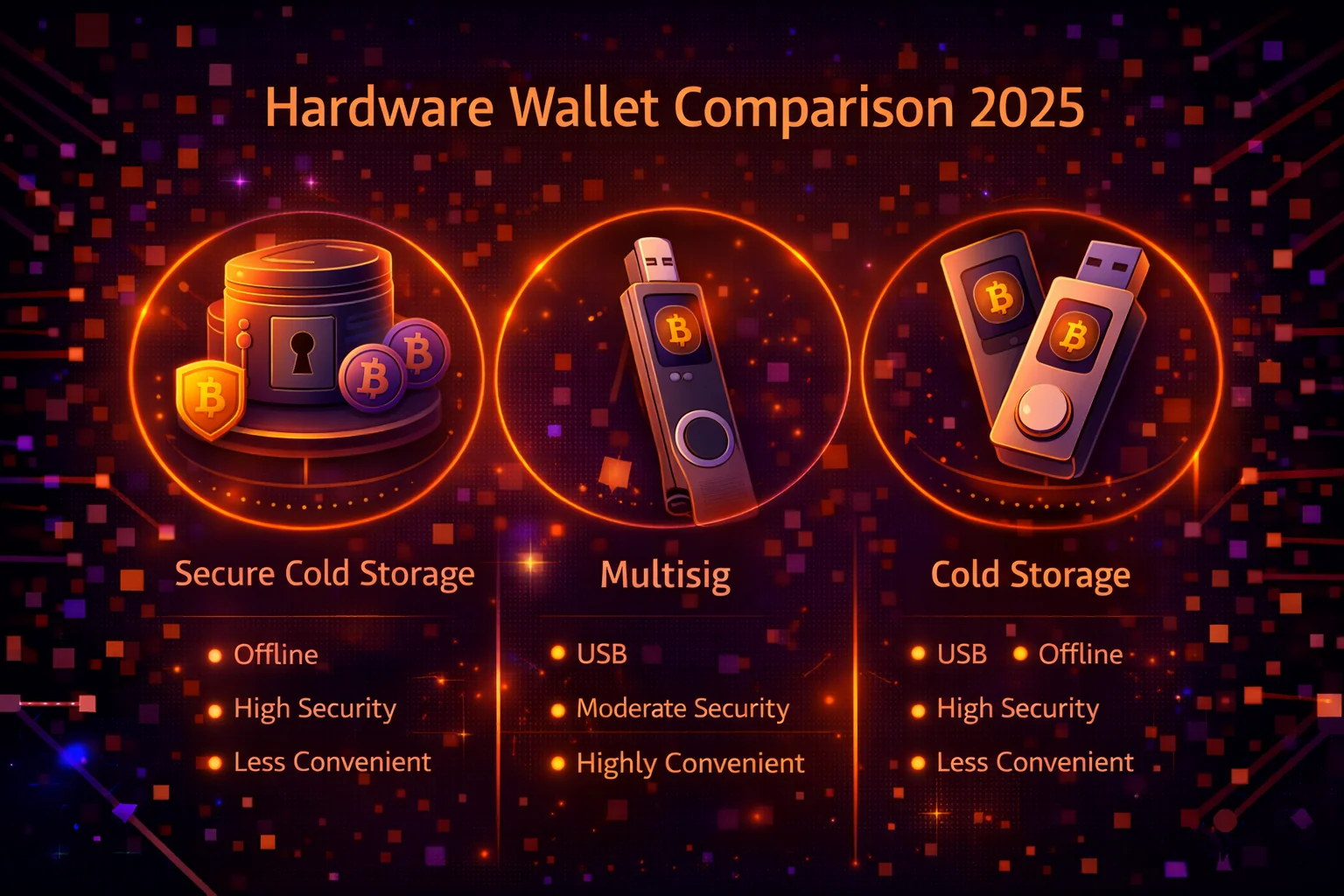
Key features:
- Wallet keys never leave the device
- Secure element chips for key storage
- Physical buttons for transaction confirmation
- PIN protection and encryption
- Recovery wallet backup
Top crypto wallet Options
Ledger Series
Ledger offers the most popular security wallets with strong security features and broad cryptocurrency support. The Nano S Plus and Nano X are excellent choices for different needs and budgets.
Trezor Devices
Trezor pioneered cold storage devices and continues to offer open-source solutions with excellent security. The current range is the two-button Safe 3, the touchscreen Safe 5, and the Safe 7, which splits key protection across three chips from three vendors. The older Model One and Model T were discontinued in January 2026 and are no longer sold.
Alternative Options
- BitBox02: Swiss-made with strong privacy focus
- ColdCard: Bitcoin-only with advanced security features
- KeepKey: Large screen with ShapeShift integration
- Tangem: Card-format hardware device for portability
Security wallet Best Practices
- Buy directly from manufacturers, never second-hand
- Verify device authenticity upon receipt
- Generate new seed phrases, never use pre-generated ones
- Store seed phrases securely offline
- Use strong PINs and enable additional security features
- Keep firmware updated
- Test recovery process with small amounts
Software Wallets: Balancing Security and Convenience
Desktop Wallets
Desktop wallets store private keys on your computer's hard drive, encrypted with your password. They offer more control than exchange custody whilst being free and relatively easy to use. The security model depends entirely on your computer's integrity — if your machine is compromised by malware, a keylogger, or a remote access trojan, your wallet is vulnerable. For this reason, desktop wallets are best suited to portfolios of £500-5,000 or as a companion to a hardware wallet for DeFi interactions.
Recommended desktop wallets with honest assessments:
- Electrum (free, open source): The gold standard for Bitcoin-only users. Supports hardware wallet integration (Ledger, Trezor), multi-sig, Lightning Network, and custom fee settings. The interface is dated but functional. Electrum has been targeted by phishing attacks — always download from electrum.org and verify the PGP signature. Best for: Bitcoin maximalists who want granular control
- Exodus (free, closed source): Attractive multi-currency wallet with a built-in exchange; Exodus now advertises "1,000,000+ assets", which is a token-listing count rather than a count of supported chains. The interface is polished and beginner-friendly. Limitation: closed-source code means you are trusting the Exodus team rather than verifiable code. The built-in swap runs through Exodus's own XO Swap and third-party providers, and the spread is wider than an exchange's — check the quote against a spot price before confirming. Best for: beginners who want a visual portfolio view across multiple chains
- Sparrow Wallet (free, open source): The most privacy-focused Bitcoin desktop wallet in 2025. Supports Tor by default, coin control (choosing which UTXOs to spend), PayJoin for transaction privacy, and full node connection. The learning curve is steeper than Exodus, but Sparrow provides transparency that closed-source wallets cannot. Best for: privacy-conscious Bitcoin users with intermediate technical skills
- Wasabi (free, open source): Privacy-focused Bitcoin wallet with built-in CoinJoin functionality for transaction mixing. CoinJoin batches your transaction with others, making it much harder to trace funds on-chain. Note that the economics changed in June 2024, when zkSNACKs shut down the coordinator it had run for Wasabi: there is no longer a single 0.3% coordinator fee, and clients now pick among independent coordinators, each setting its own terms. Also note: the UK's NCA has flagged privacy-enhancing tools as potential AML concerns — using Wasabi is legal, but be aware that some exchanges may flag deposits from CoinJoined UTXOs
Mobile Wallets
Mobile wallets provide the ultimate convenience for daily cryptocurrency use. Modern smartphones with secure enclaves (every iPhone since the 5s in 2013, most Android phones from 2018 onward) hold your wallet's secrets in the OS keychain or keystore, encrypted under keys the enclave protects and the operating system cannot read directly. The enclave itself handles only certain key types, so it is guarding the seed rather than signing your Bitcoin transactions inside the chip. This provides meaningful protection against app-level malware, though it does not protect against a compromised operating system or physical device access.
Top mobile wallet options with specific use cases:
- Trust Wallet (free; cryptographic core open source): Acquired by Binance in 2018, now run as a separate company associated with founder Changpeng Zhao rather than the exchange group. Supports 100+ blockchains and millions of tokens. The DApp browser reaches Uniswap, Aave, and other DeFi protocols directly on Android; Apple's rules forced it out of the iOS app in 2021, where a curated Discover tab and WalletConnect stand in. The staking feature supports 12+ proof-of-stake networks. Limitation: the DApp browser creates phishing risk — always verify URLs manually before connecting. Best for: multi-chain DeFi users who need mobile access
- MetaMask Mobile (free; source-available, not open source): The most widely used Ethereum wallet, advertising more than 100 million downloads (MetaMask stopped publishing a monthly-active-user figure after the 30 million it claimed in 2022). Supports all EVM-compatible chains (Ethereum, Arbitrum, Polygon, Base, Optimism). The browser extension and mobile app share the same seed phrase, so setting up one gives you access on both. Limitation: MetaMask's default RPC provider is Infura, which logs IP addresses — privacy-conscious users should switch to a custom RPC endpoint. Best for: Ethereum ecosystem users who interact with DApps regularly
- Coinbase Wallet (free, closed source): Separate from the Coinbase exchange app. User-friendly onboarding with cloud backup option (Google Drive or iCloud). The cloud backup is controversial: it stores an encrypted copy of your private key in your cloud account, which is convenient for recovery but means a compromised cloud account could expose your wallet. Best for: beginners who prioritise ease of recovery over maximum security
- BlueWallet (free, open source): Bitcoin and Lightning Network specialist. The Lightning integration allows instant, near-free Bitcoin payments (under £0.01 per transaction). Supports watch-only wallets for monitoring hardware wallet balances without exposing private keys. Best for: Bitcoin users who want Lightning Network access on mobile
Web Wallets
Web wallets run in browsers and offer maximum convenience, but carry the highest risk profile amongst self-custody options. The browser environment is hostile territory: malicious extensions, clipboard hijackers, and phishing sites all target web wallets specifically. The MetaMask browser extension, for example, injects into every page you visit — a compromised website could potentially interact with the extension. Use a dedicated browser profile (Chrome or Firefox) exclusively for crypto, with no other extensions installed.
Security measures specifically for web wallet users:
- Dedicated browser profile: Create a separate Chrome or Firefox profile used only for crypto. Install MetaMask or Rabby in this profile and nothing else. This prevents malicious extensions in your main profile from accessing your wallet
- Hardware wallet pairing: Connect MetaMask to a Ledger or Trezor device rather than using a hot private key. This gives you the convenience of MetaMask's DApp interface with the security of hardware-signed transactions. Setup takes 5 minutes through MetaMask Settings > Hardware Wallet
- Revoke token approvals monthly: Visit revoke.cash, connect your wallet, and revoke any approvals you no longer actively use. Each approval is a potential attack vector — if a protocol you previously approved is later exploited, the attacker can drain your approved tokens
- Enable all available security features, including transaction simulation (Rabby wallet shows you exactly what each transaction will do before you sign)
- Use strong, unique passwords generated by a password manager. Never reuse passwords across crypto-related accounts
- Enable hardware-based 2FA (YubiKey or similar FIDO2 key) rather than SMS or authenticator app where supported
Multi-Signature Security
Understanding Multi-Sig
Multi-signature (multi-sig) wallets require multiple cryptographic keys to authorise transactions, providing enhanced security through distributed control. This eliminates single points of failure and can protect against both external attacks and internal mistakes.
Common multi-sig configurations:
- 2-of-3: Requires 2 signatures from 3 possible keys
- 3-of-5: Requires 3 signatures from 5 possible keys
- 2-of-2: Requires both signatures (shared custody)
- Custom: Any M-of-N configuration as needed
Multi-Sig Use Cases
Personal Security
- Protect against single device failure or loss
- Distribute keys across multiple locations
- Add family member or trusted friend as co-signer
- Create inheritance planning solutions
Business Applications
- Require multiple executives for large transactions
- Separate operational and security responsibilities
- Create audit trails for corporate governance
- Protect against insider threats
Multi-Sig Wallet Options
- Safe (formerly Gnosis Safe): Popular Ethereum multi-sig solution
- Casa: User-friendly multi-sig service
- Unchained Capital: Bitcoin-focused multi-sig
- BitGo: Enterprise multi-sig solutions
- Electrum: DIY multi-sig wallet creation
Advanced Security Practices
Recovery phrase Security
Your mnemonic phrase is the master key to your cryptocurrency. Proper backup words security is crucial for long-term asset protection and recovery capabilities.
recovery phrase best practices:
- Never store seed phrases digitally or online
- Use metal backup plates for fire/water resistance
- Consider splitting phrases across multiple locations
- Use passphrases for additional security layers
- Test recovery process regularly
- Never share seed phrases with anyone

Operational Security (OpSec)
Good operational security practices protect against social engineering, physical attacks, and other non-technical threats to your cryptocurrency holdings.
OpSec guidelines:
- Don't discuss cryptocurrency holdings publicly
- Use pseudonyms for crypto-related activities
- Avoid posting wallet addresses or transaction details
- Be cautious of social media and public Wi-Fi
- Use VPNs for additional privacy
- Regularly update all software and devices
Estate Planning and Inheritance
Planning for cryptocurrency inheritance ensures that beneficiaries can recover your assets while maintaining security during your lifetime.
Inheritance planning options:
- Multi-sig wallets with trusted family members
- Time-locked transactions for automatic inheritance
- Professional custody services with inheritance features
- Detailed instructions stored with legal documents
- Regular updates to reflect portfolio changes
Storage Strategies by Portfolio Size
Small Portfolio ($100 - $1,000)
For smaller cryptocurrency holdings, focus on learning proper security practices while keeping costs reasonable. Mobile wallets and reputable exchanges can be appropriate.
Recommended approach:
- Use a reputable mobile wallet for small amounts
- Keep larger amounts on established exchanges
- Enable all available security features
- Learn about crypto wallets for future use
- Practice with mnemonic phrase backups
Medium Portfolio ($1,000 - $10,000)
Medium-sized portfolios justify investing in hardware devices and more sophisticated security practices. This is where the security-convenience trade-off becomes important.
Recommended approach:
- Cold storage device for long-term holdings
- Hot wallet for trading and DeFi activities
- Proper backup words backup with metal plates
- Consider basic multi-sig setups
- Regular security audits and updates
Large Portfolio ($10,000+)
Large cryptocurrency portfolios require institutional-grade security practices. Consider professional custody services, advanced multi-sig setups, and comprehensive estate planning.
Recommended approach:
- Multi-sig wallets for primary holdings
- Geographic distribution of keys
- Professional custody for portion of assets
- Insurance on the custodied portion via a regulated custodian (self-custodied crypto is not insurable)
- Detailed inheritance and estate planning
- Regular security audits by professionals
Crypto Storage Trends and Innovations
MPC Wallets: Institutional Security for Everyone
Multi-Party Computation wallets split your private key into multiple encrypted shares distributed across different servers. No single server ever holds the complete key, eliminating the single point of failure that seed phrases create. Fireblocks (primarily institutional) and ZenGo (retail) both use MPC to provide recovery without seed phrases, and Coinbase uses it in its embedded wallet-as-a-service products. Note that the retail Coinbase Wallet app is not one of them: its cloud backup stores an encrypted copy of the recovery phrase in Google Drive or iCloud, which is a different mechanism with different risks. The trade-off: you trust the MPC provider's implementation, which is harder to audit than a simple hardware wallet. For most retail users, a hardware wallet remains simpler and more transparent. MPC wallets make most sense for users who refuse to manage seed phrases and accept the trust assumptions.
Biometric Authentication
Fewer hardware wallets have biometrics than the marketing suggests, so check before you plan around one. The Keystone 3 Pro includes a fingerprint sensor, used to unlock the device and authorise signing. Tangem has no reader of its own and leans on the phone's biometric lock over NFC. Ledger has none at all: every current model, Stax and Flex included, is PIN-only and factory-resets after three wrong PINs. Where a sensor does exist the benefit is real — shoulder-surfing your PIN is not enough to sign — but biometric data cannot be changed once compromised, the way a PIN can, so it should supplement PIN and passphrase protection rather than replace either.
Quantum-Resistant Cryptography
Current hardware wallets use elliptic curve cryptography (ECDSA with secp256k1 for Bitcoin). A sufficiently powerful quantum computer could theoretically break this using Shor's algorithm. The realistic timeline: most cryptographers estimate 15-30 years before quantum computers reach the required scale (~4,000 logical qubits for breaking 256-bit ECC). NIST finalised three post-quantum standards in 2024 (CRYSTALS-Kyber, CRYSTALS-Dilithium, SPHINCS+). Ledger has announced post-quantum research. Practical action now: avoid address reuse (limits public key exposure on-chain) and adopt post-quantum firmware updates promptly when they arrive.
Social Recovery and Account Abstraction
Social recovery (pioneered by the Argent wallet on Ethereum, which has since wound down — argent.xyz now redirects to a placeholder at ready.co) lets you designate "guardians" — trusted contacts or devices — who can collectively authorise wallet recovery without ever accessing your funds. If you lose your phone, 3-of-5 guardians can approve transferring your wallet to a new device. This eliminates seed phrases entirely for supported wallets, though it introduces trust assumptions about your guardian set. Account abstraction (ERC-4337) enables programmable wallets with spending limits, session keys for DApps (approve a protocol for 1 hour instead of permanently), and gas sponsorship. Coinbase Smart Wallet and Safe{Wallet} are the leading implementations.
| Innovation | Availability | Security Impact | Usability Impact |
|---|---|---|---|
| MPC Wallets | Limited (2025) | High | Medium |
| Biometric Auth | Widespread | Medium | High |
| Quantum-Resistant | Early Adoption | Critical (Future) | Low |
| Social Recovery | Growing | Medium | High |
Common Storage Mistakes to Avoid
Critical Security Errors
- Storing seed phrases as screenshots or in cloud notes: The 2022 LastPass breach exposed encrypted vault backups for millions of users. Any seed phrases stored in password managers, iCloud Notes, Google Drive, or email drafts are potentially compromised. Seed phrases should exist only on paper or steel, never in any digital format
- Keeping large balances on exchanges: FTX held $8 billion in customer funds and lost them all. Celsius froze withdrawals and went bankrupt owing depositors around $4.7 billion. Mt. Gox lost about 650,000 BTC. The pattern is consistent: exchange custody works until it does not, and when it fails, recovery takes years and is rarely complete. Move any amount you would be upset to lose to self-custody
- Responding to "customer support" DMs: No legitimate wallet company or exchange will ever DM you first on X (formerly Twitter), Telegram, or Discord. Every unsolicited message asking you to "verify your wallet" or "sync your recovery phrase" is a scam. Bookmark official support URLs and never follow links from messages
Operational Mistakes
- Never testing recovery: Buy your hardware wallet, write the seed phrase, then immediately restore on a second device (or wipe and restore the same device) to verify the backup works. Discovering a transcription error after your original device breaks is an unrecoverable disaster
- Ignoring firmware updates: Ledger and Trezor push 3-4 security updates per year. Each patches discovered vulnerabilities. Running outdated firmware is like leaving your front door unlocked — it works fine until someone tries the handle. Always verify updates come from Ledger Wallet or Trezor Suite, not from third-party websites
- Unlimited token approvals: When you interact with a DeFi protocol, you typically approve it to spend your tokens. Many approvals are set to "unlimited" by default, meaning the protocol can spend your entire balance of that token indefinitely. If the protocol is later exploited, the attacker can drain all approved tokens from your wallet. Revoke unused approvals monthly through revoke.cash
Recovery and Backup Errors
- Single-location backup: If your seed phrase and hardware wallet are both in your house, a fire or burglary destroys your only access to your crypto. Store the seed backup in a different physical location — a bank safe deposit box, a family member's house, or a fireproof safe at a second property
- Paper backups without protection: Standard paper degrades: ink fades over 5-10 years, water damage destroys it instantly, and house fires (230°C+) burn it. Use a stainless steel plate (£30-80, survives 1,400°C), or at minimum a fireproof document bag (£15-20, rated to 1,000°C) inside a home safe
- Forgotten passphrases: The BIP-39 passphrase (the "25th word") creates a completely separate wallet. If you forget it, there is no recovery — the funds behind that passphrase are permanently inaccessible. Store the passphrase on a separate steel plate in a different location from the seed phrase
Professional Storage Implementation and Best Practices
Security Assessment Checklist
Before choosing a storage solution, assess four factors: (1) total portfolio value — this determines whether a hardware wallet is justified, (2) access frequency — daily trading needs hot wallet access while long-term holdings belong in cold storage, (3) technical comfort — multi-sig requires command-line skills while Ledger Wallet works for anyone, (4) geographic distribution — storing all recovery materials in one location creates a single point of failure.
Upgrade Triggers
Move from exchange to software wallet when holdings exceed $500. Add a hardware wallet at $5,000. Implement multi-sig or geographic backup distribution at $50,000. At $200,000+, consider splitting across multiple hardware wallets from different manufacturers (e.g., Ledger + Trezor) so a firmware vulnerability in one does not compromise everything.
UK Regulatory Context for Self-Custody
The FCA does not currently regulate self-custody wallets, meaning there is no UK licensing requirement for owning a Ledger or Trezor device. However, the broader regulatory trend is towards greater oversight of crypto-related activities. The Travel Rule, implemented in the UK from September 2023, requires crypto firms to collect and share originator and beneficiary information for transactions above certain thresholds.
For withdrawals to an unhosted wallet like yours, the rule is risk-sensitive rather than blanket: under Regulation 64G of the Money Laundering Regulations a firm may ask for originator or beneficiary details based on its own risk assessment, with an £800 threshold (counting linked transfers) for requesting originator information where its customer is the recipient — and it must withhold the cryptoassets if the information it asks for is not supplied. In practice many UK exchanges ask routinely, so expect the link between your identity and your wallet address to be recorded, but this is the exchange's policy rather than a universal legal requirement to verify beneficial ownership. None of it affects your right to self-custody.
For UK tax purposes, HMRC treats moving crypto between your own wallets as a non-taxable transfer rather than a disposal. Sending Bitcoin from Coinbase to your Ledger does not trigger Capital Gains Tax because you remain the beneficial owner throughout. However, you must maintain records showing that both addresses belong to you, in case HMRC queries the transfer during an enquiry. The simplest approach is to keep a spreadsheet logging each self-transfer with the date, transaction hash, sending address, receiving address, and a note confirming it was a transfer between your own wallets.
How long should you keep it? HMRC's own minimum for an individual who files Self Assessment on time is 22 months after the end of the tax year (15 months after filing, if you file late), and longer if you are self-employed. Six years is the company rule. Keeping crypto records for six years anyway is sensible — enquiry windows extend when HMRC suspects an error — but do not assume it is the legal requirement for an individual.
The practical security benefit of self-custody extends beyond protection from exchange failures. UK banks have increasingly restricted crypto-related transactions, with NatWest, HSBC, and Santander all implementing limits on payments to crypto exchanges at various points since 2022. If your bank blocks a transfer to an exchange, funds already held in self-custody remain fully accessible regardless of banking restrictions. This makes self-custody a form of financial resilience in an environment where banking access to crypto services cannot be taken for granted.
Real-World Incident Analysis for UK Investors
The most instructive UK-specific case study is the 2023 Copper.co incident, where the London-based institutional custody provider faced financial difficulties and restructured its operations. Whilst Copper ultimately continued operating and no client funds were lost, the episode highlighted that even UK-domiciled custody providers carry counterparty risk. Clients who held crypto directly in hardware wallets were entirely unaffected, whilst those relying on Copper's custody services experienced weeks of uncertainty about the status of their holdings. The lesson is straightforward: custody providers add convenience but also add a layer of counterparty risk that self-custody eliminates.
Another relevant case is the 2024 disruption at Revolut, where some UK customers reported delays in crypto withdrawals during a platform upgrade. Whilst Revolut resolved the issues within days, users who had treated Revolut as their primary crypto storage solution were temporarily locked out of their holdings. Revolut does not allow withdrawal to external wallets for all supported tokens, which means some assets were genuinely inaccessible during the disruption. This reinforces the principle that any platform holding your crypto on your behalf can restrict access at any time, whether through technical issues, regulatory pressure, or business decisions. Self-custody with a hardware wallet ensures that your access depends only on your possession of the device and seed phrase.
The cost of proper storage is trivial relative to the value it protects. At August 2026 list prices a Ledger Nano S Plus is $59 and a Trezor Safe 3 $59, and a steel seed backup runs roughly £30-75 depending on the make — a Billfodl is $99, and the long-serving Cryptosteel Capsule is being retired in favour of its Seed24 successor, so check what is actually shipping before you order. A $59 device plus a $99 Billfodl is a $158 total setup cost, which provides institutional-grade security for any portfolio size. Compare this to the £120,000 maximum FSCS protection on bank deposits, which does not apply to crypto at all. For crypto holdings above a few hundred pounds, the return on investment from proper storage hardware is effectively infinite, because the alternative is relying on third-party custody that has repeatedly demonstrated its capacity to fail catastrophically.
Enterprise and Institutional Storage Solutions
Institutional Custody Options
For holdings above $1M or corporate treasuries, third-party custodians provide regulated storage with insurance. Coinbase Custody (qualified custodian, SOC 2 Type II), BitGo ($250M insurance, multi-sig), and Fidelity Digital Assets (backed by Fidelity Investments) are the three largest. Expect 0.05-0.50% annual fees on assets under custody, with minimum balances typically starting at $100,000.
Regulatory Compliance and Legal Considerations
UK Tax and Compliance
Self-custody has no KYC requirement, but HMRC still expects records of every transaction for Capital Gains Tax reporting (£3,000 annual allowance, 18% or 24% rate). Moving crypto between your own wallets is not a taxable event, but swapping one token for another is. Custodial services like Coinbase and Kraken generate transaction reports that simplify tax filing — with self-custody, use Koinly (£49-199/year) or CoinTracker to reconstruct your history.
Future Storage Technologies and Innovations
What Is Changing in 2026
Three developments worth watching: (1) Social recovery lets trusted contacts help restore access without seed phrases — practical for non-technical users but adds trust assumptions, and worth noting that Argent, the wallet that popularised the idea, has since wound down. (2) Account abstraction (ERC-4337) enables programmable wallets with spending limits, session keys, and gas sponsorship — already live on Ethereum L2s. (3) Passkey-based wallets use device biometrics (Face ID, fingerprint) as authentication — Coinbase Smart Wallet and Safe{Wallet} are early adopters. None of these eliminate the need for hardware wallets for large holdings, but they reduce friction for everyday transactions.
Advanced Storage Strategies and Professional Implementation
Recovery Testing
Test your backup at least once before storing significant funds. Buy a second hardware wallet (or use a software wallet temporarily), restore from your seed phrase, and verify the same addresses appear. If they do, your backup works. If they do not, something went wrong during the initial backup — fix it before adding more funds. Schedule a recovery test every 6 months as a calendar reminder.
Inheritance Planning
If something happens to you, can anyone access your crypto? Without a plan, self-custodied funds are permanently lost. Options: (1) sealed letter with seed phrase location instructions in a solicitor's safe, (2) Shamir backup split (2-of-3 shares to trusted parties), (3) a collaborative-custody service such as Casa, where inheritance is key-based rather than a dead man's switch and is now bundled into every membership tier (from $250 a year as of August 2026; the old Covenant product is no longer sold separately). Do not put the seed phrase itself in a will — it becomes public record during probate.
Monthly Security Maintenance
Set a monthly calendar reminder to: (1) check for firmware updates on hardware wallets, (2) review token approvals on revoke.cash and revoke any you no longer use, (3) verify that recovery materials are still accessible and undamaged, (4) review which devices have access to your wallets and remove any you no longer use. This takes 15 minutes and catches problems before they become emergencies.
Quick Decision Guide
If you are unsure where to start: buy a Ledger Nano S Plus ($59), write the 24 words on the included card, store the card somewhere separate from the device, and transfer your crypto from the exchange. That single step eliminates exchange counterparty risk, remote hacking, and phishing — the three most common ways people lose funds. Everything else in this guide is an optimisation on top of that foundation.
Conclusion
Crypto storage comes down to one principle: whoever holds the private keys holds the funds. A $59 hardware wallet and a properly stored seed phrase eliminates the three biggest risks — exchange failures (Celsius, FTX), remote hacking, and phishing. Everything else — multi-sig, geographic distribution, inheritance planning — builds on that foundation as holdings grow.
The most common regret is not moving to self-custody sooner. The second most common is losing the seed phrase. Solve both: buy the hardware wallet today, test the recovery process tomorrow, and store the backup somewhere fireproof and separate from the device. Fifteen minutes of setup protects against years of potential loss.
For portfolios above £10,000, add a second layer: the passphrase (sometimes called the 25th word). This creates a hidden wallet that cannot be accessed even if someone discovers your 24-word seed phrase. Store the passphrase separately from the seed — in a different physical location entirely. If your holdings grow above £50,000, consider a multi-signature setup where two of three keys are required to authorise transactions. This protects against single-point-of-failure risks like a stolen device or a compromised backup location.
One often overlooked aspect is inheritance planning. If you are the only person who knows where your seed phrase is stored and how to use it, your crypto becomes permanently inaccessible if something happens to you. Write clear instructions for a trusted family member or solicitor — not the seed phrase itself, but how to locate it, what hardware wallet to buy, and the basic steps to restore the wallet. Services like Casa offer collaborative custody with inheritance built into every membership tier, though the cheapest paid plan is $250 a year as of August 2026. Whatever method you choose, test it: have your designated person walk through the recovery process at least once whilst you are available to help.
Sources & References
- Ledger Academy - hardware device Best Practices
- Ethereum.org - Crypto Wallets
- Chainalysis - $2.2 Billion Stolen in Crypto in 2024
- FSCS - Deposit Protection Limit (£120,000 from 1 December 2025)
- HMRC - How Long to Keep Your Tax Records
- Money Laundering Regulations 2017, Regulation 64G - Unhosted Wallet Transfers
- CoinDesk - How to Store Your Bitcoin
- Cold vs Hot Wallets Comparison
- Ledger crypto wallet
- Hardware Wallet Security: Complete Guide
Frequently Asked Questions
- What's the difference between hot and cold storage?
- Hot storage refers to wallets connected to the internet for easy access, while cold storage keeps private keys offline for maximum security.
- Are hardware wallets worth it for small amounts?
- Hardware wallets are recommended for any amount you can't afford to lose, typically $500+ in crypto assets, due to superior security.
- Can I lose my crypto if my hardware device breaks?
- No, as long as you have your recovery phrase backed up, you can recover your funds in any compatible wallet, even if the hardware device is damaged.
- Is it safe to keep crypto on exchanges?
- Exchanges are convenient for trading but not recommended for long-term storage due to hacking risks and lack of private key control.
- What happens if I forget my recovery phrase?
- Without your mnemonic phrase or private keys, your cryptocurrency is permanently lost. This is why secure backup storage is crucial.
- Should I use a passphrase with my backup words?
- Yes, adding a passphrase (25th word) provides an additional security layer. Even if someone finds your wallet backup, they can't access funds without the passphrase.
- How often should I update my wallet software?
- Update wallet software and hardware firmware as soon as updates are available. Security patches and new features are regularly released to address vulnerabilities.
- Can I use the same seed phrase for multiple wallets?
- Whilst technically possible, it's not recommended for security reasons. Use separate seed phrases for different purposes (e.g., trading vs. long-term storage).
- What's the best way to test my backup recovery?
- Create a test wallet with a small amount, write down the seed phrase, wipe the wallet, and restore it. This ensures your backup process works correctly.
- Are paper wallets still secure in 2025?
- Paper wallets are secure for offline storage but have usability issues. Hardware wallets provide better security with easier transaction signing and backup management.
← Back to Crypto Investing Blog Index
Financial Disclaimer
This content is not financial advice. All information provided is for educational purposes only. Cryptocurrency investments carry significant investment risk, and past performance does not guarantee future results. Always do your own research and consult a qualified financial advisor before making investment decisions.