Wallet Drainer and Phishing Defence: Spot the Attack Before You Sign
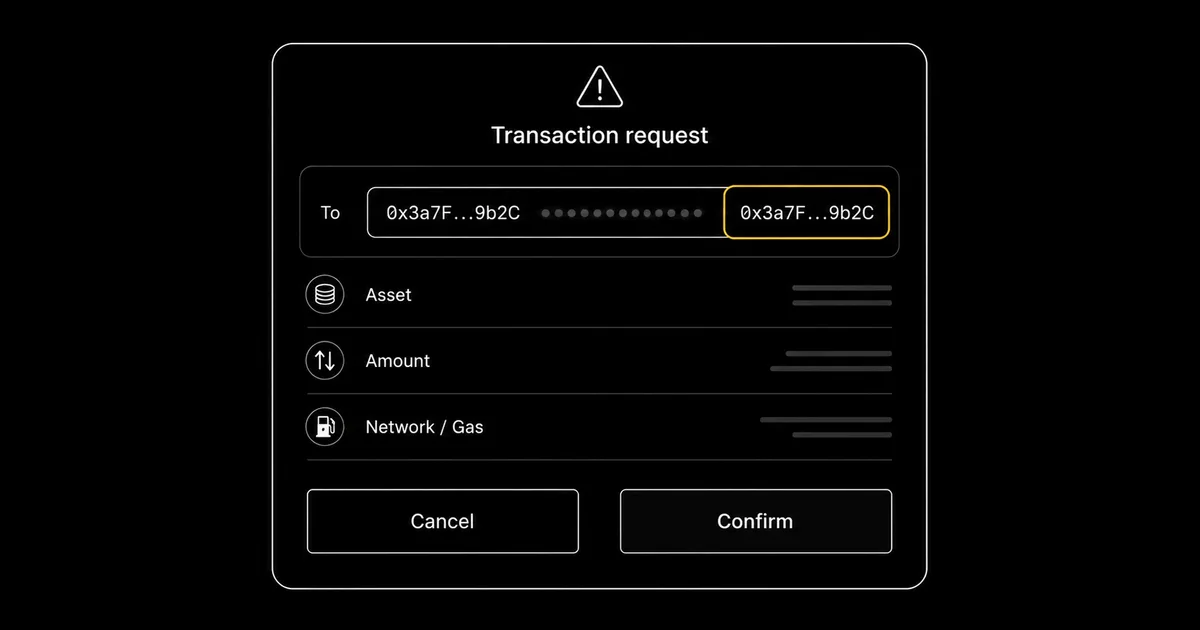
Drainers do not break hardware or guess seed phrases. They trick you into approving a malicious signature or pasting the wrong address, then let your own wallet do the rest. Defence is therefore mostly a matter of recognition: learning the lures the attacks use, treating every unexpected signing request as hostile until proven otherwise, and verifying a destination on the device screen rather than trusting what a website tells you. This guide covers the drainer kill chain, address poisoning, clipboard hijacking, and the daily habit that defeats them, with the recognition skills that catch each one before it costs you anything.
Introduction
The defining fact about wallet drainers is the one that makes them feel unfair: they almost never touch the cryptography. A drainer does not crack your seed phrase, brute-force a private key, or break into the secure element of a hardware wallet. It cannot. What it does instead is far cheaper and far more reliable. It persuades you to do the dangerous thing yourself, to approve a signature, to paste an address, to type your recovery words into a box that looks exactly like the real one, and then it lets your own wallet carry out the theft. The attack lives in the gap between what you think you are confirming and what you are actually confirming. Close that gap and the attack has nothing left to work with.
That is why this guide is built around recognition rather than tools. The numbers from 2025 make the case plainly. Scam Sniffer's 2025 annual report recorded roughly $83.85 million drained from wallets through phishing across about 106,000 victims, an 83% fall from the nearly $494 million lost in 2024. The decline is genuine, and it is worth keeping in proportion: this is a falling figure, not a record high. But the report is equally clear that the threat has not retired. As one drainer kit shuts down another takes its place, and the largest losses of the year still ran into the millions, taken from people who, in most cases, owned perfectly capable hardware. The hardware was never the weak point. The behaviour around it was.
The half-year data for 2026 shows the threat changing shape rather than fading, and the shift is the single most important update to this guide. CertiK's H1 2026 report counted 63 phishing incidents against 132 in the first half of 2025 — a 52% drop in volume — while losses fell only about 11%, to $366.3 million. Four incidents accounted for roughly 85% of that total. Read those two numbers together and the meaning is uncomfortable: attackers largely stopped casting wide nets and started selecting individual targets worth eight figures. Note that this is a different measurement from the Scam Sniffer figures above, which count drainer phishing against retail wallets; CertiK counts phishing incidents of every size, including large social-engineering thefts. Both are true, and they answer different questions.
For a reader of this guide the practical implication is not that the risk has gone down. It is that the mass-market drainer campaign that produced the 2025 numbers is now accompanied by patient, researched attacks on named individuals — which is precisely the profile that recognition, not filtering, defends against. If you are unsure which of those two you actually face, our threat-modelling guide answers it in an afternoon.
The pattern carried straight into 2026: a $50 million address-poisoning theft in December 2025, printed phishing letters with holograms in the early weeks of the year, and a clipboard hijacker carrying more than 15,500 attacker addresses documented in June all defeated the person rather than the device. That is the case for treating recognition, not technology, as the primary defence, because the screen the attacker cannot reach only protects the holder who pauses to read it.
This page sits in the recognition half of the behaviour layer covered by our crypto operational security hub. It is deliberately scoped to one job: helping you notice that you are under attack before you act on it. The companion discipline, what to do once a signing screen is actually in front of you, how to read what an approval grants, how to simulate a transaction, and how to revoke a permission you regret, is the subject of our transaction signing hygiene guide. Recognition decides whether you reach that signing screen at all; hygiene decides what you do when you do. Read together, they close both halves of the door.
How Drainers Actually Work, and What They Cannot Do
A wallet drainer is malicious infrastructure whose entire purpose is to convert one human approval into a transfer of your funds. It has no way to take your private key remotely if that key lives on a hardware wallet, and it has no way to guess a seed phrase. Its single requirement is your signature or your paste. Everything a drainer does is engineering towards that one moment: getting you to a screen where you confirm something that benefits the attacker, while you believe you are doing something that benefits you. Understanding this limitation is the foundation of every defence in this guide, because it tells you exactly where the attack can and cannot reach.
The economics of the modern drainer explain why the same patterns recur across thousands of unrelated fake sites. Drainers are sold and rented as a service: a technical author builds the kit and the smart-contract back end, and less technical operators rent it in exchange for a cut of whatever they steal. This is why the same drainer engine surfaces behind hundreds of different brand impersonations, because the operators, not the author, choose which project to clone this week. The result is an industrial pipeline. By the time a new fake-airdrop campaign appears in your feed, the contract behind it has already drained others, and the lure has been A/B tested for whatever manufactures urgency most effectively.
Drainer-as-a-service and the Inferno comeback
The clearest 2025 illustration of the service model is the return of Inferno Drainer. Its operators publicly claimed to have shut down in late 2023, then quietly came back. Check Point Research documented the revived operation draining more than 30,000 wallets and over $9 million in roughly six months, now using single-use smart contracts and on-chain encrypted configuration to frustrate detection and blocklisting. The drainer-as-a-service ecosystem around kits like this has impersonated well over a hundred legitimate crypto brands, swapping logos and project names as fast as defenders can flag them. The lesson is not to memorise one kit's name but to internalise the shape: a constantly rebranded machine that only ever needs you to sign once.
The kill chain: lure, connect, prompt, drain
Nearly every drainer attack runs through the same four steps, and seeing them as a chain tells you precisely where you can break it.
- Lure. An unsolicited message, a cloned site reached through a search advert or a poisoned link, or a fake airdrop or "wallet validation" prompt manufactures a reason to act now. The lure's only job is to get you onto the attacker's page in a hurry.
- Connect. You connect your wallet to the site. On its own this is harmless: connecting reveals your public address but moves nothing and grants nothing. No funds have left at this stage, which is exactly why the attack continues to the next step.
- Prompt. The site presents a signing request, and this is the decisive moment. It is a token approval, a Permit signature, or a setApprovalForAll, dressed up as a routine "claim", "verify" or "migrate" step. Whether you lose anything is decided entirely here.
- Drain. The instant you approve, the drainer executes. With an approval in hand it can move the permitted assets immediately, or sit on a standing allowance and sweep the wallet later when you have forgotten the interaction happened.
The chain only completes if a human approves at the prompt. Connecting a wallet, browsing a fake site, even having your address harvested are not, by themselves, losses; they are the runway. The single point where money actually changes hands is the approval, which is why "treat every unexpected signing request as hostile" is the most valuable sentence in this entire guide. The reading of what that prompt actually grants, how to tell an unlimited approval from a one-off transfer, and how a gasless Permit can be more dangerous than a transaction that costs gas, is mechanics that belongs with signing hygiene; this guide stays with recognising that you are standing at the prompt in the first place.
Recognising the Lure: The Red Flags That Stay Constant
Drainer kits change constantly, but the lures that feed them are remarkably stable, because they exploit human reflexes rather than software bugs. A handful of red flags appear in almost every campaign, and learning to feel them as a pause rather than a prompt is the highest-leverage skill in self-custody. The pattern is always some combination of contact you did not initiate, a manufactured reason to hurry, and a request to do something with your wallet or your recovery phrase that a legitimate service would never ask of you.
The constant red flags
- Unsolicited contact. A direct message, an email, a reply on social media, a pop-up, or a physical letter that you did not ask for and were not expecting. Legitimate protocols do not chase individual holders to "secure" or "upgrade" their wallets.
- Manufactured urgency. A deadline, a threat that funds will be locked or lost, a "limited" airdrop window, a "mandatory" check. Urgency exists to stop you pausing, because the pause is where recognition happens.
- Any request to validate, sync, migrate or verify a wallet. These words are the connective tissue of drainer lures. Real wallets do not need to be "synced" or "migrated" through a third-party site, and a request framed that way is a strong signal that a signing prompt is coming.
- Any request for your recovery phrase. This is the absolute rule with no exceptions, addressed in its own subsection below.
The one rule with no exceptions: nobody needs your 24 words
The recovery phrase, whether 12 or 24 words, is the key. Anyone who has it controls the funds completely, on every chain, forever. There is consequently no legitimate circumstance in which a hardware vendor, a wallet, an exchange, a support agent or a "verification" process needs you to type it. Ledger will not ask. Trezor will not ask. No genuine support channel will ask. This single rule defeats an entire class of attacks at a stroke: the moment any message or screen asks you to enter, confirm or "validate" your recovery words, you have identified the attack with certainty, regardless of how convincing the surrounding presentation is. The phrase belongs only in one place, the wallet's own recovery process during setup or restore, and nowhere else.
When phishing arrives by post: the early-2026 letters
The most striking demonstration that recognition matters more than any digital filter came in early 2026, when phishing left the inbox and turned up in the letterbox. As reported by BleepingComputer, hardware-wallet owners began receiving printed letters impersonating Trezor and, in related waves, Ledger. These were not crude photocopies. They arrived on good-quality letterhead, carried company logos, a hologram and a return address in Pennsylvania, and instructed the recipient to complete a "mandatory" authentication or transaction check by scanning a QR code, often setting a deadline around 15 February 2026 to manufacture urgency. The QR code led to a convincing clone of the vendor's site, which then asked the visitor to enter their recovery phrase to "verify device ownership". Anyone who typed it lost everything.
The unsettling part is why the attackers knew the recipients' names and home addresses at all. The likeliest explanation, consistent with the vendors' own advisories, is a third-party data breach: in January 2026 a breach at a logistics provider used by Ledger exposed customer names and postal addresses, and similar exposures have affected hardware-wallet customers before. The breach itself put no keys or funds at risk, but it handed phishers a high-quality mailing list and the personal details to make their letters feel personally addressed and therefore real. The defence did not change one bit when the channel moved to paper. The letter still failed the unbreakable rule the instant it asked for the seed, and a holder who reached the vendor through a bookmark to confirm "the official authentication check" would have found there was no such thing.
Why scammers know your name: the data-breach angle
It is worth sitting with the breach angle for a moment, because it reframes how convincing a lure can be. When an attacker can address you by name, reference the exact hardware wallet you own, and post a letter to your actual home, the instinctive trust signals, this knows who I am, so it must be legitimate, fire exactly when they should not. Knowing your name and address proves only that your contact details leaked somewhere, which for crypto holders is depressingly common. It proves nothing about the message's authenticity. The correct mental rule is that personalised contact raises, not lowers, your suspicion, because targeted personalisation is precisely what a list bought from a breach buys. Legitimacy is established by reaching the service yourself through a channel you control, never by how much the inbound message appears to know about you.
The channel does not change the answer
Phishing reaches holders through email, social-media direct messages, replies to posts, fake support accounts on Discord and Telegram, search advertisements that sit above the real result, malicious browser pop-ups, SMS, and now physical post. The channels are varied and the production quality keeps rising, but the answer is invariant across all of them. Did I initiate this contact? Is something pressuring me to act quickly? Is it asking me to validate, migrate or verify a wallet, or to enter my recovery phrase? If the contact is unsolicited and any of the rest is true, the safe move is identical no matter how it arrived: do not engage with the link, the QR code or the prompt, and reach the genuine service through a bookmark you saved yourself to check whether anything is actually required. In practice, almost nothing ever is.
Address Poisoning: The Lookalike in Your History
Address poisoning is the purest example of an attack that needs no key, no malware on your machine, and not even a signature from you. It weaponises a convenience that every wallet provides, and it produced the single largest self-custody loss of 2025. Understanding its mechanics matters because, unlike a signing prompt, there is no moment where your wallet warns you. The trap is set silently and springs only when you reuse an address out of habit.
How the lookalike gets into your history
Wallet addresses are long, unmemorable strings, so wallets and explorers almost always abbreviate them, showing the first few and last few characters with the middle collapsed to dots. An attacker exploits this directly. Using vanity-address generation, they create an address whose first and last characters match an address you have recently transacted with, so that in its abbreviated form it looks identical to the real counterparty. They then send a transaction from that lookalike address into your wallet. Crucially, this is where the zero-value transferFrom mechanic comes in: the attacker can emit a transfer event with zero value, or a tiny dust amount, that requires no approval or signature from you. The transfer simply needs to land in your address's history. Once it does, the poisoned lookalike sits amongst your genuine recent transactions, indistinguishable at a glance from the real address it imitates.
A worked example
Walk through it concretely. Suppose you regularly send USDT to an exchange deposit address that your wallet displays as 0x7a3F...b2C9. An attacker generates a lookalike, 0x7a3F...b2C9 as well, identical in the abbreviated view but completely different in the twenty-eight hidden middle characters, and sends a zero-value transfer from it into your wallet at a moment when you have recently used the real one. A week later you want to top up the exchange. Rather than fetch the deposit address from the exchange afresh, you open your wallet history, see what looks like your familiar deposit address near the top, copy it, and send. The funds go to the attacker.
Nothing on screen looked wrong, because the only part of the address your eye checked, the start and the end, matched perfectly. This is exactly the trap that, in December 2025, cost one trader $50 million in USDT after a $50 test send: the test went to the right place, but the larger follow-up was copied from a poisoned history entry.
The scale, and the recognition habit that defeats it
Address poisoning is not a fringe technique. Researchers at Carnegie Mellon University's CyLab catalogued roughly 270 million poisoning attempts against around 17 million victim addresses, making it one of the largest phishing operations ever measured on public blockchains, with the genuinely successful thefts running well into the tens of millions and counting the $50 million December 2025 incident amongst them. A smaller but related May 2025 incident saw roughly $2.6 million lost to the same lookalike-from-history pattern. The volume of attempts is industrial precisely because each one is cheap: emitting a dust or zero-value transfer costs the attacker almost nothing, and they spray them across millions of active wallets in the hope that a few owners reuse an address out of history.
The habit that defeats it is small and absolute. Never copy a destination address from your transaction history. Get it from the original source every time, the recipient's message, the exchange's deposit page freshly opened, your own saved address book entry that you created deliberately. When you do paste an address, verify the full string, not just the matching ends; the middle characters are exactly where a lookalike diverges and exactly where address poisoning hides. And on a hardware wallet, confirm the destination rendered on the device's own screen before you approve the send.
The device shows the address it is genuinely about to pay, independent of whatever your computer or wallet interface displays. Reading that on-device rendering, and understanding what the screen is and is not telling you, is a verification discipline in its own right; here, the recognition rule is simply: the history is poisoned ground, so never harvest an address from it.
Clipboard Hijacking: When the Paste Lies
Clipboard hijacking attacks the same instinct as address poisoning, the urge to copy and paste an address rather than retype it, but from the opposite direction. Where address poisoning plants a bad address for you to copy, a clipboard hijacker lets you copy the correct address and then silently substitutes a different one at the moment you paste. The malware that does this is generically called a clipper, and it is one of the oldest and most reliable tricks in crypto theft precisely because it is so quiet.
How a clipper works
A clipper is a small piece of malware that runs on your computer or phone and does one thing: it monitors the clipboard for any text shaped like a cryptocurrency address. The instant it detects one, it overwrites the clipboard with an attacker-controlled address belonging to the same chain, swapping in milliseconds, faster than you can react. You copy the genuine destination, you paste it into your wallet's send field, and the address that lands there is the attacker's. Because the substituted address is plausibly long and well-formed, and because you are pasting rather than typing, nothing about the action feels wrong. The clipper family is well known to defenders; Microsoft's Defender, for example, has flagged the clipboard-theft family as ClipBanker for years, and security vendors including Securelist have repeatedly documented clipper campaigns delivered through trojanised software installers.
The 2026 distribution: fake tools and a 15,500-address binary
Clippers stay current by following whatever software crypto users are tempted to download. Two date-stamped 2026 examples make the point. In April 2026, researchers documented a clipper distributed inside a trojanised installer for Proxifier, a legitimate networking utility, so that a user seeking a real tool installed the clipboard thief alongside it. More striking, in a report published on 17 June 2026, Check Point Research analysed a Rust-based clipboard hijacker targeting both Windows and macOS, distributed as fake profit tools, Solana sniper bots, crash-game predictors, cracked wallet utilities, dressed up with fake GitHub stars and inflated review counts to look popular and vetted.
A single binary in that campaign carried more than 15,500 attacker addresses, ready to substitute whichever one matched the chain of the address you had just copied. The scale of the embedded address list is the tell of an industrial operation: the operator does not need to know who you are, only to be running on the machine when you next paste.
The hardware screen is the backstop
The reassuring part is that clippers attack the weakest link in the copy-paste chain, the clipboard on a general-purpose computer, and a hardware wallet sits downstream of that weakness. When you confirm a send on a hardware device, the device displays the destination address it is actually about to pay, rendered from the transaction data on the device itself. Malware on your computer can poison the clipboard, but it cannot reach into the hardware wallet's display to change what the screen shows. That makes the on-device address the single source of truth: if the destination on the device screen does not match the address you intended to send to, the clipboard was hijacked somewhere upstream, and the correct response is to cancel the transaction on the device, not to assume the device is wrong.
- Verify the paste against the source. After pasting, compare the address in the send field, in full, against the original you copied from. A clipper changes the whole string, so a full comparison catches it immediately.
- Read the destination on the device screen. On a hardware wallet, treat the on-device address as authoritative and confirm it matches your intended recipient before approving.
- Prefer a verified address book or a QR code from a trusted source. Reusing a destination you deliberately saved and verified, or scanning a QR shown by the genuine recipient, removes the clipboard from the loop entirely.
- Do not install "tools" from search results, forums or unofficial repositories. The 2026 clipper campaigns rode on cracked utilities and fake profit bots; the safest assumption is that any unofficial crypto "tool" promising free money is the trap.
The act of reading the device screen, and the broader two-screen discipline of trusting the hardware over the host computer when they disagree, is verification mechanics in its own right. For recognition, the rule is short: the paste can lie, so the device screen decides.
The Last Line: Transaction-Preview Tools as a Recognition Aid
If recognition is your first line and the hardware screen is your last, transaction-preview tools sit usefully in between. These are browser extensions or built-in wallet features that inspect a signing request before you approve it and flag the obvious dangers, a known malicious contract, an unlimited approval, a request that does not match what the site claims to be doing. They are worth running, but it is important to be precise about what they are: a recognition aid that buys you a moment of doubt, not a guarantee that turns an unsafe action safe.
The live options in 2026
Two options are current and maintained as of 2026. Pocket Universe, now part of Kerberus, is an actively developed browser extension that previews a transaction and warns on high-risk signatures and known scam contracts. Separately, MetaMask's built-in transaction-security alerts provide a no-install layer for MetaMask users, flagging malicious signatures and suspicious requests directly inside the wallet. Both inspect the request you are about to sign and surface a warning when something matches their threat data. Neither requires you to hand over keys, and the MetaMask layer in particular costs nothing extra because it ships with the wallet.
Wallet Guard: sunset, not an install
One name deserves an explicit warning, because it still circulates in older guides. The standalone Wallet Guard browser extension was sunset on 31 March 2025 after the team joined Consensys, with its protection folded into MetaMask. It is no longer a live standalone install, and you should not seek out or install a separate "Wallet Guard" extension today. Abandoned security-tool names are a known target for impersonation, an extension published under a retired brand is exactly the kind of thing a scammer revives, so treat anything currently in an extension store under that name as suspect. The capability lives on inside MetaMask; the standalone product does not. Whenever you do add a security extension, install it only from the vendor's own canonical website, never from a search advertisement or a third-party listing, because cloned and trojanised extensions are a recurring problem in this exact category.
What these tools are, and what they are not
A preview tool is advisory. It compares the request against threat intelligence and heuristics and raises a flag when it recognises danger, which is genuinely valuable, especially against established drainer contracts that have already been reported. Its limits matter just as much. A brand-new drainer contract deployed minutes ago may not yet be in any blocklist, so the absence of a warning is never proof of safety. The correct way to weight these tools is asymmetric: treat a warning as a hard stop and walk away, but never treat silence as a green light. They sharpen recognition; they do not replace the behavioural defences, never entering your seed, never trusting unsolicited contact, and confirming the destination on the device screen, that carry the real weight.
There is a deliberate boundary here. A preview tool will often show you the predicted outcome of a transaction, for instance that signing it would send out one NFT while you receive nothing in return, which is a powerful signal that the "claim" you were promised is a theft. Actually reading and acting on that simulated result, interpreting balance changes, distinguishing a fair swap from a one-sided drain, and deciding what the preview is really telling you, is transaction-verification work rather than lure recognition. That result-reading discipline belongs with transaction signing hygiene, which also covers simulating before you sign and revoking approvals you regret. This page's job is the step before: recognising that you should be running the tool, and reaching for the device screen, at all.
The Daily Anti-Phishing Habit
Recognition only protects you if it is automatic, and the way to make it automatic is to reduce it to a few default behaviours that run without deliberation. The aim is not to be permanently anxious, which is exhausting and tends to collapse into carelessness, but to make the safe move the path of least resistance, so that catching an attack costs no more effort than falling for one. Three habits carry most of the load.
Default to hostile on anything you did not initiate
The single most effective stance is to treat every signing request and every unsolicited contact as hostile until you have actively confirmed otherwise. Before approving anything, run three quick checks: did I initiate this action myself, do I recognise the contract or destination it involves, and does what I am being asked to sign match what I actually intend to do? If a request arrives unsolicited, if you cannot place the contract, or if the framing is "validate", "sync", "migrate" or "verify", the default answer is to decline and step away. Nothing legitimate is lost by declining and checking; a great deal can be lost by approving and finding out afterwards. The cost asymmetry is the whole argument for defaulting to hostile.
- Did I initiate this? If the action started with a message, an advert or a pop-up rather than with you deciding to do something, that alone is reason to stop.
- Do I recognise the contract or destination? An unfamiliar contract address or a destination you cannot independently verify is a reason to pause and check, not to proceed.
- Does the request match my intent? If you came to claim a small reward and the prompt is asking for a broad approval over a token or a whole collection, the mismatch is the warning.
Bookmark, do not search
A large share of drainer traffic comes through search advertisements that sit above the genuine result and poisoned links that impersonate a real domain by a character or two. The defence is to stop using search to reach crypto services entirely. Save a bookmark for each wallet, exchange and protocol you use, created by navigating to the real site once and verifying it, then reach those services only through your own bookmarks thereafter. This one habit neutralises the entire category of "I clicked the top result and it was a clone", which remains one of the most common entry points. The same logic applies to QR codes and links in any unsolicited message: do not follow them, reach the service through your bookmark and check whether anything is genuinely required.
Separate a burner from the vault
Recognition is more reliable when the stakes of any single mistake are bounded. Keeping a small, low-value hot wallet for the inherently risky activities, minting, claiming, trying a new protocol, connecting to sites you have not used before, while the bulk of your holdings live in a separate cold setup that never connects to those sites, means that even a successful drainer hits only the burner. The vault is not exposed because it is never plugged into the experiment. This separation does not replace recognition, but it converts a catastrophic loss into a survivable one on the day recognition fails, which over a long enough horizon it eventually will. Matching the size of each wallet to its risk is part of the broader threat-model and stack thinking developed across the operational security hub.
A note on the wider scam landscape
This guide has deliberately concentrated on the vectors that drain self-custodied wallets through approvals, pastes and seed-phrase phishing, because those are the ones a recognition habit directly defends against. They are not the whole map. Romance and investment "pig-butchering" schemes, fake exchanges and withdrawal-fee scams, fraudulent recovery services that prey on people already robbed, and impersonation of celebrities and projects to seed fake giveaways all operate by different mechanics and warrant their own treatment. The recognition reflexes here, unsolicited contact plus urgency plus a request to act on your wallet equals stop, transfer well across most of them.
Conclusion
The thread running through every attack in this guide is that none of them defeats the cryptography, and all of them defeat the human. A drainer cannot lift your key off a hardware wallet, so it gets you to sign. Address poisoning cannot move your funds, so it waits for you to copy the wrong address. A clipper cannot reach your private key, so it swaps the clipboard and lets you paste it the wrong way. Even the most production-grade phishing of 2026, the printed letters with holograms and QR codes, fell apart the moment they asked for the one thing no legitimate service ever asks for. The common factor is a person being persuaded to take the final, fatal action themselves, which is precisely why recognition, not technology, is the defence that matters most.
What makes this encouraging rather than alarming is that the recognition rules are few and cheap. Treat every unexpected signing request as hostile until you verify it. Never enter your recovery phrase anywhere except your wallet's own setup or restore. Never copy a destination address from your transaction history, and verify the full string when you do paste one. Read the destination on the hardware screen, and trust the device over the website when they disagree. Reach your services through bookmarks, never search results or unsolicited links. Keep a burner for risky activity and a vault that never touches it. None of this requires technical skill, and together these habits close the doors through which the overwhelming majority of 2025 and 2026 losses actually walked out.
Recognition gets you to the right decision at the prompt; it does not, by itself, teach you to read what the prompt is asking. Once a signing screen is in front of you and you have correctly identified it as a moment to slow down, the next discipline is understanding exactly what an approval grants, simulating the transaction to see its real effect, and revoking permissions you no longer trust. That is the natural next step from here, and it is the subject of the companion guide linked throughout this page. The two halves, recognising the attack and verifying the transaction, are what turn good hardware into a portfolio that survives a determined and well-funded attacker.
Sources
- Scam Sniffer — 2025 annual phishing report: backs the $83.85M total, ~106,000 victims, and the 83% year-on-year fall from ~$494M in 2024.
- CertiK Hack3D — H1 2026 report: backs the 63 phishing incidents in the first half of 2026 against 132 in the first half of 2025, the $366.3M in phishing losses, the roughly 11% fall in losses against a 52% fall in incident count, and the concentration of about 85% of those losses in four incidents.
- Check Point Research — the return of Inferno Drainer: backs the revived drainer-as-a-service operation, 30,000+ wallets and $9M+ drained in roughly six months, with single-use contracts and on-chain encrypted configuration.
- Carnegie Mellon CyLab — blockchain address-poisoning study: backs the ~270 million poisoning attempts against ~17 million victim addresses and the detection of the $50M December 2025 incident.
- CoinDesk — $50M address-poisoning loss, December 2025: backs the $50M USDT loss after a $50 test send and a lookalike address copied from transaction history.
- BleepingComputer — snail-mail letters target Trezor and Ledger users: backs the early-2026 physical-mail phishing wave with holograms, QR codes and a seed-entry demand by a deadline.
- Check Point Research — Rust clipboard hijacker, June 2026: backs the 17 June 2026 report on a cross-platform Rust clipper carrying 15,500+ attacker addresses, distributed as fake profit tools with fabricated reputation.
- Securelist — clipper and ClipBanker malware analysis: independent context for clipboard-hijacking malware delivered through trojanised software installers, including the Proxifier-installer vector.
- Pocket Universe — transaction-preview extension (Kerberus): the live, maintained 2026 transaction-preview tool that flags high-risk signatures and known scam contracts before signing.
- MetaMask Support — built-in transaction security: documentation for the no-install transaction-security alerts that flag malicious signatures, and confirmation that the former Wallet Guard capability is folded into MetaMask.
Frequently Asked Questions
- Can a phishing site drain my hardware wallet?
- A phishing site cannot extract the key from a hardware wallet, because the key never leaves the device. What it can do is trick you into signing a transaction or token approval that the device will then faithfully execute. A drainer does not need your seed phrase; it needs one approval. If you connect a hardware wallet to a malicious site and confirm the signing request it presents, the device signs exactly what you told it to, and the funds move. The hardware protects you only at the moment you read what is rendered on its screen and decline a request you did not intend. The device closes the remote-key-theft door; it leaves the approve-a-malicious-signature door open unless you verify every request yourself.
- What is address poisoning, and how do I avoid it?
- Address poisoning exploits the way wallets shorten long addresses to their first and last few characters. An attacker generates a lookalike address that matches those visible characters, then sends a tiny or zero-value transfer to your wallet so the lookalike appears in your transaction history. The transfer needs no signature from you; it only has to land. Later, when you copy an address out of your own history to reuse it, you may paste the attacker's instead. In December 2025 a trader lost $50 million in USDT exactly this way, after a $50 test send. The habit that defeats it is absolute: never copy a destination address from transaction history, verify the full string rather than the abbreviated ends, including the middle characters, and confirm the destination on the hardware screen before you send.
- Will Ledger or Trezor ever ask for my recovery phrase?
- No. No legitimate hardware vendor, wallet or exchange will ever ask for your 12 or 24 recovery words, by any channel, for any reason. The recovery phrase is the key; anyone who has it controls the funds. Any message that asks you to enter, validate, sync, migrate or verify your wallet by typing the recovery phrase is hostile without exception, regardless of how authentic the branding looks. This rule held even when phishing moved to physical post: in early 2026 holders received printed letters impersonating Trezor and Ledger, complete with a hologram, a QR code and a return address, demanding a mandatory authentication check by a deadline. The letters looked official because a third-party breach had leaked customer names and postal addresses, but the request itself, to enter the seed, was the giveaway.
- What is clipboard hijacking, and how would I detect it?
- Clipboard hijacking uses malware, often called a clipper, that watches the clipboard for anything shaped like a crypto address and silently swaps it for an attacker's address the instant you copy. You copy the correct destination, paste it, and the field now holds a different address that looks plausibly similar. A Rust-based clipper documented by Check Point Research in June 2026 carried more than 15,500 attacker addresses in a single binary, ready to substitute whichever matched the chain you were using, and was distributed as fake profit tools dressed up with fake reviews. Detection is to verify, not to trust the paste: compare the pasted address against the original character by character, and on a hardware wallet read the destination rendered on the device screen, which the malware on your computer cannot alter. If the on-device address differs from what you copied, the clipboard was hijacked, so cancel.
- Is Wallet Guard still safe to install?
- The standalone Wallet Guard browser extension was sunset on 31 March 2025 after the team joined Consensys, and its protection was folded into MetaMask. Do not install a standalone Wallet Guard extension today; anything currently published under that name in an extension store should be treated as suspect, because abandoned security-tool names are a known target for impostors. The transaction-security capability lives on inside MetaMask's built-in alerts, which need no separate install. If you want a separate transaction-preview layer, Pocket Universe, now part of Kerberus, is the live, maintained option as of 2026. Always reach a security extension from the vendor's own canonical site rather than a search result, because cloned and impersonated extensions are common.
- Do tools like Pocket Universe or MetaMask actually stop drainers?
- They help, but they are a recognition aid, not a guarantee. Transaction-preview tools such as Pocket Universe and MetaMask's built-in transaction-security alerts inspect a request before you sign and flag known malicious contracts and high-risk approvals, which buys you a moment to think. They do not replace your own judgement: a brand-new drainer contract may not yet be flagged, and these tools are advisory rather than absolute. Treat a warning as a hard stop, but treat the absence of a warning as no assurance at all. The reliable defences remain behavioural, recognising the lure, never entering your seed, and verifying the destination on the device screen. The actual reading of a simulation result, what the preview is telling you a transaction will do, belongs with transaction signing hygiene rather than with recognition.
- I think I signed a malicious approval. What do I do now?
- Move quickly, because an approval grants standing permission that the attacker can execute later. First, if any funds remain in the wallet, transfer them to a fresh wallet whose key has never touched the compromised setup, prioritising the highest-value assets. Second, revoke the approval you granted so the attacker can no longer use it, listing your active allowances and clearing the malicious one at the canonical revoke.cash. Be aware that a gasless Permit-style approval may not appear as an on-chain allowance to revoke, in which case moving the assets out is the only certain step. Third, assume the wallet is burnt for high-value use and migrate to a new one. The mechanics of reading, simulating and revoking approvals, including the difference between on-chain allowances and off-chain permits, are covered in our transaction signing hygiene guide.
← Back to Crypto Investing Blog Index
Financial Disclaimer
This content is not financial advice. All information provided is for educational purposes only. Cryptocurrency investments carry significant investment risk, and past performance does not guarantee future results. Always do your own research and consult a qualified financial advisor before making investment decisions.