Crypto Portfolio Tools and Analytics 2026
Success in crypto requires the right tools. From portfolio tracking to security management, here's your complete guide to the essential trading tools that will help you invest smarter and safer in 2026.
Introduction
Managing crypto across multiple exchanges, DeFi protocols, and wallets by hand stops working once you hold more than a handful of positions. The right tools handle portfolio tracking, security, tax reporting, and market analysis so you can focus on strategy instead of spreadsheets.
A practical crypto toolkit in 2026 covers five categories: a portfolio tracker that aggregates balances across exchanges and on-chain wallets, a hardware wallet for cold storage, tax software that imports transactions automatically, an analytics platform for research, and a charting tool for technical analysis. Most investors need just one reliable tool from each category rather than every tool on the market.
The cost ranges from zero (free tiers of CoinStats, CoinGecko, and Dune Analytics cover basic needs) to roughly $3,000 per year for a professional stack with Nansen, TradingView Pro, and Koinly. Budget 1-3% of your portfolio value annually and start with free plans before committing to paid subscriptions.
Security deserves special attention because a single compromised wallet can wipe out your entire portfolio. A hardware wallet like a Ledger Nano S Plus ($59) or Trezor Safe 5 keeps your private keys offline, while free tools like Revoke.cash and MetaMask's built-in security engine add layers of protection against malicious token approvals and phishing sites.
Tax compliance has become non-negotiable as regulators tighten reporting requirements. If you made 100+ transactions last year, manually calculating gains and losses is impractical. Tools like Koinly ($49-$279/year) and CoinTracker (free for 25 transactions, then $59+/year) import your history from exchanges and DeFi protocols, apply your jurisdiction's tax rules, and generate reports you can hand to your accountant. For specific tool reviews, check our TradingView analysis platform review and comprehensive crypto tools comparison.
One area where tools have improved dramatically over the past couple of years is on-chain analytics, narrowing the gap between retail and professional traders. Free platforms like Dune Analytics and DefiLlama now offer dashboards that were institutional-grade just two years ago — you can track whale wallet movements, protocol TVL changes, and token flow patterns without spending anything. Paid platforms like Nansen (Pro from $49/month) and Arkham Intelligence add labelled wallet identification and real-time alerts, which matter most for active traders who need to react to large movements quickly. For most long-term investors, the free tools provide more than enough data to make well-informed investment decisions.
This guide covers each tool category with specific pricing, free-tier limitations, and clear recommendations based on whether you are a beginner, an active trader, or a DeFi participant.
Tool Categories Overview
Five categories cover nearly every crypto workflow. The table below maps each category to its practical use, the strongest current options, and typical cost ranges so you can estimate your total annual spend before committing to anything.
Essential Tool Stack
| Category | Primary Use | Top Tools | Price Range |
|---|---|---|---|
| Portfolio Tracking | Monitor investments across wallets/exchanges | CoinStats, Zerion, Delta | Free - $30/month |
| Security & Wallets | Secure storage and transaction management | Ledger, Trezor, MetaMask | Free - $200 |
| Tax & Accounting | Calculate taxes and generate reports | Koinly, CoinTracker, Coinpanda | $50 - $400/year |
| Analytics & Research | Market analysis and on-chain data | Nansen, Dune, CryptoQuant | Free - $49/month+ |
| Trading Tools | Advanced trading and automation | TradingView, 3Commas, DefiLlama | Free - $100/month |
Tool Selection Strategy by User Type
- Beginners (under 50 transactions/year): Ledger Nano S Plus ($59) + CoinStats free tier + CoinTracker free tier. Total: $59 one-time.
- Active traders (50-500 transactions/year): Add TradingView Essential ($14.95/month) + Koinly Hodler ($99/year) + CoinGecko for research. Total: roughly $360/year plus hardware.
- DeFi participants (multiple chains and protocols): Add Zerion or DeBank for on-chain tracking, Revoke.cash for approval hygiene, and Koinly Trader ($199/year) for DeFi tax parsing. Total: roughly $200-400/year plus hardware.
- Institutions ($10M+ AUM): Fireblocks or BitGo for custody, Chainalysis for compliance, Nansen for analytics. Total: $50K+/year depending on AUM.
What Changed in 2025-2026
- Multi-chain is standard: Zerion, DeBank, and CoinStats now track 20+ chains automatically — you no longer need separate trackers per chain.
- AI alerts are practical: CoinStats and Nansen flag whale accumulation and large outflows for tokens you hold, replacing manual wallet-watching.
- Real-time tax estimates: Koinly's 2026 update calculates running capital gains as you trade, not just at year-end.
- Hardware wallet apps improved: Ledger Wallet and Trezor Suite now support staking, swaps, and DeFi access directly from the device interface.
Tool Stack by Use Case
To avoid overpaying and tool overlap, build your stack by workflow rather than by brand. The combinations below are practical setups we use for common investor profiles in 2026.
Beginner Stack (simple and low-maintenance)
- Wallet: Use a beginner-friendly app wallet such as TrustWallet for daily operations.
- Comparison baseline: Cross-check options in wallet security guide.
- Goal: Fast onboarding, low operational complexity, and clear security routine.
Active Trading Stack (execution + analysis)
- Charting: Keep charting and alerts in TradingView.
- Venue selection: Validate exchange fit in exchange comparisons.
- Goal: Improve timing and reduce execution friction across sessions.
Yield and Lending Stack (risk-first)
- Lending review: Vet any lending platform's regulatory standing and insurance before committing funds. YouHodler, for example, is not FINMA-licensed — its Swiss cover is AML-only PolyReg/SRO membership, not a banking or e-money licence — and, while not FCA-authorised, it still serves UK residents (GBP deposits and crypto-backed lending up to 90% LTV) minus FCA-regulated promotional offers; it suspended new EU/EEA onboarding under MiCA from July 2026 and remains unavailable to US residents.
- Portfolio context: Align lending decisions with your allocation model in portfolio strategy rules.
- Goal: Keep yields secondary to downside control and liquidity planning.
Portfolio Tracking Tools
Once you hold crypto on more than one exchange or wallet, a portfolio tracker saves you from logging into each platform separately. The four tools below cover different needs: centralised exchange tracking, DeFi position detection, mobile convenience, and privacy-first local storage.
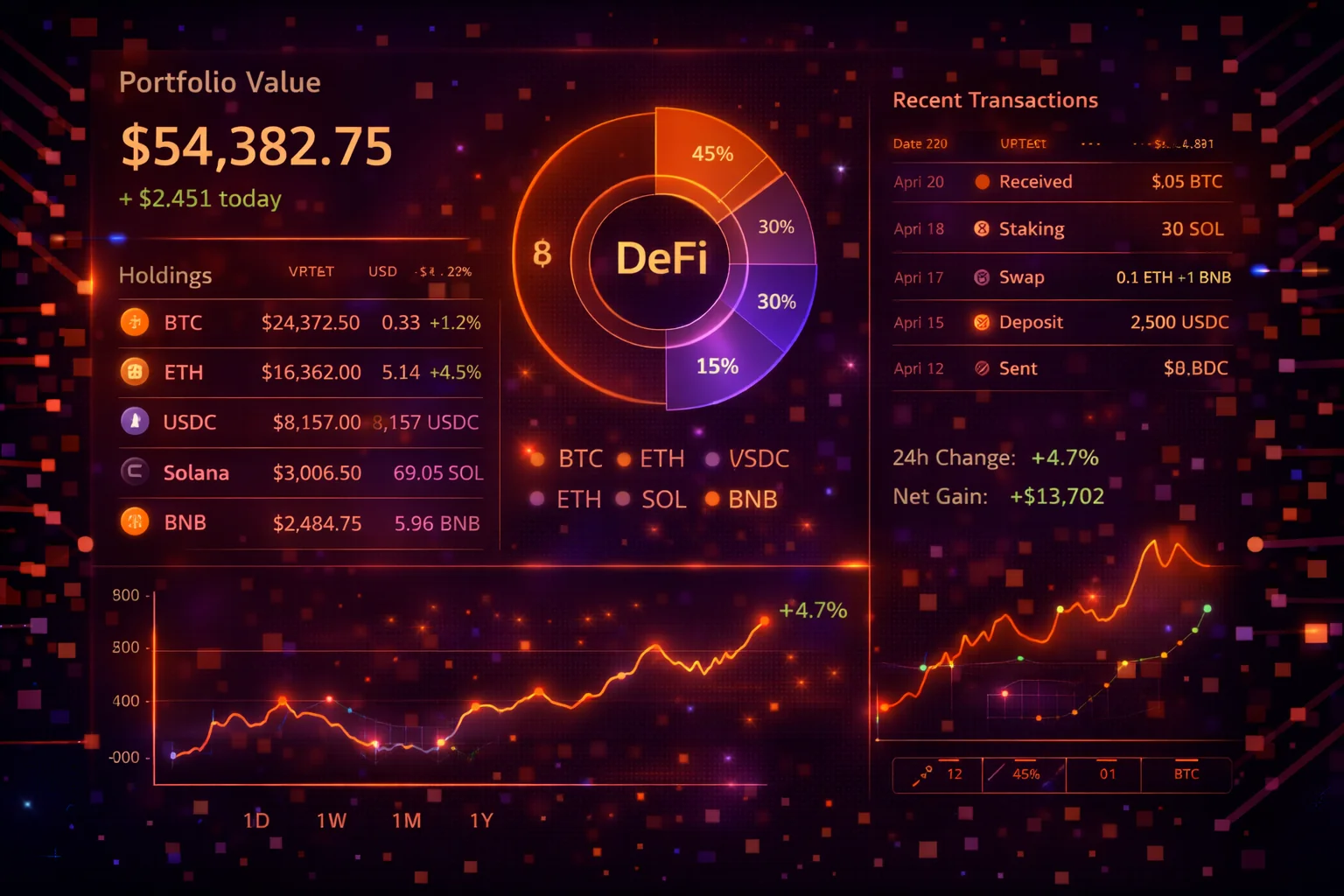
CoinStats - Best Overall Portfolio Tracker
CoinStats aggregates balances from 300+ exchanges and on-chain wallets into a single dashboard. The free tier tracks up to 10 portfolios and 20,000 transactions with basic profit/loss calculations. The Premium plan ($13.99/month, with an annual discount) unlocks unlimited connections, DeFi position tracking, NFT valuations, and real-time portfolio alerts. Its standout feature is the built-in swap function that lets you rebalance directly from the tracker without switching to an exchange.
Zerion - Best for DeFi Tracking
Zerion automatically detects DeFi positions across Ethereum, Arbitrum, Optimism, Polygon, Base, and 10+ other chains. Connect your wallet address and it surfaces your LP positions, staked tokens, claimable rewards, and historical gas costs. The free tier covers everything most DeFi users need. Zerion Premium (a paid subscription; DNA NFT holders get it for life) adds perks such as multichain P&L and early access to new chain integrations. Zerion's weakness: it does not connect to centralised exchanges via API, so if you hold assets on Binance or Coinbase you need a second tracker for those balances.
Delta - Best Mobile Experience
Delta (owned by eToro) focuses on a polished mobile experience with customisable watchlists, push-notification price alerts, and a clean portfolio overview. The free tier supports 2 connected exchanges and unlimited manual entries. Delta PRO ($53.88/year, about $13.99/month) adds unlimited connections, advanced analytics, and multi-device sync. It handles centralised exchange tracking better than Zerion but has weaker DeFi coverage — use Delta for your exchange holdings and pair it with Zerion or DeBank for on-chain positions.
Rotki - Best for Privacy
Rotki is fully open-source and stores all data locally on your machine — nothing goes to a cloud server. It imports from exchanges via API and tracks on-chain activity across Ethereum, Optimism, and several other EVM chains. The free version handles portfolio tracking and basic tax reports. Premium ($6.99/month) adds priority protocol support and faster data processing. The trade-off is setup effort: you install the desktop app, configure API keys manually, and troubleshoot sync issues yourself. Worth it if you refuse to trust a third party with your full transaction history.
Portfolio Tracking Security Best Practices
- Use read-only API keys: Never share keys with withdrawal permissions
- Regular reconciliation: Check tracked vs actual balances monthly
- Backup your data: Export transaction history regularly
- Multiple trackers: Consider using 2 tools for cross-verification
Which Tracker Should You Pick?
If you hold assets on centralised exchanges and want a simple mobile dashboard, start with CoinStats or Delta. If most of your portfolio is in DeFi protocols, Zerion or DeBank will serve you better because they auto-detect on-chain positions. If privacy is your top priority, Rotki is the only option that keeps your data entirely local. Many serious investors run two trackers — one for exchange holdings and one for DeFi — and cross-reference the totals monthly.
Security & Wallet Management
A single compromised wallet can wipe out your entire portfolio, so security tools deserve more attention than any other category. This section covers hardware wallets (cold storage), software wallets (hot wallets for daily use), and free utilities that protect against phishing and malicious token approvals.
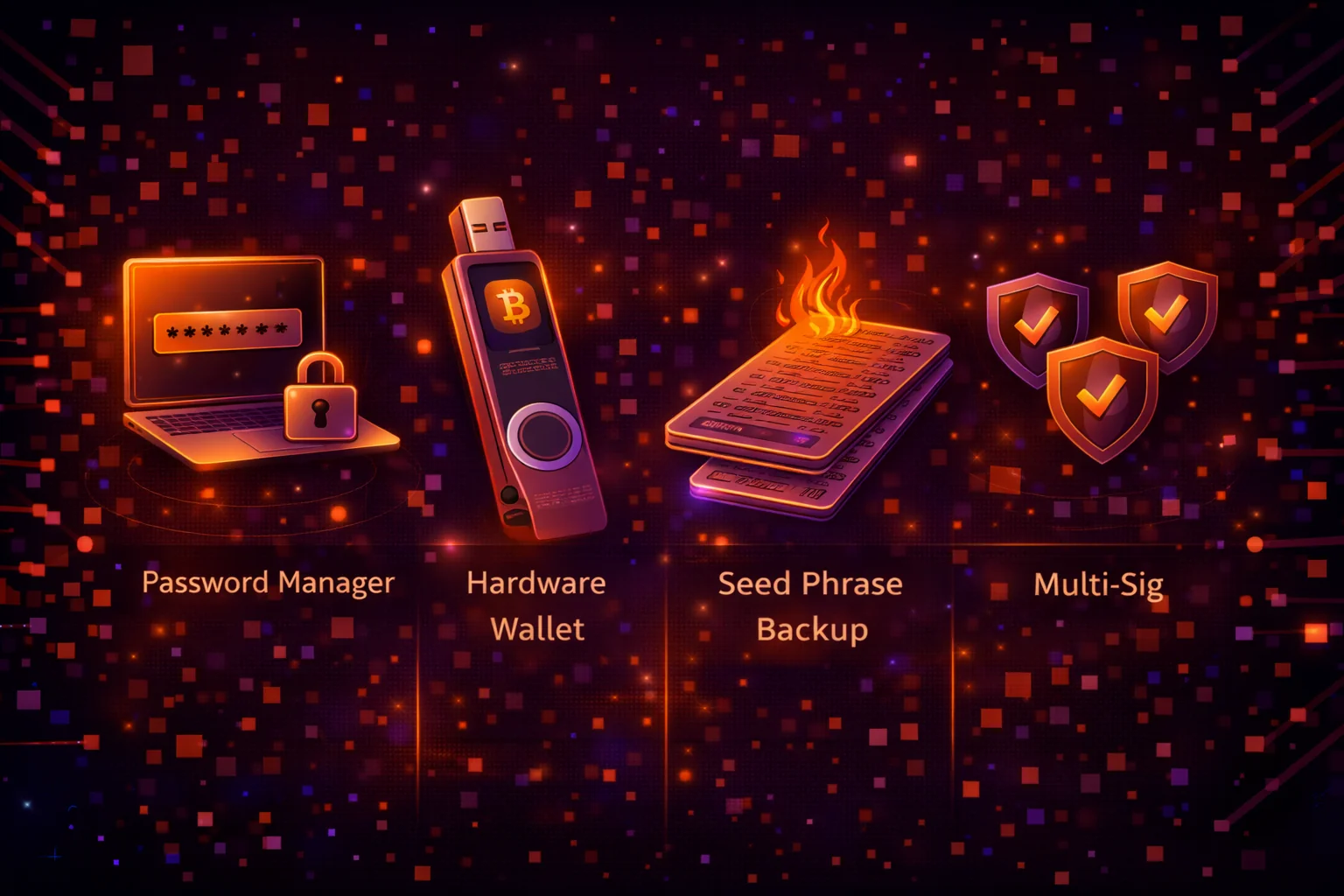
Crypto wallets
Ledger Nano X ($79) - Most Popular
The Nano X supports 15,000+ coins, connects via Bluetooth to the Ledger Wallet mobile app, and holds up to 100 apps simultaneously. Ledger uses a certified secure element chip (CC EAL5+) to store private keys. The main concern: Ledger's 2020 customer database breach leaked names and addresses (no funds were lost), so buy directly from ledger.com rather than third-party sellers. The budget alternative, the Nano S Plus ($59), offers the same security chip but drops Bluetooth and holds fewer apps.
Trezor Safe 3 ($59) / Safe 5 - Open Source Leader
Trezor's firmware is fully open-source, meaning anyone can audit the code. The Safe 3 ($59) covers Bitcoin and the most common EVM tokens with a secure element chip. The Safe 5 (which replaced the discontinued Model T) adds a colour touchscreen and a newer secure element, and lets you enter your PIN directly on the device rather than on a computer. Choose Trezor over Ledger if open-source firmware matters to you; choose Ledger if you need broader altcoin support.
Tangem Wallet ($55-80) - Card-Based Alternative
Tangem takes a different approach: your private key lives on an NFC card the size of a credit card. Tap the card against your phone to sign transactions. The starter pack includes 2-3 backup cards, there are no batteries to charge, and setup takes under five minutes. The trade-off is that Tangem supports fewer chains and tokens than Ledger or Trezor, and the card format is unusual enough that some users worry about durability. Best suited for people who find traditional hardware wallets intimidating.
Software Wallets
MetaMask - Ethereum Ecosystem Standard
MetaMask is the default wallet for interacting with Ethereum dApps, and it now supports any EVM-compatible chain (Arbitrum, Polygon, Base, etc.) through manual or one-click network additions. The browser extension and mobile app are both free. MetaMask Swaps lets you trade tokens directly inside the wallet, though it charges a 0.875% service fee on top of DEX costs. The main risk: as the most popular hot wallet, MetaMask is the primary target for phishing attacks. Always verify the URL before connecting, and consider pairing MetaMask with a Ledger or Trezor for hardware-level transaction signing.
Trust Wallet - Mobile-First Multi-Chain
Trust Wallet (backed by Binance) supports 100+ blockchains natively, including non-EVM chains like Solana, Cosmos, and Bitcoin. The built-in dApp browser and staking interface make it a strong mobile-only option. It is free with no premium tier. The downsides: Trust Wallet's code is not fully open-source, and Binance's ownership raises centralisation concerns for users who prioritise decentralisation. For mobile users who want broader chain coverage than MetaMask offers, Trust Wallet is the practical choice.
Security Tools
Revoke.cash - Token Approval Management (Free)
Every time you interact with a DeFi protocol, you grant a token approval that could let that contract spend your tokens indefinitely. Revoke.cash scans your wallet, lists every active approval, and lets you revoke dangerous ones in a single transaction (you pay only the gas fee). Use it after every DeFi session or at minimum once a month. The browser extension version also warns you before you sign a suspiciously large approval.
MetaMask Security Engine - Real-Time Phishing Protection (Built-In, Free)
MetaMask's built-in security engine simulates transactions before you sign them and flags known phishing sites, malicious contracts, and wallet-drainer signatures, showing a warning before you approve anything suspicious. This protection was strengthened in 2024 when Consensys acquired Wallet Guard and folded its detection engine directly into MetaMask. The standalone Wallet Guard extension was wound down and fully sunset on 31 March 2025, so there is no separate tool to install — keep MetaMask updated and pair it with Revoke.cash for approval hygiene.
Wallet Security Best Practices
- Hardware storage device for large amounts: Keep 80%+ of holdings offline
- Separate wallets: Use different wallets for trading vs holding
- Regular security audits: Check approvals and permissions monthly
- Backup seed phrases: Store in multiple secure physical locations
- Test transactions: Always send small amounts first
Which Wallet Setup Makes Sense?
For most people, the right setup is a hardware wallet for long-term holdings (80%+ of your portfolio) and a software wallet for daily DeFi interaction. Keep only what you need for active trading in your hot wallet. If you hold more than $10,000 in crypto, a hardware wallet is not optional — it is the single most important security investment you can make. If you hold less, a software wallet with strong operational security (unique password, 2FA, verified downloads only) is acceptable while you build your position.
Tax & Accounting Software
If you made more than 50 transactions last year, manually calculating capital gains is impractical and error-prone. Tax software imports your exchange and on-chain history, applies your jurisdiction's rules (FIFO, LIFO, specific identification), and generates reports your accountant can file directly. The three tools below cover different price points and complexity levels.
Koinly - Best for DeFi and International Users
Koinly connects to 700+ exchanges and wallets, auto-imports DeFi transactions (including yield farming, liquidity provision, and NFT trades), and generates tax reports for 20+ countries including the UK, US, Australia, Germany, and Canada. Pricing scales with transaction volume: the Newbie plan ($49/year) covers 100 transactions, Hodler ($99/year) covers 1,000, Trader ($179/year) covers 3,000, and a higher tier (~$279/year) covers 10,000+. If you use multiple DeFi protocols across several chains, Koinly handles the complexity better than any competitor. The main complaint: the auto-classification of DeFi transactions sometimes needs manual correction, especially for newer protocols.
CoinTracker - Cleanest Interface for Moderate Portfolios
CoinTracker stands out for its polished interface and tax-loss harvesting suggestions that show you which positions to sell to reduce your tax bill. The free tier covers 25 transactions per year — enough for a buy-and-hold strategy. Paid plans start at $59/year (100 transactions) and scale to $599/year for unlimited transactions. CoinTracker integrates directly with TurboTax and H&R Block, which is convenient for US filers. The weakness: its DeFi transaction parsing lags behind Koinly, so if you are active in DeFi, Koinly is the better choice.
Coinpanda - Budget-Friendly Alternative
Coinpanda supports 500+ exchanges and generates tax reports for most major jurisdictions. Its pricing is more aggressive than Koinly: the Hodler plan ($49/year) covers 100 transactions, the Trader plan ($99/year) covers 1,000, and the Pro plan ($189/year) covers unlimited transactions. The interface is straightforward, and DeFi support has improved significantly in recent updates. Consider Coinpanda if Koinly's pricing feels steep for your transaction volume, though Koinly remains stronger for complex DeFi and multi-chain activity.
Crypto Tax Compliance Best Practices
- Track from day one: Don't wait until tax season to start
- Keep detailed records: Save all transaction confirmations and receipts
- Understand your jurisdiction: Tax rules vary significantly by country
- Consider professional help: Consult crypto tax specialists for complex situations
- Regular reconciliation: Check your tax software calculations quarterly
When Do You Actually Need Tax Software?
If you bought crypto once and held it, a spreadsheet works fine. Tax software becomes essential once you cross 50+ transactions per year, use DeFi protocols, or trade across multiple exchanges. The cost of a mistake — misreporting a taxable event and facing penalties — almost always exceeds the annual subscription. Import your data early in the tax year rather than scrambling in April; tools handle cleaner imports when they process transactions in near-real-time.
Analytics & Research Platforms
Analytics tools range from free community dashboards to $150+/month institutional platforms. Which one you need depends on how you make decisions: on-chain wallet tracking, macro exchange flows, protocol fundamentals, or technical chart analysis.
On-Chain Analytics
Nansen - Smart Money Tracking (Pro from $49/month)
Nansen labels millions of wallet addresses ("smart money", "fund", "fresh wallet") and lets you track what those wallets buy, sell, and stake. The Pro plan ($49/month billed annually, $69 monthly) includes wallet alerts, token analytics, and chain-level dashboards. The main use case: seeing which tokens institutional wallets are accumulating before price movements appear on charts. Nansen is expensive and has a steep learning curve, but if you make trading decisions based on on-chain flows, it provides data no free tool matches. Free users can access limited public dashboards.
Dune Analytics - Build Your Own Dashboards (Free + Paid)
Dune lets you write SQL queries against on-chain data from Ethereum, Solana, Polygon, Arbitrum, and other chains, then visualise the results as charts and dashboards. The free tier gives you access to the full query editor and thousands of community-built dashboards — this alone is enough for most research. Paid plans ($390/month for Plus) add private queries, faster execution, and CSV exports. If you know basic SQL, Dune is the most flexible analytics tool available. If you do not, browse the community dashboards — there are pre-built views for nearly every major protocol's TVL, revenue, and user metrics.
Market Analytics
CryptoQuant - Exchange Flow Data (from $39/month)
CryptoQuant tracks Bitcoin and Ethereum flows in and out of exchanges, miner reserves, and funding rates. The free tier includes delayed charts and basic indicators. The Advanced plan ($39/month, $29 billed yearly) adds real-time alerts and on-chain metrics; the Professional plan ($109/month) adds API access. Its strength is Bitcoin macro analysis: if you want to see whether BTC is moving to exchanges (potential sell pressure) or to cold storage (accumulation), CryptoQuant shows this more clearly than Nansen. The weakness is altcoin coverage — if you trade mid-cap tokens or DeFi positions, Nansen or Dune are better choices.
Token Terminal - Protocol Fundamentals (Free + $350/month Pro)
Token Terminal applies traditional financial metrics — revenue, P/E ratio, active users, fee generation — to crypto protocols. The free tier shows basic revenue and TVL data for major protocols. The Pro plan ($350/month) adds granular breakdowns, custom dashboards, and historical data exports. Use it to compare whether Aave generates more revenue per dollar of TVL than Compound, or whether Uniswap's fee income justifies its market cap. The price is steep; if you only check protocol fundamentals occasionally, the free tier plus Dune community dashboards may be enough.
Technical Analysis
TradingView - Charting Standard (Free / $14.95-$69.95/month)
TradingView is the default charting platform for crypto traders. The free tier gives you one chart layout, 2 indicators per chart, and delayed data on some pairs. Essential ($14.95/month) adds 2 charts per layout, 5 indicators, and server-side alerts. Plus ($34.95/month, or $29.95 billed annually) unlocks 4 charts per layout, 10 indicators, and intraday data on more exchanges. Premium ($69.95/month, or $59.95 annual) adds 8 charts, 25 indicators, and second-based intervals (a higher Ultimate tier also exists). For most crypto investors, Essential is sufficient — you get real-time data on major pairs and enough indicators for standard technical analysis. Upgrade to Plus only if you run multiple timeframes side by side. If you have not opened the platform before, our walk-through of building your first technical chart covers layout, watchlist, and the two indicators worth adding before anything else.
Avoiding Analysis Paralysis
More data does not mean better decisions. Pick one on-chain source and one charting tool, and use them consistently for 90 days before adding another. If you find yourself checking four dashboards before every trade, you are over-tooled-simplify to the two sources that most often influenced your actual buy/sell decisions.
Which Analytics Tool Fits Your Workflow?
If you trade based on what large wallets are doing, Nansen is the clearest source but costs from $49/month. If you prefer building custom queries and dashboards, Dune is free and more flexible but requires SQL knowledge. For Bitcoin-focused macro analysis (exchange flows, miner behaviour), CryptoQuant gives you data that neither Nansen nor Dune surface as cleanly. For fundamental protocol comparison (revenue, users, fees), Token Terminal applies the metrics you would use to evaluate a stock. Most investors need at most two of these — pick based on whether your decisions rely on wallet tracking, macro flows, or protocol fundamentals.
Trading & DeFi Tools
Trading bots automate execution strategies (DCA, grid trading, rebalancing) so you do not need to place orders manually. DeFi tools help you discover protocols, track positions across chains, and manage risk. This section covers both categories with current pricing and practical trade-offs.
Trading Automation
3Commas - DCA and Grid Bots ($29-$99/month)
3Commas connects to Binance, Coinbase, Kraken, and 15+ other exchanges via API and runs automated DCA bots (buy fixed amounts on a schedule), grid bots (buy low, sell high within a price range), and smart trade orders with trailing stop-losses. The Starter plan ($29/month) covers one exchange and basic bots. The Advanced plan ($49/month) adds multi-exchange support and composite bots. The Pro plan ($99/month, about $40/month billed annually) includes everything plus a marketplace of community-built bot strategies. Start with a DCA bot on a single exchange before testing grid strategies — grid bots can lose money in strong directional markets. Note: 3Commas suffered an API key leak in late 2022; they have since migrated to a new infrastructure, but use a sub-account with limited funds for any bot platform.
Bitsgap - Grid Trading Alternative ($29-$149/month)
Bitsgap focuses on grid trading and arbitrage across 15+ exchanges. Its grid bot visualiser makes it easier to see entry ranges and expected profit per grid level compared to 3Commas. The Basic plan ($29/month) supports one active bot, the Advanced plan ($69/month) supports 5 bots, and the Pro plan ($149/month) removes limits and adds trailing features. Choose Bitsgap over 3Commas if grid trading is your primary automation strategy; choose 3Commas if you want broader bot variety (DCA, composites).
DeFi Tools
DefiLlama - Protocol TVL and Yield Data (Free)
DefiLlama tracks total value locked (TVL), yield rates, and protocol revenue across 200+ chains. It replaced DeFi Pulse as the standard TVL reference after that tool stopped updating reliably. DefiLlama's yield page ranks lending and LP opportunities by APY with risk indicators, and its token-unlock calendar shows upcoming vesting events that may affect token prices. Entirely free, open-source, and ad-free. Use it as your first stop when researching any DeFi protocol.
Zapper - DeFi Dashboard with Transaction History (Free)
Zapper shows your DeFi positions, claimable rewards, and full transaction history across Ethereum, Arbitrum, Optimism, Base, and Polygon. Its "Zap" feature lets you enter LP positions in one transaction instead of multiple approvals and swaps. The interface is cleaner than DeBank for Ethereum-ecosystem users, but multi-chain coverage is narrower — if you use Solana, Cosmos, or non-EVM chains, DeBank covers more ground. Zapper also tracks NFTs with floor-price valuations. Free to use; the NFT and protocol data load faster than most alternatives.
DeBank - Broadest Multi-Chain DeFi Tracker (Free)
DeBank covers 50+ chains including EVM chains, Solana, Aptos, and Sui. Enter any wallet address and it surfaces every DeFi position, token balance, and NFT across all supported networks. The "Whale" feed shows large-wallet activity in real time, which is useful for spotting protocol inflows before they appear in TVL data. The interface can feel dense, but the breadth of chain support is unmatched by any free alternative. Pair DeBank with Zerion or Zapper if you want a cleaner daily dashboard for your primary chain, and use DeBank as the cross-chain source of truth.
Automated Trading Best Practices
- Start small: Test strategies with small amounts first
- Understand risks: Automated trading can amplify losses
- Monitor regularly: Bots need supervision and adjustment
- Diversify strategies: Don't rely on a single approach
Should You Use Trading Bots?
Bots remove emotion from execution, which helps with disciplined DCA and grid strategies. They do not generate alpha on their own — a bad strategy automated is still a bad strategy. Start with a simple DCA bot on a single exchange using a small allocation (5-10% of your trading capital) for at least 30 days before scaling. Monitor the bot's performance against a simple buy-and-hold benchmark over the same period. If the bot underperforms after fees and slippage, the strategy needs adjustment, not more capital.
Mobile Apps & Convenience Tools
If you primarily manage crypto from your phone, these apps handle buying, tracking, and price monitoring. The all-in-one apps (Coinbase, Crypto.com) let you trade and store in one place. The data apps (CoinGecko, CoinMarketCap) focus on research and price alerts.
All-in-One Mobile Apps
Coinbase - Simplest On-Ramp for Beginners
Coinbase lets you buy crypto with a bank transfer or card, store it in a custodial wallet, and track your balance — all in one app. The "simple" trade interface charges a spread of roughly 1.5% plus a flat fee ($0.99-$2.99 depending on amount). Switch to "Advanced Trade" inside the same app for maker/taker fees of 0.4%/0.6% instead. Coinbase is publicly listed (NASDAQ: COIN) and regulated in the US, which matters if you want deposit insurance (USD balances are FDIC-insured up to $250K). The limitation: fewer altcoins than Binance or Kraken, and no leverage trading in the US.
Crypto.com - Crypto Debit Card and Earn Rates
Crypto.com's main draw is its Visa debit card: stake CRO tokens and receive 1-5% cashback on spending depending on card tier. The app also offers "Earn" deposits (lock crypto for 1-3 months for yield) and a DeFi wallet. Trading fees start at 0.4% and decrease with volume. The fee structure is complex — card benefits, earn rates, and trading discounts all depend on your CRO stake level. Worth using if you want to spend crypto directly via the card; otherwise Coinbase or Kraken offer simpler trading experiences.
Price Tracking and Research Apps
CoinGecko - Independent Market Data (Free / ~$8/month Premium)
CoinGecko tracks 14,000+ coins with price, volume, market cap, and developer activity data. The free tier covers everything most users need: price alerts, portfolio tracking, and access to CoinGecko's "Trust Score" for exchanges (which flags wash trading). The Premium plan (~$8/month) removes ads and adds exclusive reports; developer API access is a separate product starting at $35/month. CoinGecko is independently owned (not affiliated with any exchange), which makes its exchange rankings less biased than alternatives. The mobile app is clean for quick price checks and watchlists.
CoinMarketCap - Largest Token Database (Free)
CoinMarketCap tracks tens of millions of tokens (around 30 million as of early 2026) and is the most-visited crypto data site. It is free and shows market cap rankings, price charts, exchange volumes, and community data. The caveat: Binance acquired CoinMarketCap in 2020, and some users question the neutrality of its exchange rankings as a result. For raw price data and token discovery, CoinMarketCap has the broadest coverage. For exchange credibility ratings, CoinGecko's independent Trust Score is a more reliable reference.
Mobile Security Tips
- Use official app stores: Download only from Apple App Store or Google Play
- Enable app locks: Use biometric or PIN protection
- Avoid public WiFi: Don't access crypto apps on unsecured networks
- Regular updates: Keep apps updated for security patches
Enterprise & Institutional Tools
If you manage a fund, run an exchange, or handle client crypto assets, you need institutional-grade custody (MPC or multi-sig) and compliance tools (AML/KYT screening). These tools are expensive and irrelevant for individual investors, but mandatory once regulatory obligations apply.
Custody Solutions
Fireblocks - MPC Custody ($5,000+/month)
Fireblocks uses multi-party computation (MPC) instead of traditional multi-sig, which means no single private key exists that could be stolen. Used by 1,800+ institutions including major exchanges, market makers, and banks. The platform handles custody, treasury operations, and DeFi access through a single dashboard with policy-engine approvals. Pricing starts around $5,000/month and scales with assets under custody. Relevant for funds managing $10M+ where the cost of a security breach far exceeds the subscription.
BitGo - Regulated Qualified Custodian
BitGo is a qualified custodian, now operating under an OCC-issued federal charter (BitGo Bank & Trust, National Association) after converting from its earlier South Dakota state trust charter in early 2026, which means it meets regulatory standards for holding client funds. It offers multi-sig wallets, $250M in insurance coverage, and settlement services for OTC trades. Pricing varies by AUM — typically 0.05-0.15% annually on custodied assets with minimum thresholds. Choose BitGo over Fireblocks if your fund requires a qualified custodian designation for regulatory compliance; choose Fireblocks if you need broader DeFi access and MPC technology.
Compliance & Risk Management
Chainalysis - Transaction Monitoring (Enterprise licensing)
Chainalysis is the compliance tool used by most major exchanges and government agencies to screen transactions for sanctions violations, money laundering, and fraud. Its "KYT" (Know Your Transaction) product scores every deposit and withdrawal in real time. Licensing typically costs $100K+/year depending on transaction volume. Individual investors will never use this directly, but if you run a fund or exchange that processes client funds, AML compliance software is a regulatory requirement in most jurisdictions.
Elliptic - Risk Scoring Alternative (Enterprise licensing)
Elliptic competes with Chainalysis on AML compliance, offering transaction screening, wallet risk scoring, and cross-chain tracing. Its "Holistic" product maps relationships between wallets across different blockchains, which helps compliance teams trace funds that move through bridges. Smaller exchanges sometimes prefer Elliptic for more flexible pricing structures. Both tools serve the same regulatory need — the choice often comes down to existing vendor relationships and pricing negotiations.
Enterprise Best Practices
- Multi-signature security: Require multiple approvals for transactions
- Segregation of duties: Separate key management from operations
- Regular audits: Conduct security and compliance audits
- Insurance coverage: Obtain appropriate digital asset insurance
- Disaster recovery: Maintain robust backup and recovery procedures
How to Choose the Right Tools
Five Questions Before You Pay for Any Tool
Before subscribing, answer these questions honestly. They prevent you from buying tools you will not use.
- What specific task does this replace? If you cannot name the manual process it eliminates, you do not need it yet.
- Have you hit the free-tier limit? Upgrade only when a concrete limitation (transaction cap, missing chain, delayed data) blocks your actual workflow.
- Does it overlap with something you already pay for? CoinStats Pro and Zerion together may duplicate 80% of functionality. Pick one.
- What is the security exposure? Any tool with exchange API access is a potential attack vector. Prefer read-only keys and limit connections to what you actively use.
- Can you test it for free first? Most tools offer free tiers or 14-day trials. Use them for a full two weeks before committing.
When to Upgrade: Concrete Triggers
Move from a beginner to intermediate stack when you exceed 50 annual transactions, hold assets on 3+ platforms, or start using DeFi protocols. Move to an advanced stack when on-chain analytics (wallet tracking, protocol flows) directly inform your trading decisions and your portfolio size justifies the cost. The stacks in the Tool Categories Overview section give specific pricing for each level.
Professional Tool Implementation and Advanced Optimisation
API Management and Data Accuracy
Connect your portfolio tracker to each exchange using read-only API keys — never grant withdrawal permissions to a tracking tool. After connecting, verify that imported balances match your actual holdings within 24 hours. Set a calendar reminder to re-check sync accuracy monthly, because exchange API changes can silently break data imports. CoinStats and Zerion both display a "last synced" timestamp; if that timestamp is more than a few hours old, reconnect the API.
Incident Response: What to Do When Something Goes Wrong
Rehearse your emergency plan before you need it. If your hot wallet is compromised, you should be able to revoke token approvals via Revoke.cash, transfer remaining funds to a hardware wallet, and rotate your exchange API keys within 15 minutes. Write these steps down and keep them accessible offline. The worst time to figure out your response plan is during an active exploit.
Real-World Tool Usage: How Investors Optimise Their Workflow
Day Trader: Alex's Professional Setup
Alex, a full-time crypto trader, uses a comprehensive tool stack to manage $500,000 across multiple exchanges and DeFi protocols.
Daily Tool Stack:
- TradingView Premium (~$60/month): Advanced charting and technical analysis
- Coinglass (paid analytics tier): Liquidation data and funding rates
- Nansen Pro (~$49/month): On-chain analytics and smart money tracking
- Ledger Nano X ($79 one-time): Cold storage for long-term holdings
- Koinly Trader ($179/year): Automated tax reporting
- Total first-year cost: the priced lines above come to $1,566 — $720 TradingView, $588 Nansen, $179 Koinly and the $79 device — with the Coinglass tier on top of that
Workflow: Alex reviews TradingView charts each morning, checks Coinglass for funding rates, and uses Nansen alerts for whale movements. Total tool cost: around 0.3% of portfolio value annually, before the Coinglass tier.
DeFi Farmer: Sarah's Yield Optimisation
Sarah manages $200,000 across 15 DeFi protocols, using specialised tools to maximise yields and manage risk.
DeFi Tool Suite:
- Zerion ($0 - free tier): Portfolio tracking across chains
- Zapper ($0 - free): DeFi position management
- DeBank ($0 - free): Multi-chain portfolio overview
- Revoke.cash ($0 - free): Token approval management
- Dune Analytics ($0 - free): Custom protocol analytics
- Koinly ($279/year): DeFi tax reporting
- Total annual cost: $279
Workflow: Sarah checks Zerion daily, runs Revoke.cash monthly, and uses Dune dashboards for protocol research. Her only paid tool is tax software.
Long-Term Holder: Michael's Minimalist Approach
Michael holds $150,000 in Bitcoin and Ethereum with a buy-and-hold strategy, using minimal tools focused on security and tracking.
Essential Tools:
- Ledger Nano S Plus ($59 one-time): Primary cold storage
- Trezor Safe 5 (one-time purchase): Backup cold storage
- CoinStats Free ($0): Portfolio tracking
- CoinTracker Basic ($59/year): Tax reporting
- Total setup cost: the priced lines above come to $118 — $59 for the Nano S Plus (one-time) and $59 for CoinTracker (per year) — with the Safe 5 at its current list price on top
Workflow: Michael checks his portfolio weekly and updates tax records quarterly. No analytics tools needed for a buy-and-hold approach.
Institutional Investor: Hedge Fund's Enterprise Stack
A crypto hedge fund managing $50 million uses enterprise-grade tools for compliance, security, and performance tracking.
Enterprise Setup:
- Fireblocks (Essentials from $699/month; enterprise pricing custom): Institutional custody and security
- Glassnode Studio ($800/month): Advanced on-chain analytics
- CoinMetrics Pro ($1,200/month): Market data and research
- Taxbit (institutional tax and information reporting): quoted per contract — Taxbit publishes no price list and sells through a sales demo, so budget this line only once you hold a quote
- Custom trading infrastructure: $50,000/year
- Total annual cost: the four listed subscriptions come to roughly $82,400 a year at the rates above, and the tax platform is quoted on top of that
Context: That is under a fifth of one per cent of a $50 million book, before the quoted tax platform — a small price for funds where a single security breach or compliance failure could cost millions. Treat every figure here as indicative: vendor list prices move, and the enterprise tiers of all four are negotiated rather than published.
Beginner Investor: Emma's Starter Kit
Emma, new to crypto with $5,000 invested, uses beginner-friendly tools to learn and grow her portfolio safely.
Beginner Setup:
- Coinbase app ($0): Easy buying and basic tracking
- Ledger Nano S Plus ($59): security wallet for security
- CoinStats Free ($0): Portfolio tracking
- CoinTracker Free ($0): Basic tax tracking
- Total cost: $59
Workflow: Emma buys on Coinbase, transfers to her Ledger monthly, and tracks via CoinStats. She plans to add tax software once her portfolio exceeds $10,000.
Practical Implementation Guidelines
Before paying for anything, test free tiers for two weeks. Most portfolio trackers and analytics platforms offer enough functionality to evaluate whether the tool fits your workflow. Only upgrade when a specific limitation — such as a transaction cap, missing DeFi chain support, or delayed data refresh — actually blocks something you need to do.
Step-by-Step Setup Order
Start with security before convenience. Set up your hardware wallet and test a recovery from seed phrase before you transfer significant funds. Next, connect a portfolio tracker using read-only API keys from your exchanges. Then add tax software and import your full transaction history — do this early, because retroactively importing two years of DeFi transactions is far more painful than importing as you go. Charting and analytics tools come last, since they do not touch your funds and carry no security risk.
Security and Operational Procedures
Use a dedicated email address for crypto accounts, enable hardware-key-based two-factor authentication where supported (YubiKey or similar), and store seed phrase backups in at least two separate physical locations. Review your token approvals on Revoke.cash after every DeFi session, not just monthly. If you interact with a new protocol, check its audit status on DeFiSafety or the protocol's own documentation before signing any transaction.
Performance Tracking and Optimisation
Once your tools are running, measure whether they actually improve your outcomes. Track three numbers monthly: time spent on manual data entry (should decrease), reporting errors caught (should decrease over time), and the cost of your tool stack relative to portfolio size (should stay below 2-3%). If a tool is not saving you time or improving your decisions after 90 days, replace it or downgrade to a free alternative.
Advanced Tools Strategies and Professional Implementation
When to Upgrade from Free Tiers
Free plans work well until they create bottlenecks. Upgrade your portfolio tracker when you exceed 10 connected wallets or need DeFi position tracking that the free tier omits. Move to paid tax software once you pass 100 annual transactions, because manual corrections on the free tier cost more time than the subscription. For analytics, the free versions of Dune and CoinGecko cover most research needs; only pay for Nansen or Glassnode if you actively trade based on on-chain data and need real-time wallet labelling.
Connecting Tools into a Single Workflow
The practical goal is a pipeline: your exchange and wallet data flows into a portfolio tracker via read-only API, the tracker feeds your tax software at year-end, and your charting tool stays independent for analysis. CoinStats and Koinly both support CSV and API import from 700+ exchanges, so you rarely need to enter data manually. Test the connection with a small account first, verify that balances match within 24 hours, and only then connect your main holdings.
Tool Innovation Worth Watching
Account abstraction (ERC-4337) is starting to change wallet design: newer wallets can batch transactions, pay gas in stablecoins, and recover access without a seed phrase. If your current wallet does not support these features yet, expect updates within the next 12-18 months from Ledger, MetaMask, and others.
90-Day Execution Playbook
How should you implement tools without adding chaos to your workflow? Start with one clear rule: every new tool must improve security, speed, or decision quality within two weeks. If a tool does not improve at least one metric, remove it and keep your stack lean.
First, secure your base layer. Use one wallet for daily activity and one wallet for long-term custody. Protect your private key backups in two physical locations, and test one recovery flow before you move large balances.
Next, connect one portfolio tracker and one exchange account with read-only API access. Keep transaction permissions disabled, and validate imported balances line by line. This step reduces reporting errors and gives you a reliable dataset for tax and performance analysis.
Then, define your DeFi risk limits before opening any position. Set a maximum slippage value for each swap, track gas fee levels before execution, and avoid entering pools when impermanent loss risk is elevated. If you cannot explain the protocol and smart contract risk in plain language, skip that trade.
How do you verify staking and yield opportunities quickly? Compare APY and APR across at least two sources, and review validator uptime before delegation. For example, if one validator offers 12% APY but weak performance, a stable validator with 9% APY can deliver better long-term yield.
At the end of each month, run a stack audit. Ask four questions: which tool improved a decision, which tool reduced a security risk, which tool duplicated another, and which tool added noise without value. Remove or downgrade anything that fails all four.
Tool Signal Hygiene Audit (Weekly 15-Minute Check)
A stack can fail even when every app is online. The common issue is signal pollution: duplicate alerts, stale balances, and conflicting position data across dashboards. A short weekly audit keeps your decision layer clean before these small errors become expensive execution mistakes.
Run one compact check across your tracker, exchange feeds, and wallet data. Remove duplicated alerts, confirm delayed sync windows, and verify that one source remains your final decision record. If exchange feeds conflict, validate routing assumptions in the crypto exchanges reliability map; if custody data diverges, cross-check wallet behaviour against the TrustWallet operational baseline.
- Pick one canonical dashboard for allocations and risk limits.
- Archive alerts with no action value for two consecutive weeks.
- Log one data discrepancy and one remediation action every cycle.
- Re-test after updates to confirm that noise actually decreased.
Consistent signal hygiene improves timing, reduces stress trading, and keeps tool usage aligned with real portfolio outcomes.
Conclusion
A working crypto tool stack in 2026 does not require dozens of apps. Most investors need five things: a hardware wallet, a portfolio tracker, tax software, a charting tool, and a price-data reference. Start with free tiers, upgrade only when a specific limitation blocks your workflow, and budget 1-3% of portfolio value annually for paid tools. For hardware wallet recommendations, see our Ledger review, and for side-by-side breakdowns, check our crypto tools comparison.
Security comes first: set up your hardware wallet and test a seed-phrase recovery before transferring significant funds. Connect a portfolio tracker with read-only API keys, import your transaction history into tax software early (not at year-end), and add charting or analytics tools last since they carry no security risk. Every tool you add is a potential attack surface, so enable two-factor authentication everywhere, use unique passwords via a password manager, and revoke API connections you no longer use.
Review your stack quarterly. Ask whether each tool improved a decision, reduced a risk, or saved time in the past 90 days. If not, downgrade or replace it. The goal is a lean pipeline — exchange and wallet data flows into a tracker, the tracker feeds your tax software, and your charting tool stays independent for analysis. That simple pipeline covers 90% of what most crypto investors actually need.
If you are setting up your first toolkit today, here is the order that makes the most sense: start with a hardware wallet and portfolio tracker in week one, add tax software before you make more than 25 transactions (most free tiers cap there), and only invest in charting or analytics tools once you are actively making trading decisions that benefit from technical analysis. That sequence ensures you are properly secure and fully compliant before optimising for trading performance.
Sources & References
Frequently Asked Questions
- What is the best crypto tool for 2026?
- It depends on your needs. For tracking portfolios, CoinStats and Zerion are two popular options. For tax reporting, tools like Koinly and CoinTracker stand out. For security, security wallets such as Ledger or Trezor remain the best choice. Most users benefit from a combination of tools rather than relying on a single solution.
- Are cryptocurrency utilities free to use?
- Many DeFi tools offer free plans with limited features. Premium versions unlock advanced analytics, tax reporting, or multiple portfolio integrations. Expect to pay $50-$400 annually for comprehensive tax software, $20-$150 monthly for advanced analytics, and $50-$200 one-time for hardware wallets.
- Do I need multiple trading tools?
- Yes, most successful crypto investors use multiple tools. A typical setup includes: a crypto wallet for security, a portfolio tracker for monitoring, tax software for compliance, and analytics tools for research. Each tool serves a specific purpose, and together they provide comprehensive coverage.
- Which blockchain tools are safest?
- Hardware wallets (Ledger, Trezor) provide the highest security for storing crypto. For software tools, look for open-source code, regular security audits, read-only API access, and a strong track record. Always download from official websites and enable two-factor authentication.
- Can beginners use crypto tools easily?
- Yes, most modern tools are beginner-friendly. Start with simple tools like CoinStats for tracking and Coinbase for buying. As you gain experience, gradually add more advanced tools. Most platforms offer tutorials, customer support, and educational resources to help new users.
- How much should I spend on crypto tools?
- Budget 1-3% of your crypto portfolio value annually for tools. Beginners can start with $100-200 (hardware device + basic software). Intermediate users may spend between $300 and $600 annually. Advanced traders and institutions may invest $1,000 or more for comprehensive tool suites.
- What tools do I need for DeFi?
- DeFi users need: MetaMask or similar wallet for transactions, Zerion or Zapper for portfolio tracking, Revoke.cash for security audits, Nansen or Dune for analytics, and specialised tax software like Koinly that handles DeFi transactions properly.
- How often should I update my crypto tools?
- Review your tool stack quarterly. Update software immediately when security patches are released. Reassess your needs annually as your portfolio grows and investment strategy evolves. Replace tools that no longer meet your requirements or have better alternatives available.
← Back to Crypto Investing Blog Index
Financial Disclaimer
This content is not financial advice. All information provided is for educational purposes only. Cryptocurrency investments carry significant investment risk, and past performance does not guarantee future results. Always do your own research and consult a qualified financial advisor before making investment decisions.