Solana Wallets: Phantom, Ledger, Tangem
For everyday use, a software wallet like Phantom or Solflare is enough; for larger holdings, a hardware wallet like Ledger or Tangem keeps the signing key offline. Remember the core idea: a wallet holds keys, not coins, and your seed phrase is the master backup that alone can restore access.
That distinction — keys, not coins; hot for spending, cold for savings — is the whole of wallet safety on Solana, and it quietly decides everything from which app you install to where the bulk of your holdings should sit.
Introduction
Solana keeps custody unusually simple in one respect: a single account holds your SOL, every SPL token you swap into and any NFTs you collect, all behind the same keys. That means choosing a wallet is not about which asset it supports. It is about how it guards one secret, and how much friction it puts between an attacker and your signature. Get that decision right and the rest of self-custody is mostly routine; get it wrong and no feature list will save you.
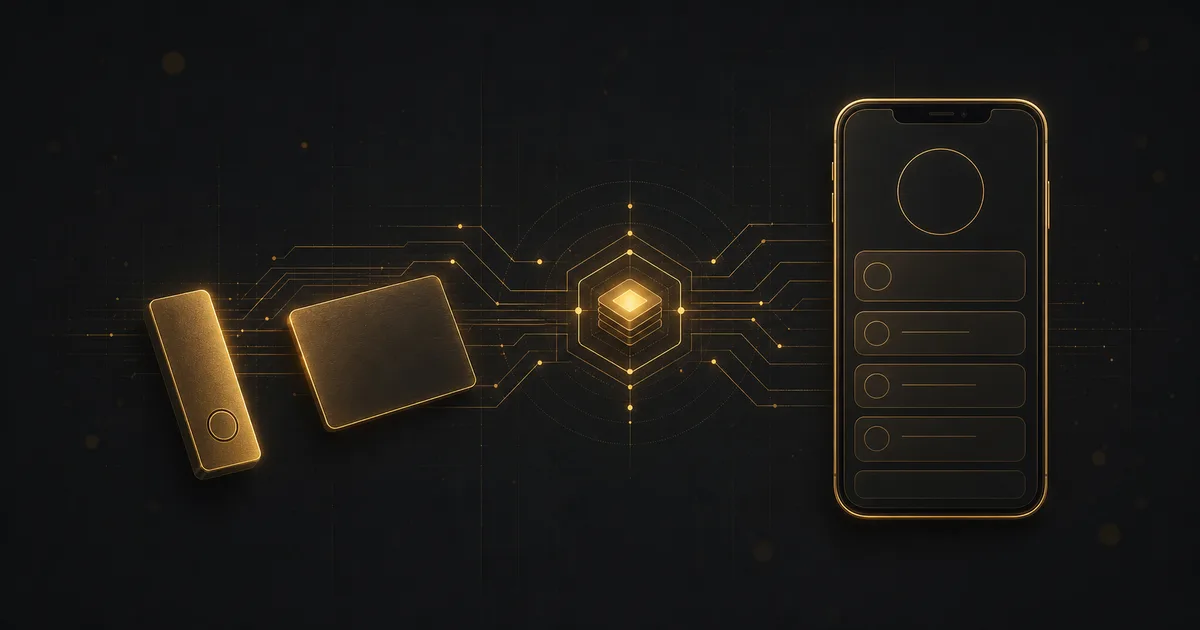
The core reality is worth stating plainly before any product name appears: a wallet stores keys, not coins. Your balance lives on the Solana blockchain, and the wallet simply holds the secret that authorises moving it. Everything that follows — which app to install, where the bulk of your holdings should sit, how a drainer tries to catch you — flows from that one fact. The seed phrase, the short list of words a wallet shows you when it is first created, is the master backup for that secret. That backup is the thing you are ultimately protecting, and no company can restore it for you.
The practical decision splits along one line: hot versus cold. A hot wallet keeps the key on an internet-connected phone or browser, which is fast and convenient but permanently exposed. A cold hardware wallet seals the key inside a dedicated chip that never goes online, trading a little friction for far stronger protection. Most Solana holders end up using both — a small hot wallet for everyday spending and a hardware wallet for savings — rather than picking a single winner. Knowing which side of that line a given wallet sits on tells you most of what you need before you ever compare features.
This guide is written for anyone moving beyond an exchange balance into self-custody, whether that is a first Phantom install or a decision to move a growing position behind a Ledger. It assumes no prior wallet experience, only a rough idea of what Solana is. If you already run a hardware wallet and only want the security habits, the later sections on drainers and approvals stand on their own.
This guide works from the ground up: what a wallet actually holds, the five wallets most Solana holders use, how software and hardware wallets differ, how to pair a hardware device with a Solana app, and the habits that stop a drainer emptying an account. It assumes you already know roughly what Solana is; if you want the network itself — fees, staking and reliability — start with our Solana complete guide and come back here for custody.
What a Solana wallet actually holds
A wallet is a keychain, not a vault
The most useful thing to understand before choosing a Solana wallet is that a wallet never really holds your coins. The SOL you own, every SPL token in your portfolio and any NFTs you have collected all live on the Solana blockchain itself, recorded across the network's validators. What sits on your phone or your hardware device is not the money. It is the key that authorises moving it. A wallet is a keychain, not a vault.
The private key and the seed phrase
That key is a private key: a long secret number that signs transactions and proves to the network that a spend is authorised by the owner of an address. Because a raw private key is impractical to write down or memorise, wallets present it in a human-readable form called a seed phrase, or recovery phrase. This is a list of ordinary words, typically 12 or 24 of them, generated when the wallet is first set up. Those words mathematically encode the master key from which every address in the wallet is derived.
Whoever holds the seed phrase controls the funds, fully and permanently. There is no support desk that can override it, no password reset, and no way to freeze a thief who has already copied it. That single design fact shapes every other decision in this guide.
Why "not your keys, not your coins" matters
This is also the practical meaning of the phrase "not your keys, not your coins". When crypto is left sitting on an exchange, the exchange holds the keys and the customer holds an IOU, an entry in the platform's internal ledger promising the balance on demand. That is convenient, and it removes the burden of self-custody, but it introduces counterparty risk: the assets are only as safe as the company holding them, its solvency and its own security. Self-custody removes that intermediary. Holding the seed phrase means holding the asset directly, with no third party able to lose it, lend it out or restrict withdrawals, in exchange for taking on the full responsibility of protecting the backup.
One account holds SOL, tokens and NFTs
Solana keeps this refreshingly simple in one respect. A single Solana wallet holds everything together under the same key: native SOL for paying network fees and staking, the full range of SPL tokens (stablecoins such as USDC, governance and project tokens, and the like), and NFTs. There is no separate app or address for each asset class.
How an NFT is stored has changed over time. Older collections are SPL tokens with a supply of one, while Metaplex Core, the standard Metaplex now recommends for new projects, keeps each asset in a single account rather than a separate mint, metadata and token account. All of them answer to the same key, which is the part that matters here. Restore one seed phrase and the SOL, the tokens and the collectibles all reappear at the same addresses, because they were never stored in the wallet in the first place. They were always on-chain, waiting for the right key to move them.
What differs between wallets, then, is not what they hold but how and where they guard that key, and how much friction they place between an attacker and a signature. That is the axis the rest of this guide is organised around: everyday "hot" wallets, where the key lives on an internet-connected device for convenience, versus cold hardware storage, where the key is sealed inside a dedicated chip that never exposes it online. Understanding that the key is the whole game makes the trade-offs that follow far easier to weigh.
The main Solana wallets at a glance
Most people holding Solana settle on one of a handful of well-established wallets. A useful thing to know first is that Solana keeps everything in one place: your SOL, any SPL tokens you swap into, and any NFTs you collect all live behind the same keys, so choosing a wallet is really about how those keys are stored and how safely they can be used day to day. Here are the five worth knowing, in rough order from everyday convenience to maximum security:
- Phantom — the most widely used Solana software wallet, available as a browser extension and mobile app, with swaps, staking and NFT display built straight in.
- Solflare — a long-standing, Solana-native software wallet known for particularly strong native staking support and a clear validator-selection flow.
- Backpack — a software wallet built around the xNFT app model, aiming to run applications inside the wallet itself rather than only holding assets.
- Ledger — a hardware wallet that keeps your keys on a certified secure-element chip, with a dedicated Solana app managed through Ledger Wallet, for genuine cold storage.
- Tangem — an NFC smart-card hardware wallet, also built on a secure-element chip, that you tap against your phone to sign rather than plugging in a device.
The clearest way to read this list is as two families. The first three are software (or "hot") wallets: the keys sit on your phone or laptop, which makes them fast and convenient but permanently connected to the internet. The last two are hardware (or "cold") wallets: the keys never leave a dedicated offline chip, so signing a transaction requires physical confirmation on the device. Neither family is simply better; they answer different questions about how much you hold and how often you transact. The two sections that follow look at each family in turn, so this overview is only meant to place the names before the detail.
Software wallets: Phantom, Solflare and Backpack
For most people, holding Solana starts with a software wallet: an app that runs as a browser extension, a mobile app, or both. Three names dominate the ecosystem, and each takes a slightly different view of what a Solana wallet is for. All three keep your SOL, your SPL tokens and your NFTs together in one place, because on Solana they all live under the same account, and all three are non-custodial. That word matters, so it is worth being precise about it.
What non-custodial means
Non-custodial means the private keys sit on your own device, generated locally and encrypted behind a password or your phone's biometrics. No company holds them, no company can freeze the account, and no support desk can restore access if the backup is lost. The wallet is really just an interface that signs transactions with a key only you control. The upside is genuine ownership; the downside is that the seed phrase, typically the 12 or 24 words shown when the wallet is first created, is the one and only master backup. Lose it and the funds are gone, with nobody to appeal to.
Phantom, Solflare and Backpack
Phantom is the default choice for a large share of Solana users, and for good reason. It ships as a polished browser extension and a mobile app that stay in sync, displays NFTs cleanly, and folds in the everyday actions most holders want: in-wallet token swaps, native staking to a validator, and a portfolio view across several chains. Its most useful safety feature is a built-in preview layer that simulates a transaction before signing and flags interactions it considers suspicious, such as a request that would drain the account or hand over sweeping token permissions. That warning layer is not a guarantee, but it catches a meaningful share of obvious traps and makes Phantom a sensible starting point for newcomers.
Solflare is Solana-native to its core and appeals to people who care about staking. Its validator selection and native staking flow are among the most thorough on offer, which suits holders who want to delegate deliberately rather than accept a default. Solflare spans web, browser extension and mobile, so the same account follows you across devices, and it supports hardware wallets for anyone who later decides to move keys offline. If the priority is participating in securing the network and choosing exactly where SOL is delegated, Solflare tends to feel purpose-built. For the mechanics of choosing a validator, delegating and the unstaking wait, see our Solana staking guide.
Backpack takes a different angle, organising the experience around apps rather than a plain token list. Its design leans into xNFTs, the idea that applications can live inside the wallet itself, so it reads less like a keyring and more like a small operating system for on-chain activity. Backpack handles ordinary SOL, SPL tokens and NFTs perfectly well, but its character shows in how it presents interactive apps alongside balances, which draws in users who spend a lot of time using Solana rather than simply holding it.
Why they are all hot wallets
The honest caveat applies equally to all three: these are hot wallets. Because the keys live on an internet-connected phone or browser, every convenience comes with a larger online attack surface. A compromised device, a malicious extension or a single careless signature can expose everything in the account, and no amount of polish removes that structural risk.
That trade-off is perfectly reasonable for the balance used day to day, spending money kept where it is quick to reach. It becomes uncomfortable once the sum grows into something worth protecting seriously. The practical rule most experienced holders settle on is simple: keep a working balance in a software wallet, and move anything larger behind a hardware device, which the next section covers.
Hardware wallets: Ledger and Tangem for Solana
Software wallets keep the signing key on your phone or computer, which is convenient but means the key shares a device with your browser, your downloads and whatever else is running there. A hardware wallet moves that key onto a dedicated chip that never connects to the internet. For a Solana holder, that is the difference between a compromised computer being an inconvenience and it being a disaster.
Even if a drainer dApp tricks the browser, or malware is quietly logging what happens on the machine, it cannot move funds without a physical confirmation on the device itself. The private key stays offline, and every transaction has to be approved by hand. That single property is why serious balances belong in cold storage rather than a hot wallet.
Both of the hardware options here hold the full range of Solana assets, not only SOL. Your SOL, your SPL tokens and your Solana NFTs all live under the same key, so a single device secures the whole portfolio rather than just the base currency.
Ledger: secure-element cold storage
Ledger is a hardware wallet built around a secure-element chip, the same class of tamper-resistant component used in payment cards and passports. The private key is generated on the device and never leaves it. To use it with Solana, you install the dedicated Solana app onto the device, after which it can manage SOL, SPL tokens and NFTs.
In practice most people pair a Ledger with a software wallet such as Phantom or Solflare: the software wallet handles the interface and connects to dApps, but it holds no key of its own and cannot sign anything. When a transaction needs approving, it is passed to the Ledger, and the details appear on the device's own screen, where you confirm or reject them — with the two physical buttons on the older Nano models, or on the E Ink touchscreen of the Stax, Flex and Nano Gen5 that Ledger now leads with. Check the model before you buy, because the pairing is not uniform: as of 21 September 2026 Phantom's own supported-hardware list places the Nano Gen5, Ledger's newest device, in its unsupported table, while listing the Nano S Plus, Nano X, Stax and Flex as supported.
This keeps the everyday convenience of Phantom or Solflare while the key that actually authorises movements stays sealed inside the chip. If the browser extension is fed a malicious transaction, the request still stops dead at the device, where you can read what is being signed before agreeing to it.
Tangem: an NFC card with no cable or screen
Tangem takes a different physical form: it is an NFC smart card, roughly the size and shape of a bank card, with a secure-element chip inside. There is no cable, no battery and no screen. To sign a transaction, you tap the card against the back of your phone, and the chip authorises it. Like Ledger, the key is created inside the secure element and never leaves it, so it holds SOL, SPL tokens and Solana NFTs with the same offline guarantee.
The absence of a screen is an honest trade-off worth understanding. With Ledger you read the transaction on the device's own display before approving; with Tangem there is no independent screen, so the details are shown on the phone — the same device that could be compromised. For everyday amounts that is a reasonable convenience; the larger the balance and the more dApp signing you do, the more that independent-display check on a separate device earns its keep.
Tangem's multi-card backup model
Where Tangem differs most is backup. Rather than writing down a 24-word seed phrase, it uses a multi-card model by default: you buy a set of two or three cards that are provisioned to hold the same key, and any card in the set can access the funds. This is an honest trade-off worth understanding before choosing it. On the positive side, there is no seed phrase to write on paper, photograph by accident, lose in a house move or have read over your shoulder — the most common way people lose self-custodied crypto simply does not exist here.
On the other side, your backup is now physical objects rather than words: you have to store the spare cards somewhere safe and separate, because losing all the cards in a set means losing access, just as losing every copy of a seed phrase would. Some people find keeping a couple of cards in different secure locations far easier to reason about than protecting a slip of paper; others prefer the traditional written seed they can duplicate freely. Neither is wrong, but the difference matters and is easy to overlook when comparing the two.
Whichever route suits you, the underlying win is the same. The key that controls your Solana never touches an internet-connected device, and nothing moves without a deliberate physical action on your part.
Keeping firmware and apps current
The offline key is only half of what makes a hardware wallet trustworthy; the software around it needs looking after too. A Ledger runs its own firmware and the on-device Solana app, both managed through Ledger Wallet, and a Tangem relies on its companion app to talk to the card.
These updates are not busywork. They patch newly found weaknesses and, just as importantly, keep the device able to read and display the kinds of transaction Solana produces, so that the destination and amount shown on the screen stay accurate as the network evolves. A device that cannot parse a transaction can only show you less, which is precisely when blind confirmation creeps back in.
So keep the firmware and the Solana app current, but do it defensively. Apply updates only from within the official app, never from a link in an email or a pop-up urging urgency. Confirm each step on the device itself. The one thing a genuine update will never do is ask for your recovery phrase. A firmware or app update that suddenly wants you to type your seed to validate the upgrade is not an update at all; it is ordinary phishing wearing a maintenance disguise, and the correct response is to stop.
Connecting a hardware wallet to a Solana app
Two devices, one job each
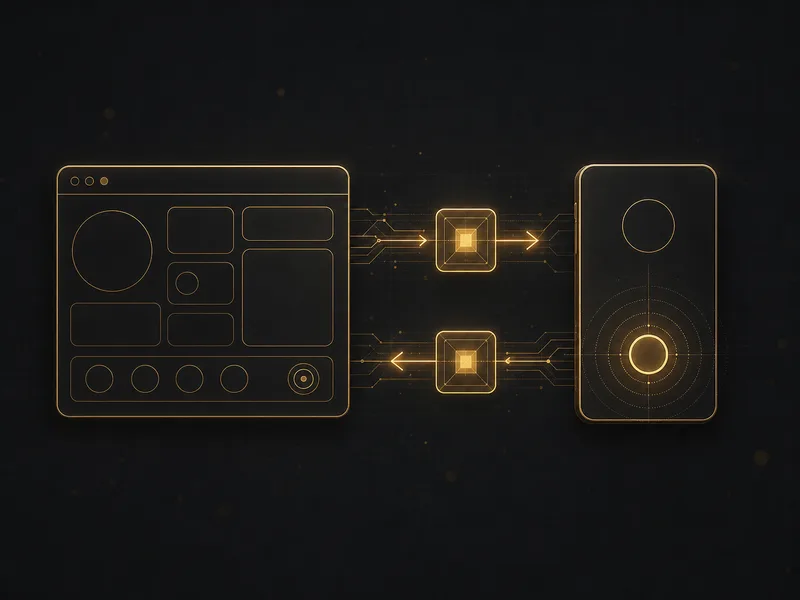
Most people who hold a meaningful amount of Solana do not choose between a hardware wallet and a software wallet. They run both together, in a split that is worth understanding because it is the real security model rather than a marketing slogan. The hardware device holds the private key and does the signing; a separate interface displays balances, connects to dApps and assembles the transactions. The signing key never leaves the device; the interface never sees it.
How the two halves meet differs by device, and it is worth settling before you buy. A Ledger pairs with a third-party Solana wallet — Phantom or Solflare — which imports only the public account. Tangem does not work that way: Phantom's own supported-hardware list places Tangem, all models, in its unsupported table, and Solflare's onboarding covers only Ledger and Keystone. A Tangem card is driven from Tangem's own app, which reaches Solana dApps over WalletConnect instead. That is a different architecture rather than a lesser one — the key still never leaves the card — but a reader who buys a Tangem card expecting to drive it from Phantom has bought the wrong thing. Checked against both vendors' documentation on 21 September 2026.
Picturing the flow makes the division of labour clear. The interface imports only the public account, so it can watch that address on-chain and show the SOL, SPL tokens and NFTs sitting in it. When something is done that moves value — staking a position, approving a swap, listing an NFT — the interface assembles the transaction and hands it to the hardware device for approval. Nothing is broadcast to the Solana network until the device itself signs it.
With Ledger that means the request travels to the secure-element chip and its dedicated Solana app; with Tangem it means the transaction is confirmed by tapping the NFC card against the phone. In both cases the signature is produced inside the secure element, not on the computer or handset.
This is where the benefit becomes concrete. A compromised computer, a fake browser extension, or a drainer dApp can propose any transaction it likes, but it cannot manufacture the physical confirmation. Without the deliberate confirmation on the Ledger — a button press or a touchscreen tap, depending on the model — or the tap of the Tangem card against the phone, the transaction is never signed and nothing leaves the account. The private key is beyond reach of malware because it exists only in tamper-resistant hardware. That single physical step is what turns a hot software interface into cold-key custody.
Confirm deliberately, not blindly
The protection is not automatic, though, and the common failure is worth naming. A hardware wallet confirms whatever it is asked to confirm; it does not vouch that the request is safe. So the confirmation is only as good as the attention paid to it. The device screen exists precisely so the transaction can be verified on trusted hardware rather than on a screen that malware may be dressing up. Read what it shows: the destination address, the amount, and the nature of the approval.
Solana transactions can include token approvals or delegated authority that hand ongoing spending permission to a program rather than simply sending a fixed amount, and a drainer relies on that being waved through. Software wallets that simulate a transaction and preview its likely effect before signing add a useful second check, but the device screen remains the final one. Confirm blindly and the hardware advantage is largely surrendered; confirm deliberately and even a fully infected machine cannot empty the account.
Keeping a Solana wallet safe: drainers, approvals and phishing
Moving to self-custody means the wallet is only as secure as the habits behind it. On Solana the mechanics are slightly different from other chains, and most losses do not come from broken cryptography or a hacked protocol. They come from an ordinary person being persuaded to sign something they did not fully understand. The good news is that the defences are learnable, and a few consistent habits remove the great majority of the risk.
The focus here is the wallet itself; the network's own reliability record and protocol-level risks are weighed separately in our Solana risks and reliability analysis. The wider operational-security habits that protect any crypto holding — device hygiene, strong and unique passwords with two-factor authentication, and recognising social engineering — sit alongside the wallet-specific steps below and are covered in our crypto operational security guide.
Protect the seed phrase above all
Start with the one rule that never bends: the seed phrase is everything. Those 12 or 24 words reconstruct the private keys behind every SOL balance, SPL token and NFT in the wallet, so anyone who reads them owns the funds outright. Write the phrase on paper or steel and keep it offline. Never type it into a website, never photograph it, and never paste it into a cloud note, a password manager sync, or a chat message, because anything that touches the internet can be exfiltrated. Phantom, Solflare and Backpack are non-custodial: the keys sit on the device, and no legitimate wallet or support agent will ever ask for the seed phrase. A pop-up, a DM or a "validation" form requesting those words is fraud, without exception.
Choosing a backup medium
The choice of medium is worth a moment's thought, because the backup has to outlast the wallet, the device and quite possibly the house it lives in. Paper is the obvious option and the fragile one: it burns, it fades, water turns it to pulp, and a curious flatmate can read it in seconds. Stamping or engraving the same 12 or 24 words onto steel costs a little but survives the fire or flood that would destroy a paper note, which is why people protecting a serious balance tend to make the switch. Whatever the medium, where the words must not go matters as much as where they do. Keep them off any photo on your phone, out of a cloud note or synced password manager, and out of an email to yourself. Any copy that touches the internet can be quietly read by anything that reaches that account.
Two further habits earn their keep. Keep more than one copy in separate physical places, so a single fire or theft cannot take both the words and the wallet at once; a spare in a second location is the difference between an inconvenience and a total loss. And before trusting a fresh wallet with a meaningful sum, test the restore: wipe the app or use a spare device, type the phrase back in, and confirm the same account and balance reappear. Discovering that a word was mis-recorded is survivable while the original wallet still works; discovering it after the device is lost is not.
Wallet drainers and how they work
The single biggest active threat on Solana is the wallet-drainer dApp. A drainer is a website dressed up as a genuine mint, airdrop claim, staking portal or trading tool. It looks convincing, and instead of the small action it advertises it presents a transaction that either sweeps assets directly or grants a program the authority to move tokens on the wallet's behalf. Because the victim clicks approve themselves, no key was ever "stolen" in the traditional sense. The defence is to treat the signing prompt, not the pretty front end, as the moment that matters. Slow down before approving anything, and be especially wary of urgency, countdown timers and "limited" offers, which exist to stop careful reading.
Token approvals and delegated authority
This is where token approvals and delegate authority deserve attention. On Solana a transaction can delegate spend authority over a token account to another address or program, which is legitimate for many real applications but dangerous when granted to a malicious one. A bad approval does not always drain funds immediately; it can sit quietly and let the program move tokens later, once fresh deposits arrive. Two habits contain this:
- Be deliberate about which programs are granted authority in the first place, rather than approving whatever a site asks for.
- Review and revoke standing approvals and delegations periodically using a reputable approvals tool, so an old permission cannot be exploited long after the interaction is forgotten.
- Treat an unfamiliar delegation as suspect until you can account for it, since a legitimate one costs only a small fee to re-grant.
It helps to picture why a stale approval is a standing risk rather than a spent one. A delegation granted for a single swap months ago does not expire on its own; it stays attached to that token account until you actively remove it, which means a program you have long forgotten can still reach whatever sits in that account today. A wallet that holds a modest balance and is later topped up is exactly the case a patient attacker counts on.
Folding a periodic sweep of your approvals into the routine, much as you might glance over a bank statement, closes that window. Revoke anything you no longer recognise or use, and account for every delegation that remains, because removing a legitimate one costs only a small fee to re-grant while leaving a malicious one in place can cost everything.
Disconnecting sites versus revoking approvals
It is worth separating two forms of housekeeping that are easy to conflate, because they clean up different things. Granting a program spend authority over a token account is an on-chain permission, and only an on-chain revocation removes it. Connecting your wallet to a dApp is something else: the wallet remembers the sites you have approved to talk to it, so a site you visited once can keep prompting your wallet long after you have finished with it.
That standing connection does not, by itself, let anyone move funds — every actual transaction still has to be signed — but it is a loose thread worth trimming. Every site your wallet still trusts is one more front door a compromised or abandoned project could knock on, and a familiar prompt from a name you recognise is exactly what lowers your guard at the wrong moment.
Make a habit of opening your wallet's list of connected sites and disconnecting anything you no longer use, the same way you would close old sessions on any account. Disconnecting a site and revoking its token approval are separate actions, and a thorough clean-up does both. Drop the connection so the site can no longer prompt you, and revoke any delegation so it can no longer reach the tokens already sitting there.
Reading transaction simulation
Modern Solana wallets give a genuinely useful safety net: transaction simulation. Before a transaction is signed, the wallet runs it against the current chain state and previews the expected balance changes, showing which assets would leave and which would arrive. Read that preview every time. If a simple NFT mint proposes to send out several tokens, or the estimated changes do not match the intended action, that mismatch is the warning. Stop and reject. A simulation that shows an unexpected outflow has just done its job; the correct response is to close the tab, not to sign anyway and hope. Simulation is not infallible, so it complements scrutiny rather than replacing it, but it catches a large share of drainer attempts outright.
It is worth knowing what that preview actually puts in front of you, because reading it well is a learnable skill. A simulation lists the balance changes the transaction would produce: the assets marked to leave your account on one side, anything arriving on the other, and often the token accounts touched and any approval the transaction would set. The habit is to check that picture against your intention before anything else.
A genuine NFT mint should show SOL leaving to pay for the item and the NFT arriving. If instead it proposes to move out several unrelated tokens, or to grant a program open-ended authority over a token account, the preview and your intention have parted company, and that gap is the whole warning. An unexpected outflow, an asset you did not mean to touch, or a sweeping approval on a transaction that should have been simple are all reasons to reject on sight rather than puzzle over. The prompt is asking a yes-or-no question about money leaving your control, and "I am not sure why it wants that" is a no.
The edge case to respect is a transaction the wallet cannot simulate cleanly. If the preview comes back blank, errors, or warns that it could not work out the outcome, that is not a green light to proceed on faith. An interaction the wallet cannot make sense of is one you have even less reason to trust than usual. On a hardware setup the device screen remains the backstop after the simulation, so the two checks stack. The software previews the likely effect, and the device shows the concrete destination and amount you are actually signing. Neither replaces reading, but together they leave a drainer very little room.
Address poisoning and phishing
Two quieter tactics round out the picture. Address poisoning relies on the fact that people copy addresses from their transaction history. An attacker sends a tiny, worthless transfer from an address engineered to share the same first and last characters as one already used. The hope is that the poisoned entry gets copied for the next payment. Phishing works the same way at the domain level, dressing up a fake site as a familiar one. Three habits close both doors:
- Verify the full address, never just the ends, and rely on saved contacts rather than transaction history when sending.
- Bookmark the real URLs of the dApps you use regularly, and reach them only through those bookmarks — never through search adverts or links in messages.
- Leave unsolicited tokens and NFTs untouched: interacting with them, or visiting the site printed inside them, is a common route into a drainer.
Finally, all of this is why hardware confirmation matters as balances grow. A Ledger, with its secure-element chip and dedicated Solana app, or a Tangem card, with its secure element and NFC signing, keeps the private keys off the internet-connected computer entirely and forces a deliberate physical confirmation on the device itself. That extra step will not save a signature approved without reading it, but it removes remote key theft from the table and gives a genuine moment to reconsider before real money moves.
Choosing a Solana wallet for how you actually use it
There is no single best Solana wallet, and anyone who tells you otherwise is skipping the only question that matters: what are you actually doing with your SOL? The honest way to choose is to match the tool to the job, because the wallet that is perfect for minting an NFT on a Saturday afternoon is the wrong place to park a savings position you intend to hold for years.
The two-tier setup most holders land on
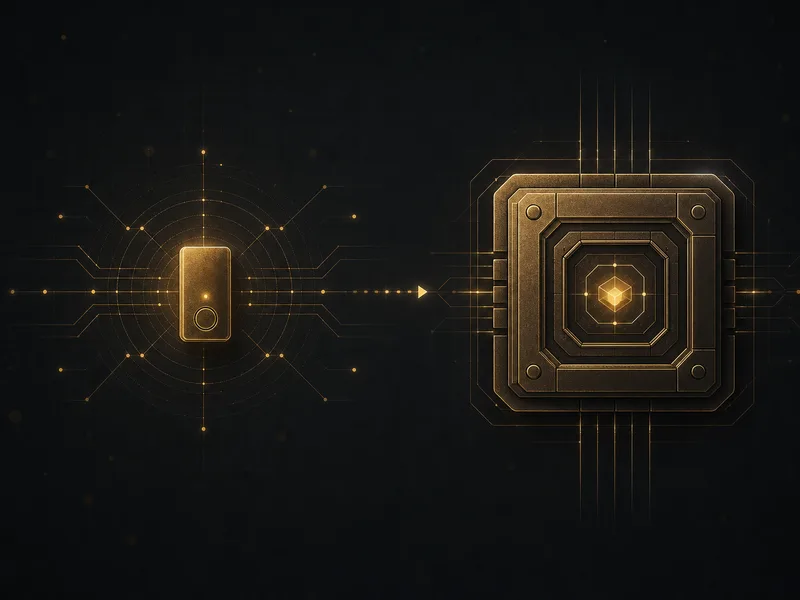
Start with the split that most experienced Solana holders eventually land on. A hot software wallet — Phantom, Solflare or Backpack — keeps your keys on your phone or in your browser, which is exactly what makes it fast and convenient for the things Solana is good at: swapping tokens, staking with a validator, collecting NFTs, and connecting to dApps that expect a browser extension to be one click away. A hardware wallet — Ledger or Tangem — keeps your private key inside a secure-element chip that never leaves the device, so a compromised computer or a malicious website cannot quietly sign transactions on your behalf. That protection is precisely what you want for the balance you are not willing to lose.
The genuinely sensible setup for most people is not one or the other but both, kept firmly separate. A small hot wallet holds spending money and handles day-to-day activity, so if you connect it to the wrong site the blast radius is limited to a sum you could shrug off. A hardware-secured wallet holds the bulk of your SOL and rarely signs anything at all. Treating these as two distinct addresses — not one wallet you occasionally plug hardware into — is what keeps a bad afternoon from becoming a catastrophe.
The reason this split works is that it caps what any single mistake can cost. Everything the hot wallet connects to — every dApp, every mint, every signature — can only ever reach what that wallet holds. Keeping it topped up to roughly what you expect to spend, rather than everything you own, turns the worst case from ruin into an annoyance. The savings address, by contrast, never visits the sites where drainers live and signs so rarely that there is almost no occasion for it to approve something dangerous.
When you do need to fund activity, move a working amount from the hardware-secured wallet to the hot one deliberately, rather than connecting the large wallet to a dApp for convenience. The moment the savings key signs on an ordinary website, the wall between the two is gone. Keeping them as genuinely separate addresses, each with its own backup, is what preserves that wall.
Levers to weigh for your own use
To decide where you personally sit, weigh a few real levers rather than a leaderboard:
- How much is at stake. A small, easily-replaceable sum and a life-changing sum call for different defences. The larger the balance, the stronger the case for moving it behind a secure-element chip.
- How often you transact. If you swap and stake most days, an all-hardware routine becomes friction you will be tempted to bypass. If you buy and hold and touch it twice a year, that friction is a feature.
- How heavily you use DeFi and NFTs. Frequent dApp connections mean more approvals, more drainer exposure and more chances to sign something you should not — an argument for keeping only modest amounts in the wallet that does the connecting.
- Your comfort with the backup model. Phantom, Solflare and Ledger all rest on a written seed phrase you must store safely offline. Tangem instead uses a set of NFC cards that back each other up, with no seed to write down by default. Neither approach is universally better; the right one is the one you will actually manage without losing the words or the cards.
Framed this way, choosing is a matching exercise, not a coronation. Be honest about your own habits — the amounts, the frequency, the backup you will genuinely keep safe — and let those answers point you to a hot wallet, a hardware wallet, or the two-tier combination that quietly serves most Solana holders best.
Conclusion
Storing Solana well comes down to a simple division of labour. A software wallet — Phantom, Solflare or Backpack — is the right tool for daily use: swaps, staking and the dApps you connect to. A hardware wallet — Ledger or Tangem — is where the bulk of your SOL belongs, its signing key sealed offline and every movement confirmed by hand. Running both, kept as two separate addresses rather than one you occasionally plug hardware into, is the setup most experienced holders settle on.
Which path fits depends on how you actually behave, not on which wallet scores highest. If you hold a small, active balance and spend most of your Solana time swapping and minting, a single well-chosen software wallet is a reasonable home, provided you read every signature. If your position has grown into something you would be genuinely sorry to lose, the case for a secure-element device becomes hard to argue against, and the friction of confirming each movement by hand is a price worth paying.
The two-tier arrangement — a modest hot wallet in front of a hardware-secured savings address — is what keeps a single bad click from being a catastrophe. Between Ledger and Tangem, the choice is mostly one of backup temperament: a written seed you can copy freely, or a set of NFC cards that back each other up with nothing to write down.
Whichever you choose, the security lives in your habits, not the brand. The seed phrase or card backup is the one thing that actually protects you: keep it offline, keep a spare in a separate place, test the restore before trusting it with real money, and never type those words into a website. A hardware wallet removes remote key theft from the table, but nothing removes the need to look before you sign. If you would rather your longer-term SOL keep earning while staying tradable, our Solana liquid staking guide covers that route.
Sources
- Solana docs — accounts and keys: protocol documentation for how a single Solana account holds SOL, SPL tokens and NFTs under the same key, and how signing works.
- Phantom — official wallet site: source for the Phantom software wallet, its transaction-simulation preview and the platforms it ships on.
- Solflare — official wallet site: source for the Solflare wallet, its native staking flow and hardware-wallet pairing.
- Backpack — official wallet site: source for the Backpack wallet and its xNFT app model.
- Ledger — hardware wallet: manufacturer source for Ledger devices, the secure-element chip and the Solana app managed through Ledger Wallet.
- Tangem — NFC card wallet: manufacturer source for the Tangem NFC card, its secure element and the multi-card backup model.
Refresh audit, 21 September 2026
Every claim on this page that could be checked was put to a primary source before its freshness date, and each finding is recorded below whether or not it survived a second, adversarial check. Wallet products in this sector rename and change hands quickly, so the check was aimed at what each named wallet does today rather than at prose style. Of the findings raised, 4 were verified and corrected, 4 were refuted — meaning the page was already right and nothing changed — and 1 could not be settled either way. The refuted ones are listed too, so a later pass does not raise them a second time.
- Verified and corrected. “The hardware device, a Ledger or a Tangem card, holds the private key and does the signing. A...” help.phantom.com
- Verified and corrected. “For Phantom, Solflare, Backpack or Ledger, the seed phrase, typically 12 or 24 words, is the...”
- Verified and corrected. “In practice most people pair a Ledger with a software wallet such as Phantom or Solflare...” shop.ledger.com
- Verified and corrected. “NFTs, which on Solana are themselves a form of SPL token [and, in the FAQ] because NFTs are...” metaplex.com
- Refuted, and nothing was changed. “Confirm blindly and the hardware advantage is largely surrendered; confirm deliberately and...” help.phantom.com
- Refuted, and nothing was changed. “Backpack — a software wallet built around the xNFT app model, aiming to run applications...” support.backpack.exchange
- Refuted, and nothing was changed. “Hardware wallets: Ledger and Tangem for Solana [the section covers only these two devices]”
- Refuted, and nothing was changed. “<a href="https://phantom.app/">Phantom — official wallet site</a> [in Sources]” phantom.app
- Unsettled, left as written. “Phantom — the most widely used Solana software wallet [and, in the FAQ] The code has been...” phantom.com
Frequently asked questions
- Is Phantom safe to use?
Phantom is a well-established non-custodial wallet, which means the keys are generated and stored on your own device rather than held by a company. The code has been through security audits and it is genuinely trustworthy as software. The important caveat is that "safe" depends mostly on the person using it: Phantom cannot stop you from approving a malicious transaction or typing your seed phrase into a fake website. Its built-in transaction simulation, which previews the likely effect of a signature before you approve, is a real help. Treat the app as sound but assume the attacker is targeting your decisions, not the software itself.
- Do I really need a hardware wallet for Solana, or is a software wallet enough?
It depends on how much is at stake and how you behave online. A software wallet such as Phantom, Solflare or Backpack is perfectly reasonable for small, actively traded balances and everyday dApp use. The weakness is that the private key lives on an internet-connected device, so malware or a drainer approval can reach it. A hardware wallet keeps the key inside a secure-element chip that never exposes it to your computer, so signing happens on a device an attacker cannot silently control. For meaningful long-term holdings the sensible pattern is both: hardware for the bulk of your SOL, a software hot wallet for smaller day-to-day amounts.
- Can Ledger and Tangem hold SPL tokens and Solana NFTs, or only SOL?
Both hold the full range, not just SOL. On Solana a single account holds SOL alongside its SPL tokens and NFTs, whether an NFT follows the older SPL-token standard or Metaplex Core, the newer single-account design, so there is no separate wallet to set up for each asset class. Ledger runs a dedicated Solana app on its secure-element chip and pairs with a software interface such as Phantom or Solflare, which displays your tokens and collectibles while the device does the signing. Tangem, an NFC card with its own secure-element chip, works the same way through its companion app. In every case the hardware protects the key; the software just shows what the account contains.
- Phantom vs Solflare — which should I use?
Both are non-custodial, well-regarded and cover the same essentials: SOL, SPL tokens, NFTs, staking and hardware-wallet pairing. Phantom is usually the friendlier starting point, with a polished interface, strong transaction simulation and a smooth experience across browser and mobile, which suits newcomers and general use. Solflare is Solana-native and tends to appeal to people who want fine-grained control, detailed staking options and a more technical feel. Neither is a wrong choice, and because each merely manages keys you control, you can import the same seed phrase into both and compare them directly. Pick the interface you find clearest, since comfort reduces mistakes.
- What happens if I lose my seed phrase or my Tangem cards?
For Solflare, Backpack or Ledger, the seed phrase, typically 12 or 24 words, is the master backup. Lose it while you still have access to the wallet and you can move funds and re-record it; lose it after the device is gone or wiped and the assets are unrecoverable, because no company holds a copy.
Phantom depends on how the wallet was made: created from a recovery phrase it behaves the same way, while a wallet created by signing in with a Google or Apple account is restored through that account instead. Such a wallet still has a recovery phrase underneath, hidden until you export it from Settings, and exporting it to offline storage on day one is the sensible move. Tangem works differently: by default there is no written seed. Instead you buy a set of cards, commonly two or three, that share the same key as a physical backup. Lose one card and another restores access; lose them all with no seed exported and, as with any self-custody key, the funds cannot be recovered.
- How do wallet drainers actually steal Solana assets, and how do I avoid them?
Drainers rarely break the cryptography. Instead a malicious dApp persuades you to sign a transaction that transfers tokens or grants a delegated authority letting the attacker move assets later. Others rely on address-poisoning, seeding your history with a look-alike address you might copy by mistake, or on phishing pages that harvest a seed phrase typed in directly. The defences are behavioural: connect only to sites you reached deliberately, read what a signature actually does using your wallet's transaction simulation, and be suspicious of any request for unlimited or open-ended approvals. Periodically review and revoke old token delegations, and never enter your seed phrase into any website.
- Can I use the same hardware wallet for Solana and other chains?
Yes. Both Ledger and Tangem are multi-chain, so one device can secure Solana alongside chains such as Bitcoin and Ethereum. On Ledger each network uses its own on-device app, and you pair the device with a matching interface, for example a Solana wallet like Phantom or Solflare for your SOL and SPL assets. Tangem manages multiple chains through its single companion app. In every case one recovery method, a seed phrase or your Tangem card set, backs up all the chains together, which is convenient but also means that backup protects everything at once. Guard it accordingly, because a single leak exposes every asset the device holds.
← Back to Crypto Investing Blog Index
Financial Disclaimer
This content is not financial advice. All information provided is for educational purposes only. Cryptocurrency investments carry significant investment risk, and past performance does not guarantee future results. Always do your own research and consult a qualified financial advisor before making investment decisions.