Top Mobile Crypto Wallets Comparison
Comprehensive comparison of the top mobile cryptocurrency storage applications in 2025. Compare security features, supported blockchains, DeFi integration, and user experience to find the perfect mobile solution for your digital asset needs.
Mobile Cryptocurrency Wallet Landscape
The four mobile wallets that matter in 2025 are MetaMask (100M+ downloads, best for Ethereum DeFi), Trust Wallet (100+ chains, best all-rounder for beginners), Coinbase Wallet (strongest institutional backing, easiest fiat on-ramp), and Phantom (best for Solana, expanding to Ethereum and Polygon). Each excels in a specific use case and falls short in others.
MetaMask supports 15+ EVM chains and integrates with virtually every Ethereum DeFi protocol, and since 2025 it also supports Solana and Bitcoin natively — though its interface still overwhelms newcomers. Trust Wallet covers 100+ blockchains including Bitcoin, Cosmos, and Polkadot alongside all EVM chains, but its built-in DApp browser has been removed from the iOS version due to Apple policy. Coinbase Wallet offers the smoothest experience for US users with direct Coinbase exchange integration, but supports fewer chains than Trust Wallet and charges a small fee for in-app swaps. Phantom dominates on Solana with sub-second transactions at fractions of a penny, but its Ethereum and Polygon support is still maturing.
All four wallets are non-custodial (you control your seed phrase), support biometric authentication, and are free to download. The only costs you pay are blockchain network fees: around a cent per Ethereum transaction in early August 2026 (more during congestion spikes), a fraction of a cent on Polygon or BSC, and under $0.001 on Solana. This comparison evaluates each wallet across security features, chain support, DeFi integration, and honest limitations to help you pick the right one for your specific needs.
Quick Comparison Table
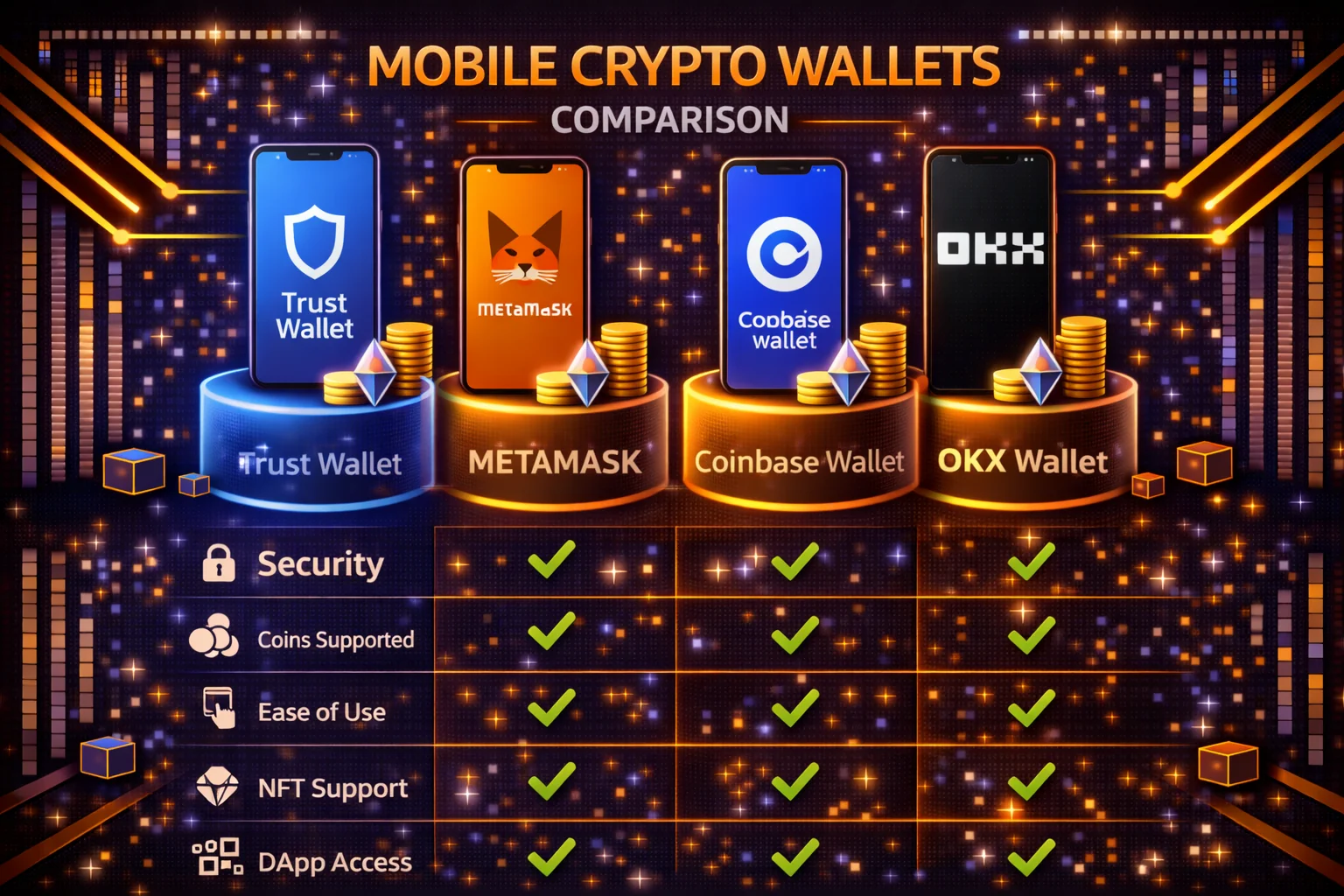
| Application | Supported Chains | DeFi Support | NFT Support | Ease of Use | Security | Rating |
|---|---|---|---|---|---|---|
| MetaMask | 15+ chains | Excellent | Yes | Intermediate | High | 9.2/10 |
| Trust Wallet | 100+ chains | Good | Yes | Beginner | High | 9.0/10 |
| Coinbase Storage | 10+ chains | Good | Yes | Beginner | High | 8.8/10 |
| Phantom | Solana focused | Excellent | Yes | Intermediate | High | 8.7/10 |
| Exodus | 100+ assets | Limited | Yes | Beginner | Medium | 8.3/10 |
| Keplr | Cosmos ecosystem | Excellent | Limited | Intermediate | High | 8.5/10 |
| Rainbow | Ethereum focused | Good | Yes | Beginner | High | 8.4/10 |
| Atomic Wallet | 500+ assets | Limited | Yes | Beginner | Medium | 8.1/10 |
Detailed Storage Solution Comparison
1. MetaMask - Best for DeFi and Ethereum
Overview
MetaMask is the most popular Ethereum storage solution and gateway to DeFi. With over 100 million users, it offers the best compatibility with decentralised applications and supports multiple blockchain networks.
Key Features
- Supported Networks: Ethereum, Polygon, BSC, Avalanche, Arbitrum, Optimism, Base, zkSync, Linea, and 10+ more EVM-compatible chains — all added via a single RPC configuration
- DeFi Integration: Native support for all major DeFi protocols including Uniswap, Aave, Curve, Compound, and Lido without WalletConnect overhead
- NFT Support: Built-in NFT gallery across Ethereum, Polygon, and Arbitrum with collection metadata and floor price display
- Browser Extension: Chrome, Firefox, and Brave extensions sync wallet state with the mobile app via the same seed phrase
- Hardware Device: Connects directly to Ledger and Trezor — hardware wallet signs the transaction while MetaMask handles the DApp interface
- Swaps: Aggregates quotes from Uniswap, 0x, 1inch, and other DEXs; charges a 0.875% service fee on the output amount
Ethereum mainnet is much cheaper than its reputation. At roughly 0.13 gwei in early August 2026 a standard token transfer costs about a penny and a DeFi interaction a few pence. The double-digit figures people remember are congestion spikes, which still happen — so check the estimate before a large transaction rather than assuming either extreme. On Layer 2s costs are lower again and steadier: Base, Optimism and Arbitrum all sit at a few pence or less per transaction, and Polygon under a penny. MetaMask's mobile app includes a gas fee estimator that shows low, medium, and high speed options with estimated confirmation times — useful for deciding whether to wait for cheaper conditions or pay for immediate settlement.
For UK users, MetaMask does not offer a direct GBP on-ramp within the mobile app as of early 2026. The built-in buy feature routes through MoonPay or Transak, both of which charge 3–5% on card purchases. A cheaper route is purchasing ETH on Kraken or Coinbase via Faster Payments (fee-free), then sending to your MetaMask address — the extra transfer step (£0.10–0.50 in gas) costs far less than the card markup.
Security Model
MetaMask is source-available rather than open source. It left the MIT licence in 2020 for a custom ConsenSys licence that is free for end users but caps commercial redistribution at 10,000 monthly active users. You can read and audit the code — and it has been audited repeatedly — but you cannot fork it into a competing product at scale. The private key is encrypted with your password and stored locally on the device — MetaMask's servers never see it. On mobile, the app enforces biometric authentication by default and simulates transaction outcomes before you approve, flagging interactions with known phishing contracts. The security risk lies in the browser environment: malicious browser extensions and compromised dApp interfaces are the most common attack vectors MetaMask users encounter. Keeping your browser extensions minimal and using a dedicated browser for DeFi reduces this risk substantially.
Pros and Cons
- Pros: Best DeFi support, multi-chain EVM coverage, large developer ecosystem, hardware wallet integration, open-source audited code
- Cons: Complex for beginners, no native Bitcoin support, 0.875% swap fee, GBP on-ramp charges 3–5%
- Best For: DeFi users, developers, advanced crypto enthusiasts, multi-chain interactions
Best For
DeFi enthusiasts, experienced users, multi-chain EVM interactions, NFT collectors, anyone pairing a hardware wallet for large holdings.
2. Trust Wallet - Best for Beginners
Overview
Trust Wallet — acquired by Binance in 2018, and today a separate company associated with founder Changpeng Zhao rather than the exchange — is designed for simplicity and supports the widest range of cryptocurrencies. It's perfect for beginners who want a straightforward mobile storage experience.
Key Features
- Supported Assets: 100+ blockchains and millions of tokens
- DeFi Browser: Built-in DApp browser for mobile DeFi access
- Delegation: Direct delegation for 20+ cryptocurrencies
- NFT Gallery: Comprehensive NFT collection management
- WalletConnect: Connect to desktop DApps
- News Feed: Crypto news and market updates
Security Features
- Bank-level security encryption
- Biometric and PIN protection
- Recovery phrase backup
- Security audit by third parties
- No personal data collection
Honest Limitations
Trust Wallet does not support multi-signature wallets, has no institutional features, and provides no API for programmatic access. It is a consumer mobile app, not an enterprise tool. The built-in DApp browser works but is slower and more limited than MetaMask's browser extension. Staking yields shown in the app do not account for network fees, which can eat 5-15% of staking rewards on low-value positions. The app is developed by Binance, which means it shares Binance's regulatory uncertainties in certain jurisdictions.
Pros and Cons
- Pros: User-friendly, wide asset support, built-in delegation, Binance backing
- Cons: Limited advanced features, centralised development
- Best For: Beginners, multi-chain users, mobile-first experience
Best For
Beginners, multi-asset portfolios, mobile-first users, delegation enthusiasts.
3. Coinbase Storage - Best for Security and Compliance
Overview
Coinbase Wallet is a self-custody solution from the publicly-traded Coinbase exchange. It combines enterprise-grade security with user-friendly design, and was rebranded Base App in July 2025 while staying self-custodial. Its backup options are a traditional 12-word recovery phrase, an encrypted cloud copy of that phrase, or a device-bound passkey.
Key Features
- Supported Networks: Ethereum, Polygon, Avalanche, BSC, Optimism, Arbitrum and Base (Coinbase's own L2), plus Solana, Bitcoin, Dogecoin and Litecoin
- DeFi Access: Built-in DApp browser and direct integrations with Compound, Aave, and Uniswap on supported chains
- Cloud Backup: Encrypted key shard stored in iCloud or Google Drive — you need both the cloud copy and your device to reconstruct the full key
- Exchange Integration: One-tap transfers from a linked Coinbase exchange account, with no network fee for the transfer itself
- Username System: Send crypto to a cb.id username instead of a 42-character address, reducing copy-paste errors
- Recovery Options: A traditional 12-word phrase, an encrypted cloud backup of that phrase, or a passkey bound to your device
Security Model
One correction worth making, because it is widely repeated: the retail Coinbase Wallet app does not use multi-party computation. Its cloud backup stores an encrypted copy of your recovery phrase in Google Drive or iCloud, protected by a password you set. MPC does exist at Coinbase, but in its Wallet-as-a-Service product for developers, not here. The practical difference matters: with an encrypted backup, an attacker who obtains both your cloud account and your backup password has everything, whereas a true MPC scheme would still be missing a share. Note also that the app was rebranded Base App in July 2025. It remains self-custodial and this is meaningfully more secure than the traditional model where stealing a seed phrase gives instant, complete access.
The trade-off is that your recovery phrase, however well encrypted, now exists in someone else's cloud. For pure self-sovereignty, keep the 12-word phrase offline and skip the cloud backup entirely. Biometric authentication, transaction simulation warnings, and integration with Coinbase's FCA-registered UK entity, CB Payments Ltd, add to the compliance story relevant to UK residents.
UK On-Ramp Specifics
Coinbase Wallet's tightest advantage for UK users is the link to the Coinbase exchange, which supports Faster Payments bank transfers with zero deposit fee. Buying £500 of ETH on Coinbase Advanced and sending it to the wallet costs 1.20% as a taker at that size (the under-$1,000 30-day-volume tier; 0.60% as a maker, falling to 0.75% taker once you pass $1,000) plus a few pence in gas — far cheaper than buying directly in any mobile wallet's card on-ramp. Coinbase is also FCA-registered under the UK's crypto-asset registration regime, which matters for users who want regulatory protection context around where their fiat enters the system.
Pros and Cons
- Pros: Simple recovery options, FCA-registered parent exchange, free fiat on-ramp via Faster Payments, one-tap exchange transfers, username-based sending
- Cons: Fewer supported chains than MetaMask or Trust Wallet, the encrypted cloud backup is only as strong as its password, limited DeFi depth outside Ethereum
- Best For: Security-conscious users, Coinbase exchange customers, UK residents prioritising regulated on-ramp routes
Best For
Users who want institutional-grade security with beginner-friendly recovery, anyone already using the Coinbase exchange, and UK residents seeking a regulated pathway from GBP to self-custody.
4. Phantom - Best for Solana Ecosystem
Overview
Phantom is the leading Solana wallet, built from the ground up for the Solana Virtual Machine. It processes transactions in under two seconds with fees typically between $0.00025 and $0.005 — orders of magnitude cheaper than Ethereum mainnet. Phantom went multichain with Ethereum and Polygon in 2023 and added Bitcoin in early 2024; it now spans eight networks — Solana, Ethereum, Base, Polygon, Bitcoin, Sui, HyperEVM and Robinhood Chain — though these remain secondary to its core Solana experience.
Key Features
- Primary Focus: Solana blockchain, with Ethereum, Base, Polygon, Bitcoin, Sui, HyperEVM and Robinhood Chain as secondary networks
- DeFi Integration: Native integrations with Raydium, Orca, Marinade Finance, and Tensor NFT marketplace — all without leaving the app
- NFT Support: Full Solana NFT gallery with collection metadata, floor prices, Magic Eden integration, and one-tap listing for sale
- Swaps: Powered by the Jupiter aggregator, which routes across all Solana DEX liquidity sources. Phantom does add its own fee — 0.85% on in-app swaps, deducted from the token you receive and shown in the quote — so for a large swap it is worth comparing against Jupiter's own interface
- Staking: Native Solana staking with validator selection — choose by APY (typically 6–7%), commission rate (0–10%), and uptime history
- Priority Fees: Adjustable priority fees for congested periods — set manually or let the app suggest based on current network conditions
- Browser Extension: Chrome and Firefox extensions sync with mobile via the same seed phrase; desktop and mobile sessions are independent but use the same keys
Gas Fees in Practice
A standard SOL transfer through Phantom costs around $0.00025 (roughly 0.02 pence). A token swap on Jupiter costs $0.001–0.003 including the routing fee. During periods of high Solana congestion — typically around NFT mints or token launches — transactions can fail without priority fees. Setting priority fees to "turbo" mode in Phantom adds roughly $0.01–0.05 per transaction and dramatically improves confirmation reliability during peak load.
Phantom's Ethereum integration uses the same key infrastructure, meaning a single seed phrase controls both your Solana and Ethereum wallets. Gas fees on Ethereum through Phantom behave identically to any other Ethereum wallet — you pay the same network rates, which in early August 2026 means pennies rather than pounds outside congestion spikes. The interface for Ethereum is functional but less polished than the Solana side; experienced Ethereum DeFi users will find MetaMask's multi-network management more refined.
Security Features
Phantom simulates every transaction before presenting it for approval, showing exactly which tokens leave and enter your wallet. It maintains an internal blocklist of known malicious contracts and flags suspicious approval requests — for example, when a DApp requests unlimited token spending allowance, Phantom shows a warning and suggests a custom limit instead. The wallet supports Ledger hardware wallet integration, where Ledger signs the transaction while Phantom handles the DApp interface. Its published third-party audits are by Kudelski Security (2021) and Least Authority (2024), and it runs a bug bounty paying up to $50,000.
Pros and Cons
- Pros: Best Solana experience, sub-cent network fees, Jupiter-powered routing, strong NFT tooling, transaction simulation warnings
- Cons: Ethereum integration is secondary and less feature-complete than MetaMask, no GBP on-ramp, Solana network downtime risk (Solana has historically experienced occasional outages)
- Best For: Solana DeFi users, Solana NFT collectors, anyone prioritising speed and low fees over chain breadth
Best For
Solana-first users who want the fastest and cheapest mobile DeFi experience; NFT collectors active on Magic Eden and Tensor; anyone staking SOL who wants fine-grained validator selection without a separate staking dashboard.
5. Exodus - Best for Portfolio Management
Overview
Exodus focuses on beautiful design and portfolio management features. It supports over 100 cryptocurrencies with built-in exchange functionality and detailed portfolio tracking.
Key Features
- Supported Assets: 100+ cryptocurrencies across multiple blockchains
- Portfolio Tracking: Advanced portfolio analytics and charts
- Built-in Exchange: Swap cryptocurrencies without leaving the wallet
- Staking: Staking support for 10+ cryptocurrencies
- Desktop Sync: Synchronisation with desktop wallet
- 24/7 Support: Human customer support
Security Features
- Local key storage
- Seed phrase backup
- Biometric protection
- No account creation required
- Privacy-focused design
Pros and Cons
- Pros: Beautiful interface, portfolio tracking, customer support, multi-asset
- Cons: Limited DeFi support, closed-source, higher swap fees
- Best For: Portfolio management, beginners, design enthusiasts
Best For
Portfolio tracking, beginners, design-conscious users, customer support preference.
Feature Comparison Matrix
Blockchain Support
- Most Chains: Trust Wallet (100+ blockchains)
- Best Ethereum: MetaMask (15+ EVM chains, plus native Solana and Bitcoin)
- Best Solana: Phantom (Solana-focused)
- Most Assets: Exodus (100+ cryptocurrencies)
- Enterprise Focus: Coinbase Wallet (10+ major chains)
DeFi Integration
- Best for Ethereum DeFi: MetaMask connects natively to Uniswap, Aave, Curve, and every EVM protocol. If you use DeFi weekly, this is the only serious mobile option for Ethereum and L2s
- Best for Solana DeFi: Phantom integrates with Jupiter, Raydium, and Marinade. Transactions confirm in under 2 seconds at fees below £0.01 — a fundamentally different experience from Ethereum's £3-15 gas
- Best for beginners who want DeFi later: Coinbase Wallet connects to DApps via WalletConnect but the in-app browser is less refined than MetaMask. Start here if you are using Coinbase exchange already
- Avoid for DeFi: Exodus has basic swap functionality but no DApp browser and no WalletConnect. If DeFi is part of your plan, choose MetaMask or Phantom instead
User Experience
- Easiest for Beginners: Trust Wallet, Coinbase Wallet
- Most Features: MetaMask
- Best Design: Exodus, Phantom
- Most Intuitive: Trust Wallet
- Advanced Users: MetaMask, Phantom
Security Ratings
- Strongest overall: MetaMask and Coinbase Wallet — longest audit histories and hardware-wallet support
- Also strong: Trust Wallet and Phantom — transaction simulation and blocklists, with Ledger pairing on Phantom
- A step below: Exodus — closed source, so you are trusting the team rather than reviewable code. This is the one the quick-comparison table above rates Medium rather than High
Use Case Recommendations
For DeFi Enthusiasts
Recommended: MetaMask (Ethereum/L2) or Phantom (Solana)
MetaMask connects natively to Uniswap, Aave, Curve, Lido, and virtually every Ethereum DeFi protocol without WalletConnect — the in-app browser on mobile loads DApp interfaces directly. For multi-chain DeFi across Arbitrum, Optimism, and Base, MetaMask's network switcher handles this cleanly. Phantom is the equivalent for Solana DeFi: native integration with Raydium, Marinade, Jupiter, and Tensor for NFTs, all with sub-second confirmations and fees under $0.01 per transaction.
For Crypto Beginners
Recommended: Trust Wallet or Coinbase Wallet
Trust Wallet's main screen shows a portfolio summary with fiat valuations, price charts, and a simple send/receive interface — no network selection confusion. Coinbase Wallet adds one-tap transfers from a Coinbase exchange account, which means a beginner can buy crypto on Coinbase (with GBP bank transfer) and move it to self-custody in under a minute. Both wallets prompt for seed phrase backup during setup and walk through the verification process step by step.
For Portfolio Managers
Recommended: Exodus or Trust Wallet
Exodus provides the most visually polished portfolio view: pie charts showing asset allocation, historical performance graphs, and profit/loss tracking per asset. It supports 100+ cryptocurrencies including Bitcoin (which MetaMask does not), making it the best single-app option for tracking a diversified portfolio. The built-in exchange charges a premium (roughly 2-4% above market), but for users who value the integrated experience over minimal fees, Exodus consolidates everything into one clean interface.
For NFT Collectors
Recommended: MetaMask (Ethereum/Polygon NFTs) or Phantom (Solana NFTs)
MetaMask displays NFTs from Ethereum, Polygon, and Arbitrum with metadata and images in a dedicated gallery tab. OpenSea, Blur, and LooksRare all integrate directly. Phantom does the same for Solana NFTs, with native Tensor and Magic Eden marketplace support. Trust Wallet also supports NFT display across multiple chains, but its NFT-specific features (bulk transfers, collection management) are less developed.
For Solana Users
Recommended: Phantom
Phantom processes Solana transactions in under 2 seconds with fees typically below $0.005. Native staking to validators (6-7% APY), SPL token support, and priority fee settings for congested periods are built in. Phantom has expanded to Ethereum and Polygon, but its Solana experience remains significantly ahead of any competitor — the app was designed for Solana first and it shows in the transaction speed and interface responsiveness.
Security Best Practices
Mobile wallet security is only as strong as your weakest habit. The wallet software itself is usually well-audited, but user mistakes account for the overwhelming majority of fund losses. Follow these practices to protect your holdings.
Wallet Setup Security
Your seed phrase is the master key to your entire wallet. Anyone who obtains it controls your funds permanently, with no recourse or recovery possible.
- Seed Phrase: Write down and store securely offline — use a fireproof steel plate for long-term storage
- Multiple Copies: Keep backup copies in two separate physical locations, such as a home safe and a bank deposit box
- Never Digital: Do not store seed phrases in screenshots, cloud notes, or password managers — these are the first targets in a phone compromise
- Verify Recovery: Test wallet recovery on a second device before transferring significant funds
Daily Usage Security
Good daily habits prevent the most common attack vectors. Treat every transaction confirmation as if you are signing a cheque.
- Biometric Lock: Enable fingerprint or face unlock to prevent unauthorised access if your phone is stolen
- App Updates: Keep wallet apps updated — security patches often fix vulnerabilities that attackers actively exploit
- Network Check: Verify you are on the correct network before sending tokens, especially when switching between Ethereum mainnet and Layer 2s
- Transaction Review: Always review recipient address, amount, and gas fees before confirming any transaction
Advanced Security
For holdings above 1,000 pounds, consider layering additional protections beyond what your mobile wallet provides by default.
- Hardware Integration: Connect a Ledger or Trezor to your mobile wallet for signing large transactions — your private keys never touch the phone
- Multi-Wallet Strategy: Use a separate hot wallet for DeFi interactions and a cold wallet for long-term holdings
- Regular Audits: Review wallet permissions and revoke unused DApp connections monthly using tools like Revoke.cash
- Phishing Protection: Bookmark official wallet websites and never follow links from emails, social media, or search ads
Common Mistakes to Avoid
Over 90% of mobile wallet fund losses come from user mistakes, not software exploits. The five errors below have collectively cost users billions — and every one is preventable if you take 10 minutes to set up your wallet correctly.
Setup Mistakes
Before you deposit a single pound into a mobile wallet, complete the backup verification process. Write the seed phrase on paper, close the app, reinstall it, and restore from the seed. If the same addresses appear, your backup works. If not, you have a transcription error that would have cost you everything later. This test takes 5 minutes and should be non-negotiable for any wallet holding more than £100.
- Screenshot Seed: Never take photos of seed phrases — if your phone is compromised or backed up to the cloud, attackers can extract the image
- Cloud Storage: Do not store recovery phrases in iCloud Notes, Google Keep, or any cloud-synced application
- Sharing Seeds: Never share seed phrases with anyone, including customer support — no legitimate service will ever ask for them
- Skipping Backup: Always complete the full backup process and verify recovery before depositing funds
Usage Mistakes
These four daily-use errors cause the most losses. Bookmark this list and review it before your first DeFi interaction on any new wallet.
- Wrong Network: Sending tokens to the wrong blockchain — always double-check the network selector before confirming a transfer
- Fake Apps: Downloading counterfeit wallet apps from unofficial sources — only install from the official website link or verified app store listing
- Phishing Sites: Connecting to malicious DApps that mimic legitimate protocols — verify the URL character by character before approving any wallet connection
- Public WiFi: Using wallets on unsecured networks where traffic can be intercepted — use mobile data or a trusted VPN instead
Future Trends in Mobile Wallets
Account Abstraction and Smart Accounts
The most significant shift in mobile wallet architecture over the next two years is account abstraction (ERC-4337 on Ethereum). Traditional wallets are externally owned accounts (EOAs) — a private key controls everything, and there is no programmable logic around how transactions are approved. Smart accounts replace this with contract-based wallets that can enforce custom rules: transactions above £500 require a time delay, certain DApps can only be accessed from a whitelisted device, or recovery can be initiated by a set of trusted contacts without any single point of failure.
Coinbase already uses a form of this principle in its Wallet-as-a-Service product, which does use MPC key sharding. MetaMask is actively building smart account support, and Argent (not reviewed here) has operated smart accounts on Ethereum for several years. The practical benefit for everyday users is eliminating the catastrophic seed phrase single point of failure — losing your phone does not mean losing your funds if recovery is distributed across trusted parties or a hardware backup.
Layer 2 Fee Compression
Ethereum's EIP-4844 (proto-danksharding), deployed in March 2024, reduced Layer 2 transaction costs by 10–100x by changing how L2s post data back to Ethereum mainnet. Arbitrum and Optimism transactions dropped from £0.10–0.30 to £0.01–0.05 on average. Base, Coinbase's L2, averaged under £0.01 per transaction through most of 2025. As more DeFi activity migrates to L2s, the gas cost argument against mobile wallets (Ethereum mainnet fees being prohibitive for small transactions) becomes progressively weaker.
Wallet UX is catching up: MetaMask's network switcher has become more intelligent about suggesting cheaper chains for the same transaction, and Trust Wallet shows estimated fees across multiple networks before you commit. Within 12–18 months, the expectation is that wallets will automatically route transactions to the cheapest chain that supports the target protocol, without the user needing to manually switch networks.
Embedded On-Ramps and UK-Regulated Access
The FCA's registration of crypto-asset firms has made UK-based on-ramps more viable within wallet apps. MoonPay and Transak, the two most common embedded on-ramp providers, are both registered with the FCA and process GBP via Open Banking (account-to-account payments) which cost 0.5–1% — cheaper than card. Expect this Open Banking route to become the default GBP on-ramp inside MetaMask and Trust Wallet during 2026, reducing the cost gap between buying in-app versus buying on a separate exchange.
Passkey and Biometric Key Management
Several wallet teams are experimenting with passkey-based key derivation: using the device's secure enclave (the same chip that stores Face ID or fingerprint data) to generate and store the wallet key, rather than a 12-word phrase. The advantage is that the key never leaves the secure enclave — it cannot be extracted even if the phone is fully compromised at the software level. Apple's iCloud Keychain sync allows passkey recovery across devices. The risk is platform lock-in: an Apple-derived wallet is harder to migrate to Android. This remains experimental as of early 2026 but represents the most meaningful improvement in mobile wallet security in the user's hands rather than the developer's.
Conclusion
Pick your wallet based on what you actually do with crypto, not marketing claims. If you use DeFi daily on Ethereum and L2s, MetaMask is the only serious choice — it supports every protocol and has the largest developer ecosystem.
If you hold 5+ different chains and want one app, Trust Wallet covers the most networks but sacrifices DeFi depth. If you only use Solana, Phantom is faster and cheaper than any alternative. If you want the simplest possible experience with institutional-grade backup options, Coinbase Wallet's MPC technology means you can recover your wallet without a seed phrase.
The honest recommendation for most people: use Trust Wallet or Coinbase Wallet for holding and basic transactions. Add MetaMask if you interact with DeFi. Keep holdings above 1,000 pounds on a hardware wallet (Ledger, Trezor) connected to your mobile wallet for signing transactions.
No mobile wallet alone is secure enough for your life savings — phones get lost, stolen, and hacked. Your seed phrase, written on paper and stored in two separate physical locations, is your real backup. Everything else is convenience.
Before settling on a wallet, install your top two choices and spend a week using each for small transactions. Test sending, receiving, swapping, and connecting to a DApp. The wallet that feels most natural for your daily workflow is the one you will actually use consistently — and consistent use matters more than any feature list.
Sources & References
Frequently Asked Questions
- Which mobile wallet is best for beginners?
- Trust Wallet is best for beginners with its simple interface, built-in DApp browser, and support for 10M+ tokens across 100+ blockchains. It's free, easy to set up, and offers good security without overwhelming complexity. Exodus is another excellent choice for beginners prioritising beautiful design and ease of use.
- Are mobile wallets safe?
- Mobile wallets are reasonably safe when used properly - enable biometric authentication, backup recovery phrases securely, and only download from official app stores. However, they're less secure than hardware wallets since phones can be hacked or stolen. Use mobile wallets for daily transactions and hardware wallets for large holdings.
- Can I use the same wallet on multiple devices?
- Yes, import your recovery phrase on multiple devices to access the same wallet. However, this increases security risk as more devices mean more potential attack vectors. Better practice: use one primary mobile device and keep recovery phrase as secure backup only.
- What happens if I lose my phone?
- Your crypto is safe if you have your recovery phrase (12-24 words). Download the wallet app on a new device and restore using this phrase. This is why securely storing your recovery phrase is crucial - never store it digitally or share it with anyone. Without it, recovery is impossible.
- Which wallet supports the most cryptocurrencies?
- Trust Wallet supports the most with 10M+ tokens across 100+ blockchains, making it the most versatile option. Exodus advertises over a million assets, which is a token-listing count rather than a chain count. MetaMask focuses on Ethereum and EVM-compatible chains. Choose based on which specific cryptocurrencies you plan to hold and use.
- Do mobile wallets charge fees?
- The wallets themselves are free to download and use. You only pay blockchain network fees (gas) for transactions. These fees vary by network. Ethereum was expensive historically but ran to roughly a cent per transfer in early August 2026, spiking only during congestion; Polygon, BSC and Solana are consistently fractions of a cent. Some wallets like Exodus charge small fees for in-app exchanges.